A
ll
and
mor
e about Sharp
PC
-1500
at
http:/lwww.PC-1500.info
B.
BATTERY
REPLACEMENT
FOR
THE
PC-1500
When replacing
the
batter
ie3,
these
caut
ionary inst,.uctions will eliminate
ma
ny problems;
Always replace
all
four (41 batteries
at
the
same
tim
e.
Oo
not mix new batteries
with
used batteri
es.
.
Us
e only: Dry ba
tt
ery (type AA. R6
or
$UM·3, 1 .
5V)
x 4
- -
BATTERY
REPLACEMENT
PROCEDURE
Before t
he
co
m puter
c.an
be
used,
or
\Yhe
nev
cr
the battery indicator disappears, replacement
of
t
he
batteries is necessary. Please follow this replacement procedure:
1. Turn off t
he
computer
by
pressing the
:p<T
I k
ey.
2.
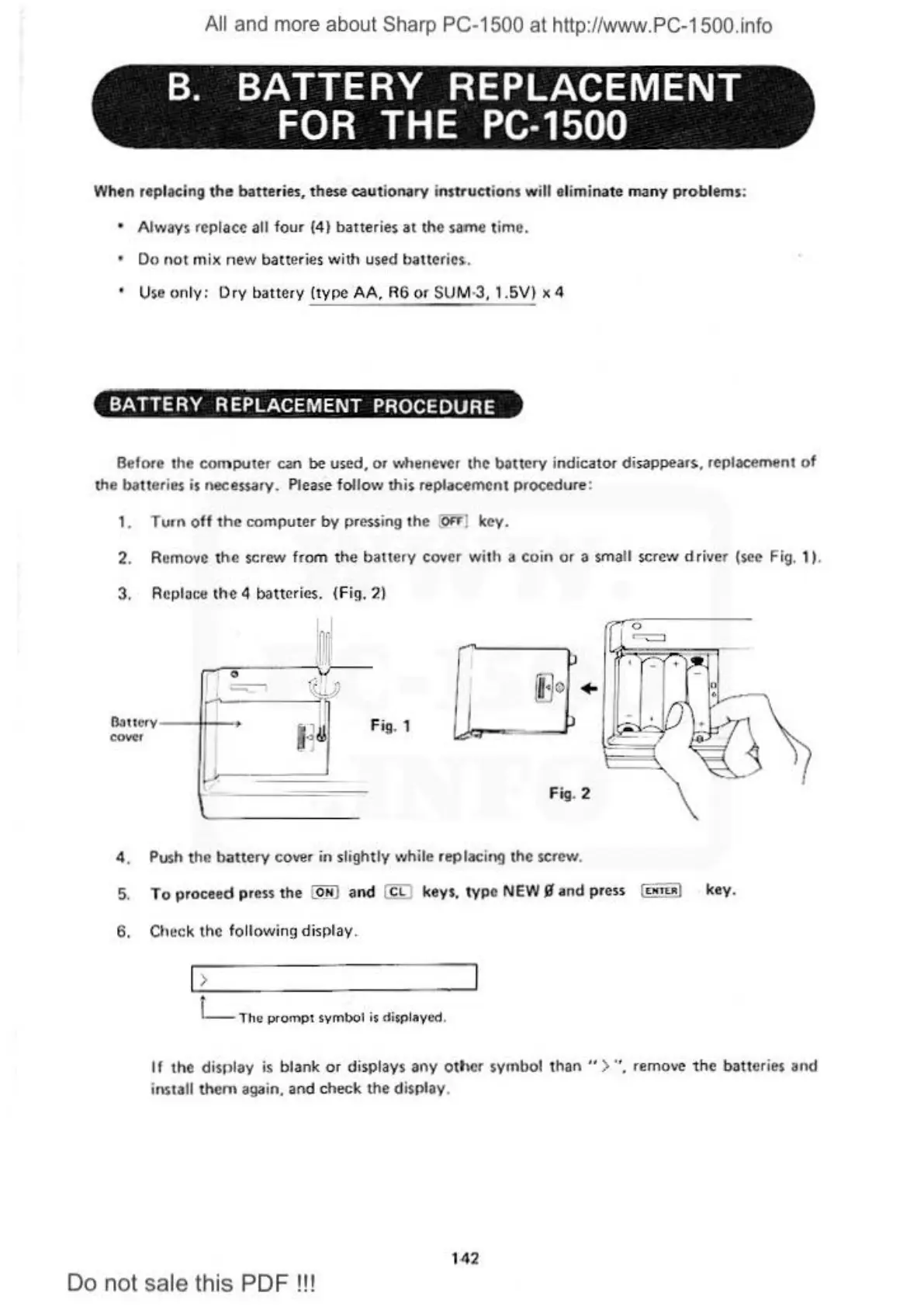
Remove the screw
fr
om
the battery cover with a coin or a small
scrc-.v
driver (s
ec
Fig, 1 ).
3. Rcploce
the
4 batteries. (Fig.
21
O:ttt
c
rv
--
++--+
covtr
F
ig
. 1
p
iEJo
+
p
F
ig
. 2
4.
Push
the battery cover
in
slightly
,~,
hile
replacing the screw.
5.
To proceed press
the
@_N] and @ keys,
IYP
•
NEW
11
and press (
<HT<•
l key.
6.
Check the following display.
>
{
__
Tho promp1 symbol is displayed.
Ir
the
display
is
blank or displays
any
othe
r symbol
than
">
°'.
remove
the
batteries and
install
them
again.
and
c
hec
k
the
d
is
play.
1
42
Do not sale this PDF !!!



 To Next Page