EasyManua.ls Logo

Sharp PC-1500 - Page 150

Sharp PC-1500
169 pages
Print Icon
To Next Page IconTo Next Page
To Previous Page IconTo Previous Page
Loading...
All and more about Sharp PC-1500
at
http:/lwww.PC-1500.info
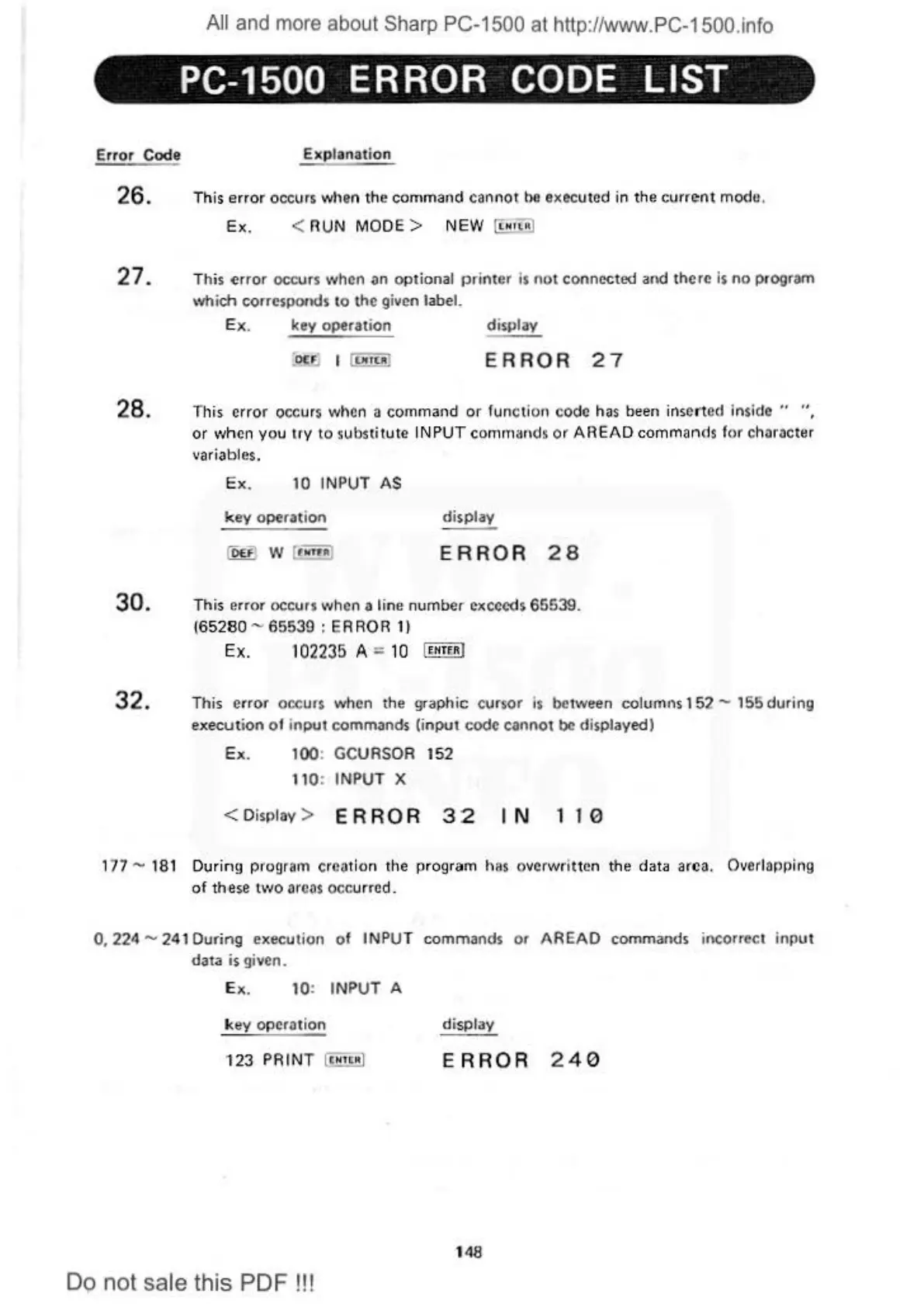
PC-1500 ERROR CODE
LIST
Error Code Explanat
ion
26. This
error
occurs when the command cannot
he
executed in the
current
modu.
Ex
. <
RUN
MODE>
N
EW
[i:
!!oiJ
27.
This
~rror
occurs \\lhcn an option
al
pr
inter
is
not connect
ed
and there
is
no
progr&m
which corresponds to
th
e given label.
Ex
.
key
operation display
ERROR
27
28. This
error
occurs when a command
or
function
co
de
has
been inse
rt
ed inside " "
or when
you
try
to s
ub
stit
ut
e
INP
UT
comm
an
ds
or
AREAD
commands
lor
character
va
riables.
Ex
. 10 INPUT
AS
key
operation
!OU)
w [
..
..
)
display
ERROR
28
30. This error occurs
t.\lh
cn a li
ne
number exceeds
65539.
(65
280
- 65539 : ERROR
11
Ex.
102235
A =
10
I
rn
rrn
l
32. This e
rr
or
occurs when the gr
ap
hic
cursor is between
co
lu
mns
15
2 - 155
dur
in
g
execu t
ion
ot
input
commands (i
nput
code cannot be displayed I
Ex
. 100: GCUASOR 152
t 10: I
NPUT
X
< Di
sp
lay > E R R 0 R 3 2 I N 1 I 0
177 - 1
81
Duri
ng
pro
g
ra
1n creati
on
the program
has
overwri
tt
en the data are
a.
Overlapping
of th
ese
tvJO
areas
occ
urred.
0, 224 - 241
During
execution ot IN
PU
T commands
or
AREAD
commands incorrect
input
data is given.
Ex. 10:
INPUT
A
key operation display
123
PAINT
(•
•1tt
Rl
ERR
OR
240
1
48
Do not sale this PDF !!!

Table of Contents

Other manuals for Sharp PC-1500

Related product manuals