EasyManua.ls Logo

Sharp PC-1500 - Page 152

Sharp PC-1500
169 pages
Print Icon
To Next Page IconTo Next Page
To Previous Page IconTo Previous Page
Loading...
All and more about Sharp P
C-
1500
at
http:/lwww.PC-1500.info
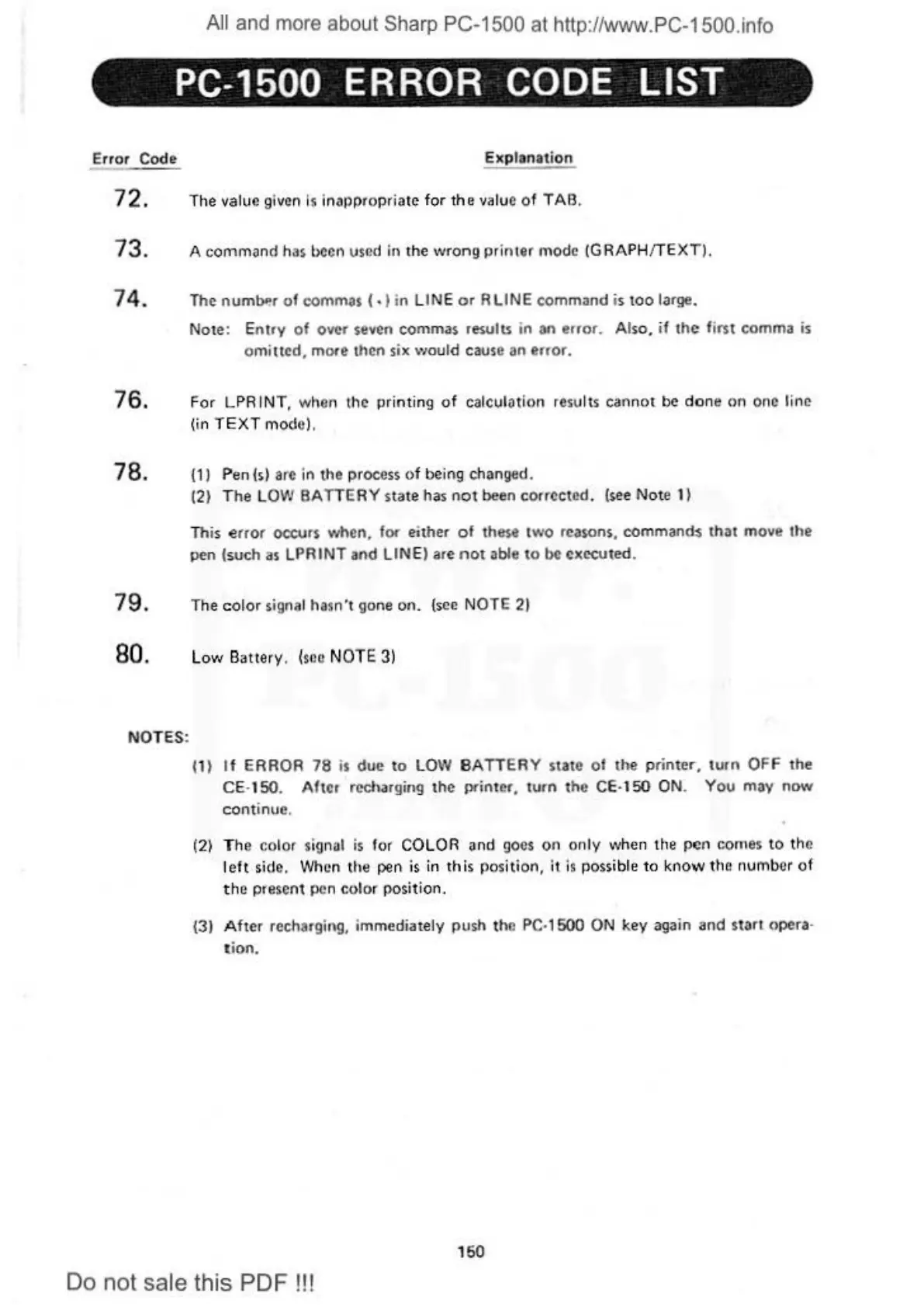
PC-1500 ERROR CODE LIST
Error Code Explan
ation
7 2. The value given is inapprop
ri
at
e
for
the
value o f TAB.
73. A
command
has been used in the
wrong
printer
mode (GRAPH!TEXT).
7
4.
The numb'!r
of
commas
(.)in
LINE
or
R LINE
command
is
too
large.
Note
:
Ent
ry
of
over
seven
commas
results
in
an
error. Also.
if
the
first comma
is
omitte
d,
more then six \voutd cause an error.
76. For LPR
IN
T, whon the printing
of
calculotion results cann
ot
be
done
on
one line
(in T
EXT
mode).
78. (1)
Pen(s)
arc in
the
process
of
being changed.
(2) T
he
L
OW
BATTERY
state
has
not
been corrected. (see
No
te 1)
Th
is e
rror
occurs when. for either
of
these
two
rea
so
ns, commands that move the
pen (
such
as LPRINT
and
LIN E) are
not
able
to
be
ex
ecuted.
79. The
colo
r signal hosn"t gone
on
. (see
NO
TE
21
80. Low Battery.
(s
ec NOTE 3)
NOTES:
(1)
If
ERROR
78
is
due
to
LOW
BATTERY
state
of
the
p
rinter,
tu
rn
OFF
the
CE· 150. After recharging
th
e printer, turn
the
CE· 150 ON.
You
may
now
continue.
(2) The
co
lor signal
is
for COLOR and go
es
on
only when the
pen
comes
to
the
l
eft
side. When the pen
is
in
this
po
s
it
ion,
it
is
possible
to
know
the number
of
the p
resent
pen
color
position.
(3)
After
rechargil\g, immediately
push
th
e
PC
·
1500
ON key again
and
start
opera·
tion.
1
50
Do not sale this PDF !!!

Table of Contents

Other manuals for Sharp PC-1500

Related product manuals