EasyManua.ls Logo

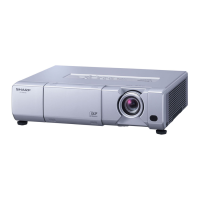
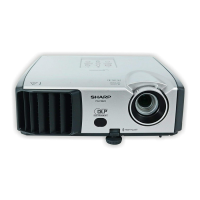
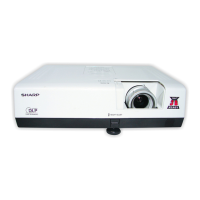
Sharp PG-D3010X - User Manual

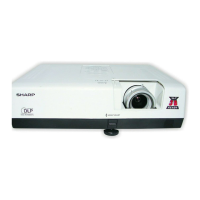
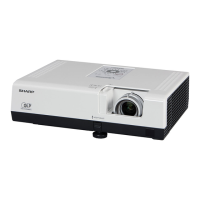
Sharp PG-D3010X
75 pages
Print Icon
To Next Page IconTo Next Page
Loading...
Introduction
Easy Start
Setup
Connections
Basic
Operation
Useful
Features
Appendix
OPERATION MANUAL
DATA PROJECTOR
MODEL
PG-D3510X
PG-D3010X
PG-D2710X

Table of Contents

Other manuals for Sharp PG-D3010X

Questions and Answers

  • P
    pheathAug 16, 2025
    Why Sharp PG-D3010X has no picture and sound?
    • J
      Jeffrey PattersonAug 16, 2025
      If your Sharp Projector isn't displaying a picture or producing sound, and isn't starting, several factors could be at play. Ensure the projector's power cord is securely plugged into the wall outlet and that external connected devices are powered on. Check that the lens shutter is open and the correct input mode is selected. Also, verify that the AV Mute function isn't active and that all cables are properly connected. A depleted remote control battery, incorrect external output settings on a connected notebook, or an improperly installed lamp unit cover could also be the cause.
  • K
    Keith KrauseAug 18, 2025
    How to fix Sharp PG-D3010X when picture is on but there is no sound?
    • G
      Gregory JimenezAug 19, 2025
      If your Sharp Projector displays a picture but you're not getting any sound, check the following: make sure the cables are correctly connected to the projector. Verify that the volume isn't set to the minimum. Also, ensure that the “Speaker” setting is not set to “Off.”
  • C
    Christina RoblesAug 22, 2025
    How to fix blurred picture and noise on Sharp PG-D3010X Projector?
    • P
      Paul JamesAug 22, 2025
      If the picture on your Sharp Projector is blurred or noisy, try these steps: adjust the focus. If the projection distance exceeds the focus range, it may cause blurring. If there is fog on the lens, this can also cause a blurred picture. If condensation forms, remove the power cord and wait for it to clear. If you're using computer input, perform “SIG-ADJ” adjustments, specifically “Clock” and “Phase” adjustments.
  • E
    Emily HayesAug 25, 2025
    What to do if Sharp PG-D3010X Projector has sound but no picture?
    • I
      iscottAug 26, 2025
      If your Sharp Projector is producing sound but no picture, or the picture is dark, check the cable connections to ensure they are correctly connected. Make sure that the “Bright” setting is not set to the minimum position. Depending on the connected computer, ensure the signal output setting is switched to the external output; refer to the computer's manual for instructions. Also, verify if “On” is selected in “DLP® LinkTM”.
  • C
    Christopher RangelAug 28, 2025
    How to improve faded color on Sharp PG-D3010X?
    • C
      Crystal MyersAug 28, 2025
      If the color on your Sharp Projector appears faded or poor, try these solutions: Adjust the “Color” and “Tint” settings in “Picture Mode” and lower the “BrilliantColorTM” value. If using S-Video or Video Input, ensure the video input system is correctly set. For COMPUTER/COMPONENT 1, 2 Input, verify that the input signal type (RGB/Component) is correctly set.
  • Z
    zaguilarAug 30, 2025
    Why Sharp PG-D3010X Projector lamp doesn't light up?
    • J
      Jody SanchezAug 31, 2025
      If the lamp on your Sharp Projector doesn't light up even after turning on the projector, it could be due to a couple of reasons. The lamp indicator may be illuminating in red, indicating the lamp needs replacement. Alternatively, the lens shutter might be closed.
  • J
    jwilliamsSep 3, 2025
    Why is my Sharp PG-D3010X remote control not working?
    • L
      Lisa LeblancSep 3, 2025
      If you're unable to use the remote control with your Sharp Projector, try these steps: Ensure you're pointing the remote control at the projector's remote control sensor. Make sure you are not too far away from the projector. Strong light sources, like direct sunlight or fluorescent lamps, can interfere with the sensor; position the projector away from such light. Check the batteries to ensure they are correctly inserted and not depleted; replace them if necessary.
  • W
    Willie FloresSep 6, 2025
    Why does the Sharp PG-D3010X Projector image flicker?
    • K
      Kimberly AdkinsSep 6, 2025
      If the image on your Sharp Projector sometimes flickers, it could be due to incorrectly connected cables or malfunctioning connected equipment. If flickering happens frequently, consider replacing the lamp.
  • L
    Lisa SuttonSep 9, 2025
    How to center image on Sharp PG-D3010X?
    • S
      Shawn AdamsSep 9, 2025
      If the data image on your Sharp Projector is not centered, make the necessary adjustments of each item in the “SIG-ADJ” menu. Depending on the computer you are using, the output resolution signal may be different from the one you have set.
  • J
    Jay SullivanSep 12, 2025
    Why is the Sharp PG-D3010X Projector cooling fan so noisy?
    • T
      tammy35Sep 12, 2025
      The cooling fan in your Sharp Projector may become noisy because the temperature inside the projector has increased, causing the fan to run faster.

Sharp PG-D3010X Specifications

General IconGeneral
Brightness3000 ANSI Lumens
ResolutionXGA (1024 x 768)
Contrast Ratio2000:1
Display TechnologyDLP
Lamp Life3000 hours (Eco mode)
Projection Size30" to 300"
Input PortsHDMI, VGA, S-Video, Composite Video
Output PortsVGA
Power Consumption310 W (Normal mode), 250 W (Eco mode)
Noise Level30 dB (Eco)

Related product manuals