EasyManua.ls Logo

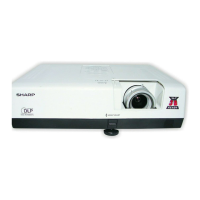
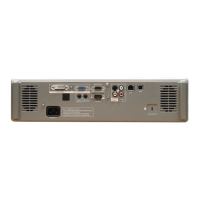
Sharp PG-D2500X - User Manual

Sharp PG-D2500X
77 pages
Print Icon
To Next Page IconTo Next Page
Loading...
Introduction Easy Start Setup
Connections
Basic
Operation
Useful
Features
Appendix
OPERATION MANUAL
DATA PROJECTOR
MODEL
PG-D2500X

Table of Contents

Other manuals for Sharp PG-D2500X

Questions and Answers

  • W
    William NelsonAug 19, 2025
    How to troubleshoot no picture and sound on Sharp PG-D2500X?
    • L
      Larry AlvarezAug 19, 2025
      If your Sharp Projector shows no picture and no sound, or it doesn't start, here's what to check: * Ensure the projector's power cord is securely plugged into the wall outlet. * Verify that the power to any connected external devices is turned on. * Make sure the lens shutter is open. * Confirm that the correct input mode is selected. * Check if the AV Mute function is enabled and disable it if it is. * Ensure all cables are correctly connected to the projector. * Replace the remote control battery if it's depleted. * If using a notebook computer, ensure the external output is properly set. * Make sure the lamp unit cover is correctly installed.
  • D
    Dana NelsonAug 21, 2025
    Why is the picture too bright on my Sharp Projector?
    • H
      hbrownAug 21, 2025
      If your Sharp Projector displays a picture that is too bright and whitish, it indicates that image adjustments are incorrectly set. You should correct them.
  • P
    Patrick RobinsonAug 25, 2025
    Why is there no sound on my Sharp PG-D2500X?
    • C
      Curtis BrooksAug 25, 2025
      If you see a picture on your Sharp Projector but hear no sound, here are a few things to check: * Make sure all cables are correctly connected to the projector. * Ensure the volume isn't set to the minimum. * Verify that the “Speaker” setting isn't set to “Off”.
  • M
    Michael LeeAug 26, 2025
    Why is the cooling fan so noisy on my Sharp Projector?
    • C
      Craig VasquezAug 26, 2025
      If your Sharp Projector's cooling fan is making excessive noise, it's likely because the temperature inside the projector has increased, causing the fan to run faster. This is normal operation.
  • L
    Lisa DavisAug 28, 2025
    What to do if my Sharp PG-D2500X has sound but no picture?
    • C
      Courtney PalmerAug 28, 2025
      If your Sharp Projector displays sound but no picture (or the picture is dark), consider the following: * Ensure all cables are correctly connected to the projector. * Check that the “Bright” setting is not set to the minimum position. * If using a computer, ensure the signal output setting is correctly switched to the external output, referring to your computer's manual for instructions. * Verify that “On” is selected in “DLP® LinkTM”.
  • J
    Justin McdanielAug 30, 2025
    Why doesn't the lamp light up on my Sharp Projector?
    • K
      Kyle Johnson MDAug 30, 2025
      If the lamp on your Sharp Projector doesn't light up even after turning the projector on: * Check if the lamp indicator is illuminating in red, which means you should replace the lamp. * Also, make sure the lens shutter is open.
  • K
    Katherine WilliamsSep 1, 2025
    How to fix Sharp Projector remote control not working?
    • M
      Michael JonesSep 1, 2025
      If the remote control for your Sharp Projector isn't working, try these steps: * Point the remote control directly at the projector's remote control sensor. * Ensure you are within a reasonable distance from the projector. * Avoid direct sunlight or strong fluorescent light shining on the projector's remote control sensor. * Check the batteries: make sure they are correctly inserted and not depleted. Replace them if necessary.
  • P
    paulchristopherSep 3, 2025
    How to fix a blurred picture on Sharp Projector?
    • L
      Lori RussellSep 3, 2025
      If the picture on your Sharp Projector is blurred or noisy, try these solutions: * Adjust the focus. * Ensure the projection distance is within the focus range. * Check the lens for fog. If condensation forms, remove the power cord and wait for it to clear. * If using computer input, perform “SIG-ADJ” adjustments (“Clock” and “Phase” Adjustment).
  • R
    Ryan DavisSep 5, 2025
    Why does the Sharp PG-D2500X have faded color?
    • P
      paulandersonSep 6, 2025
      If the color on your Sharp Projector appears faded or poor: * Ensure that image adjustments are correctly set. * Adjust the “Color” and “Tint” in “Picture Mode” and lower the “BrilliantColorTM” value. * For S-Video or Video Input, verify that the video input system is correctly set. * For COMPUTER/COMPONENT Input, ensure the input signal type (RGB/Component) is correctly set.
  • G
    George MillerSep 8, 2025
    Why does the Sharp Projector image flicker?
    • C
      cabreravictoriaSep 8, 2025
      If the image on your Sharp Projector sometimes flickers, it may be due to: * Incorrectly connected cables or improperly working connected equipment. Ensure all connections are secure. * If flickering persists, consider replacing the lamp.

Summary

Introduction

Warranty Registration Benefits

Details benefits of warranty registration for parts, service, and labor.

Consumer Product Safety Act Compliance

Explains importance of registering for safety notifications and reading warranty clauses.

Important Safeguards

Setup Safeguards

Projector Setup and Placement Guidelines

Advises on optimal setup, avoiding direct sunlight, and ensuring stable placement.

Easy Start

Setup and Projection Guide

Guides through initial setup, connecting, and powering on the projector.

Setup

Projector Placement and Leveling

Details how to position the projector for optimal image quality and level placement.

Basic Operation

Powering On and Off

Steps for turning the projector on and putting it into standby mode.

Sharp PG-D2500X Specifications

General IconGeneral
BrandSharp
ModelPG-D2500X
CategoryProjector
LanguageEnglish

Related product manuals