EasyManua.ls Logo

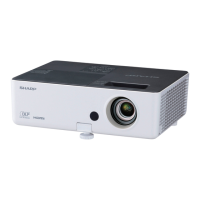
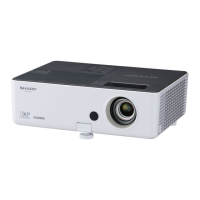
Sharp PG-LW3000 - User Manual

Sharp PG-LW3000
77 pages
Print Icon
To Next Page IconTo Next Page
Loading...
Introduction Easy Start Setup
Connections
Basic
Operation
Useful
Features
Appendix
OPERATION MANUAL
DATA PROJECTOR
MODEL
PG-LX3000
PG-LX3500
PG-LW3000
PG-LW3500

Table of Contents

Other manuals for Sharp PG-LW3000

Questions and Answers

  • S
    Stephen UnderwoodAug 20, 2025
    How to troubleshoot a Sharp Projector that has no picture and no sound and does not start?
    • W
      williamcaseAug 20, 2025
      If your Sharp Projector shows no picture and no sound, and doesn't start, try these steps: * Ensure the power cord is properly plugged into the wall outlet. * Verify that the input mode is correctly selected. * Confirm that external connected devices are powered on. * Check that all cables are correctly connected to the projector. * Replace the remote control battery. * Set the external output when connecting a notebook computer. * Install the lamp unit cover correctly.
  • M
    Margaret LeeAug 21, 2025
    What to do if my Sharp PG-LW3000 has sound but no picture?
    • L
      laurarobinsonAug 21, 2025
      If you're getting sound but no picture (or a dark picture) on your Sharp Projector, here's what to check: * Adjust the brightness setting, as it may be set to the minimum. * Make sure all cables are correctly connected to the projector. * Change the signal output setting on your computer.
  • N
    Nathan GonzalesAug 23, 2025
    Why does the image flicker on my Sharp PG-LW3000 Projector?
    • A
      austin96Aug 25, 2025
      If the image on your Sharp Projector is flickering, it could be due to: * Incorrectly connected cables. Ensure all cables are properly connected. * A faulty lamp. If the flickering occurs frequently, consider replacing the lamp.
  • D
    Diane WilliamsAug 26, 2025
    Why is my Sharp PG-LW3000 Projector remote control not working?
    • D
      Debra GarrisonAug 26, 2025
      If your Sharp Projector's remote control isn't working, try the following: * Point the remote control directly at the projector's remote control sensor. * Ensure you are within the remote control's operational distance from the projector. * Shield the sensor from direct sunlight or strong fluorescent light. * Verify that the batteries are correctly inserted or replace them with new ones.
  • K
    Kenneth LeachAug 28, 2025
    How to fix faded or poor color on Sharp Projector?
    • M
      Michael SmithAug 28, 2025
      If you're getting a faded or poor color display on your Sharp Projector: * Adjust the “Color” and “Tint” settings in “Picture Mode” and lower the “BrilliantColorTM” value. * Check that the video input system is set correctly.
  • B
    Brooke ReidAug 30, 2025
    What to do if Sharp PG-LW3000 Projector lamp does not light up?
    • E
      Emily AbbottAug 30, 2025
      If the lamp on your Sharp Projector does not light up even after you turn on the projector, and the lamp indicator is illuminating in red, replace the lamp.
  • R
    Rachel DuffyAug 31, 2025
    Why is the picture blurred on my Sharp PG-LW3000 Projector?
    • L
      Lisa ButlerAug 31, 2025
      If the picture on your Sharp Projector is blurred or noisy: * Adjust the focus. * Check the projection distance to ensure it's within the focus range. * Set up the projector at least one hour before using.
  • C
    Chris SharpSep 2, 2025
    Why is there ghosting on my Sharp Projector?
    • G
      Gregory WardSep 3, 2025
      If you see ghosting (a double image) without the image appearing in 3D on your Sharp Projector, try the following: * Ensure that you are using 3D LCD shutter glasses. * Check that the shutters on the 3D LCD shutter glasses are working properly. * Check the settings of the projector. * Check whether a signal that is not supported is being input. * If connected to a computer for 3D playback, ensure a stereoscopically-enabled application is used. * Check for obstructions between the screen and the 3D LCD shutter glasses. * Check for nearby sources of high-intensity lighting. * Use only one projector at a time.
  • M
    Mrs. Misty Olsen DVMSep 4, 2025
    Why does my Sharp PG-LW3000 Projector have a dark or bluish image?
    • J
      Jeffrey SkinnerSep 5, 2025
      If you're experiencing dark or bluish images on your Sharp Projector, check that the “Wall Color” setting is configured correctly.
  • J
    Jesus FlemingSep 6, 2025
    Why is there no sound on my Sharp Projector?
    • P
      pettymatthewSep 6, 2025
      If you see a picture but hear no sound from your Sharp Projector: * Ensure all cables are correctly connected to the projector. * Increase the volume, as it may be set to minimum. * Set the speaker to “On”, as it may be set to “Off”.

Summary

Introduction

IMPORTANT SAFEGUARDS

Part Names and Functions

Rear View Terminals

Details the various input and output terminals on the rear of the projector.

Easy Start

Setup and Projection

Step-by-step guide for initial projector setup and connection.

Setup

Setting Up the Projector

Guidelines for optimal projector positioning and initial setup.

Connections

Connecting to Other Equipment

Guide to connecting the projector to various external devices.

Basic Operation

Turning the Projector On;Off

Procedures for powering the projector on, off, and into standby mode.

Useful Features

Menu System Overview

Introduction to the Quick Start and Complete menus for settings.

Picture Adjustment Menu

Detailed guide to adjusting picture settings like mode, contrast, and color.

Signal Adjustment Menu

How to fine-tune computer image settings like resolution and signal type.

Appendix

Lamp Replacement and Timer Reset

Guidance on replacing the projector lamp and resetting its usage timer.

Troubleshooting

Common problems and their solutions, including image and sound issues.

Sharp PG-LW3000 Specifications

General IconGeneral
Brightness3000 ANSI Lumens
Resolution1280 x 800 (WXGA)
Contrast Ratio2000:1
Throw Ratio1.5 - 1.8:1
Display TechnologyDLP
Aspect Ratio16:10
Lamp Life4000 hours (Eco Mode)
ConnectivityHDMI, VGA
Projection Size30 to 300 inches
Output PortsAudio Out
Power Consumption280W
Operating Temperature0 to 40 °C
Noise Level30 dB (Eco)

Related product manuals