EasyManua.ls Logo

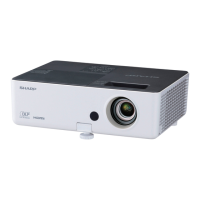
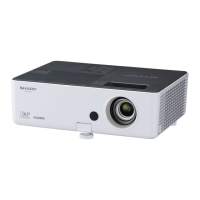
Sharp PG-LX3000 - User Manual

Sharp PG-LX3000
77 pages
Print Icon
To Next Page IconTo Next Page
Loading...
Introduction Easy Start Setup
Connections
Basic
Operation
Useful
Features
Appendix
OPERATION MANUAL
DATA PROJECTOR
MODEL
PG-LX3000
PG-LX3500
PG-LW3000
PG-LW3500

Table of Contents

Other manuals for Sharp PG-LX3000

Questions and Answers

  • A
    April GambleAug 20, 2025
    How to troubleshoot a Sharp PG-LX3000 Projector that has no picture and no sound and does not start?
    • A
      Amy JohnsonAug 20, 2025
      If your Sharp Projector shows no picture and no sound, and doesn't start, try these steps: * Ensure the power cord is properly plugged into the wall outlet. * Verify that the input mode is correctly selected. * Confirm that external connected devices are powered on. * Check that all cables are correctly connected to the projector. * Replace the remote control battery. * Set the external output when connecting a notebook computer. * Install the lamp unit cover correctly.
  • D
    daniel87Aug 22, 2025
    What to do if my Sharp Projector has sound but no picture?
    • S
      Stephanie WilliamsAug 22, 2025
      If you're getting sound but no picture (or a dark picture) on your Sharp Projector, here's what to check: * Adjust the brightness setting, as it may be set to the minimum. * Make sure all cables are correctly connected to the projector. * Change the signal output setting on your computer.
  • V
    Valerie ThomasAug 25, 2025
    Why does the image flicker on my Sharp PG-LX3000?
    • I
      ijonesAug 25, 2025
      If the image on your Sharp Projector is flickering, it could be due to: * Incorrectly connected cables. Ensure all cables are properly connected. * A faulty lamp. If the flickering occurs frequently, consider replacing the lamp.
  • P
    Pam LeonardAug 26, 2025
    Why is my Sharp PG-LX3000 remote control not working?
    • M
      Mary SimpsonAug 26, 2025
      If your Sharp Projector's remote control isn't working, try the following: * Point the remote control directly at the projector's remote control sensor. * Ensure you are within the remote control's operational distance from the projector. * Shield the sensor from direct sunlight or strong fluorescent light. * Verify that the batteries are correctly inserted or replace them with new ones.
  • J
    Julia JonesAug 28, 2025
    How to fix faded or poor color on Sharp PG-LX3000 Projector?
    • D
      Dean PetersAug 28, 2025
      If you're getting a faded or poor color display on your Sharp Projector: * Adjust the “Color” and “Tint” settings in “Picture Mode” and lower the “BrilliantColorTM” value. * Check that the video input system is set correctly.
  • M
    millerkatieAug 30, 2025
    What to do if Sharp Projector lamp does not light up?
    • E
      Erin MurphyAug 30, 2025
      If the lamp on your Sharp Projector does not light up even after you turn on the projector, and the lamp indicator is illuminating in red, replace the lamp.
  • Z
    Zachary TownsendSep 1, 2025
    Why is the picture blurred on my Sharp PG-LX3000?
    • S
      Steven MasonSep 1, 2025
      If the picture on your Sharp Projector is blurred or noisy: * Adjust the focus. * Check the projection distance to ensure it's within the focus range. * Set up the projector at least one hour before using.
  • Z
    zkimSep 3, 2025
    Why is there ghosting on my Sharp PG-LX3000 Projector?
    • G
      gregory06Sep 3, 2025
      If you see ghosting (a double image) without the image appearing in 3D on your Sharp Projector, try the following: * Ensure that you are using 3D LCD shutter glasses. * Check that the shutters on the 3D LCD shutter glasses are working properly. * Check the settings of the projector. * Check whether a signal that is not supported is being input. * If connected to a computer for 3D playback, ensure a stereoscopically-enabled application is used. * Check for obstructions between the screen and the 3D LCD shutter glasses. * Check for nearby sources of high-intensity lighting. * Use only one projector at a time.
  • J
    Jacob OwensSep 5, 2025
    Why does my Sharp Projector have a dark or bluish image?
    • K
      Katherine AshleySep 5, 2025
      If you're experiencing dark or bluish images on your Sharp Projector, check that the “Wall Color” setting is configured correctly.
  • X
    xbarrSep 7, 2025
    Why is there no sound on my Sharp PG-LX3000 Projector?
    • M
      Martha WellsSep 7, 2025
      If you see a picture but hear no sound from your Sharp Projector: * Ensure all cables are correctly connected to the projector. * Increase the volume, as it may be set to minimum. * Set the speaker to “On”, as it may be set to “Off”.

Sharp PG-LX3000 Specifications

General IconGeneral
BrandSharp
ModelPG-LX3000
CategoryProjector
LanguageEnglish

Related product manuals