RZ-X650 MSR User Guide
3
SHARP
3. Enabling the MSR keyboard mode
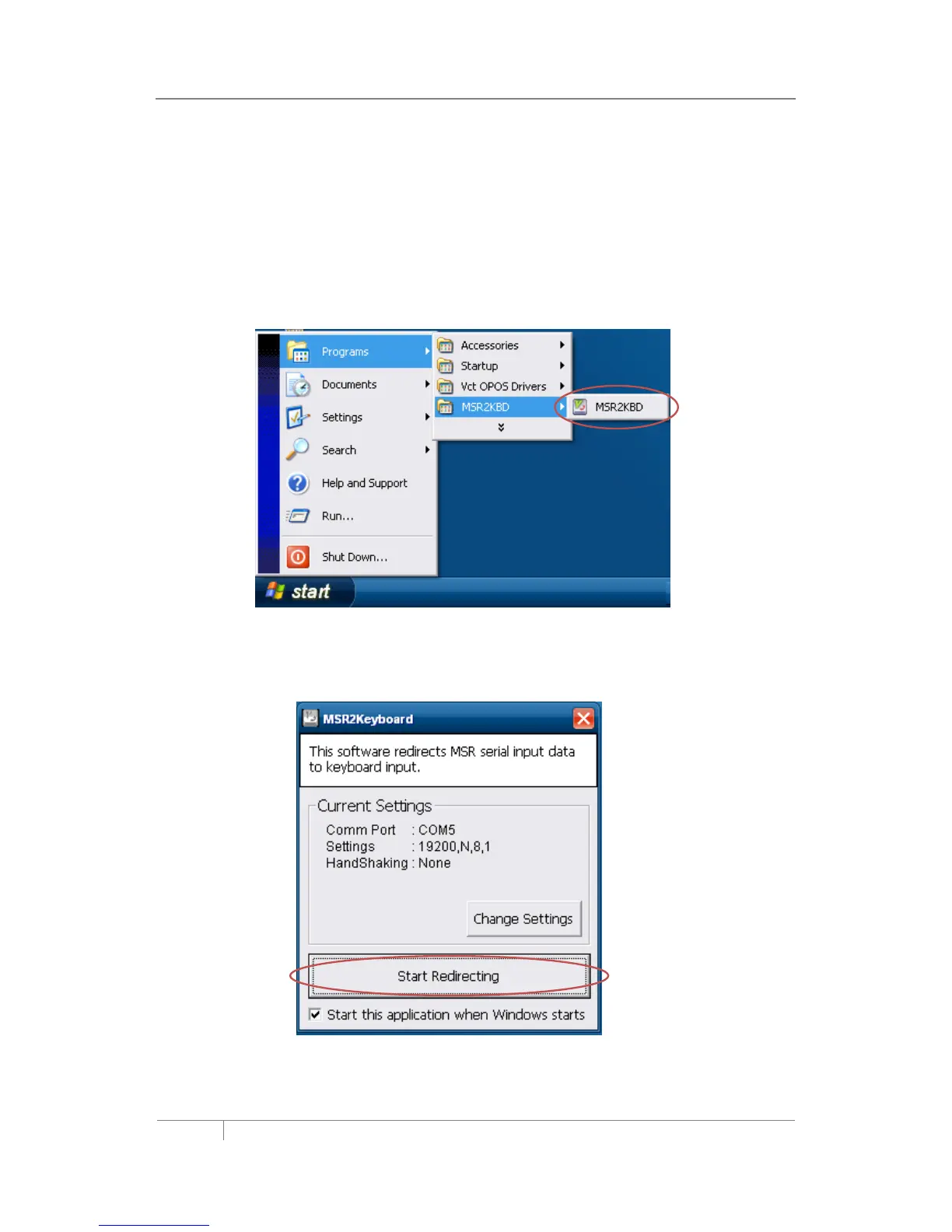
If the MSR_KBD utility has been removed and is required follow these steps:
1. Touch the windows [Start] button
2. Select Programs
3. Select the MSR-KBD folder
4. Select MSR_KBD program
5. Check the box “Start this application when Windows starts”.
6. Touch the [Start Redirecting] button, Keyboard interface mode is now enabled.



 To Next Page