RZ-X650 MSR User Guide
5
SHARP
4. Close the settings window
5. Reboot the unit
6. The MSR-KBD icon should not be visible now
5. MSR Keyboard settings
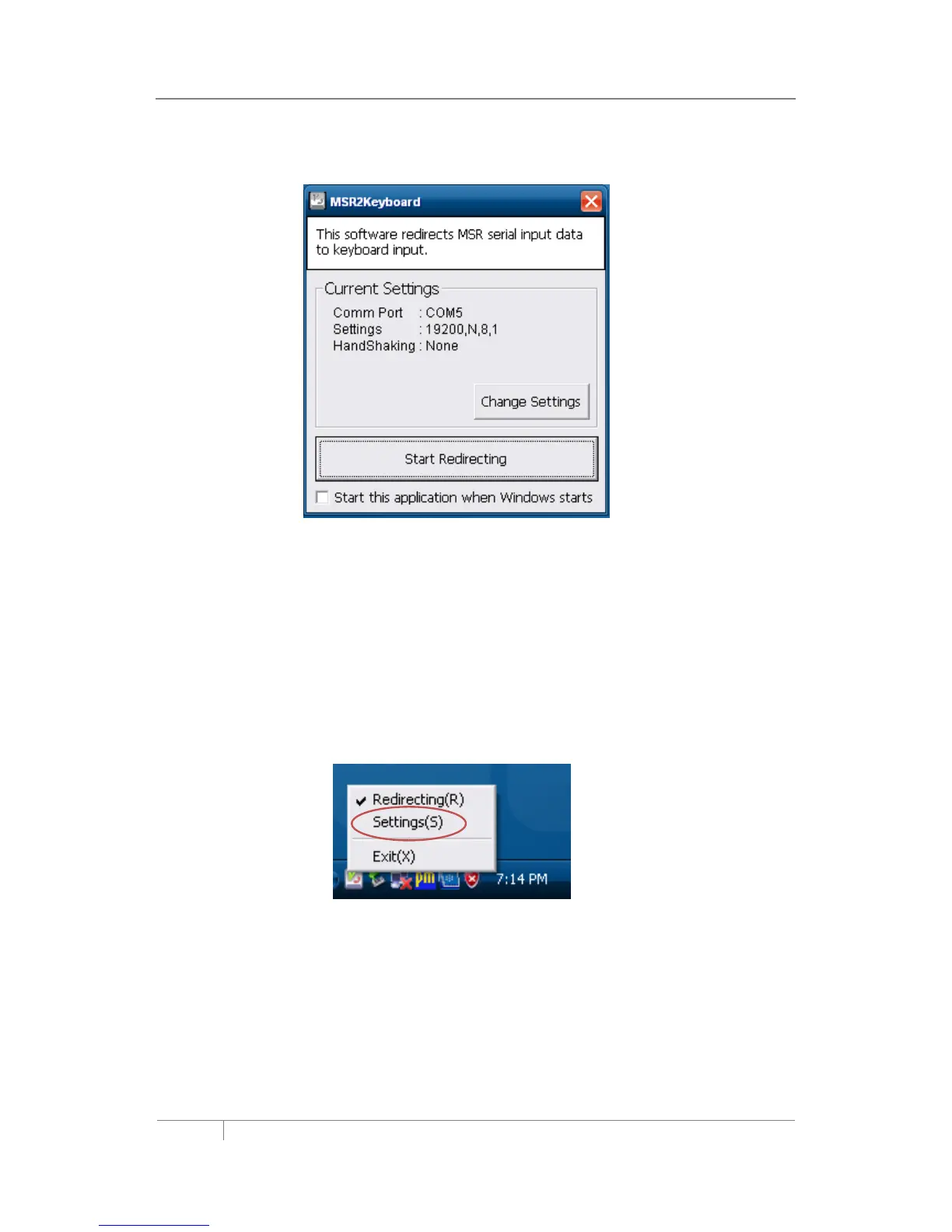
The MSR_KBD program contains settings for the direct interface to the MSR device.
1. Touch the MSR-KBD icon
2. Touch Setting(S) to open the MSR-KBD settings
3. Touch [Change Settings] button



 To Next Page