EasyManua.ls Logo

Sharp SHV40 - User Manual

Sharp SHV40
29 pages
Print Icon
To Next Page IconTo Next Page
Loading...
BasicManual
CellphoneandPHSoperatorscollectandrecycleunused
telephones,batteriesandbatterychargersatstoresbearing
thelogoregardlessofbrandandmanufacturertoprotect
theenvironmentandreusevaluableresources.
(tollfree)
CustomerServiceCenter
Forinquiries,call:
Forgeneralinformation,charges,andoperationassistance
Fromfixed-linephones:Fromaucellphones:
areacodenotrequired
Fromfixed-linephones:Fromaucellphones:
Forservicecancelationprocedureincaseoflossortheft
(tollfree)
onyouraucellphone.
RepairandDeliveryServiceCenter
Forloss,theftordamage(tollfree)
Fromfixed-linephones/aucellphones:
Businesshours:9:00to20:00(7daysaweek)
Businesshours:24hours(7daysaweek)
0120-925-919
Incaseabovenumbersarenotavailable,calltoll-free:
0120-977-033
(exceptOkinawa)
0120-977-699(Okinawa)
Incaseabovenumbersarenotavailable,calltoll-free:
0120-925-314
The company names and product names appearing in this manual are
trademarks or registered trademarks of their respective holders.
For exemptions, refer to “Notes on Usage” available on the au homepage.
November2017,1stEdition
Soldby:KDDICORPORATION,
OKINAWACELLULARTELEPHONECOMPANY
Manufacturedby:SHARPCORPORATION
れた状態での充電は
異常な発熱・焼 損などの
原因とな大変危険です

Questions and Answers

Summary

Customer Support and Contact

Customer Service Center

General information, charges, and operation assistance for the device.

Repair and Delivery Service Center

Inquiries for loss, theft, or damage to the device.

Device Parts Identification

SIM and Identification

IMEI Plate Information

Details on the IMEI plate and its purpose.

SIM Card Installation

Attaching the au IC Card

Step-by-step guide for inserting the au IC Card.

SIM Card Removal

Removing the au IC Card

Step-by-step guide for removing the au IC Card.

Memory Card Management

Attaching a microSD Memory Card

Guide for inserting a microSD card into the device.

Removing the microSD Memory Card

Guide for removing a microSD card from the device.

Charging the Device

Charging Procedure

How to charge the internal battery before first use.

Charging with AC Adapter

Connecting the specified AC adapter for charging the device.

Power and Screen Operations

Turning Power On;Off and Restarting

Procedures for powering the device on, off, and restarting.

Screen Control and Lock Screen

Product Status Indicators

Notification and Status Panels

Device Settings and Permissions

Software Updates

Updating Software

Procedure for downloading and installing software updates.

Troubleshooting Common Issues

Troubleshooting Guide

Solutions for common device problems and issues.

After-Sales Service and Warranty

Repair Service Procedures

How to request repairs during and outside the warranty period.

After-Sales Service Programs

Main Technical Specifications

Device Specifications Overview

Key technical details of the SHV40 model, including display and memory.

Health and Safety Information

Regulatory and Technical Details

Safety Precautions and Exposure Information

FCC Compliance and RF Exposure

FCC Notice and User Information

FCC rules, interference, and user guidance.

FCC RF Exposure Information

Details on SAR compliance with FCC standards.

Overview

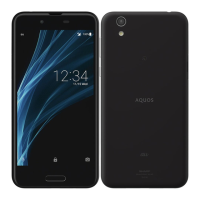
This document is the Basic Manual for the AQUOS sense SHV40, a mobile phone manufactured by SHARP CORPORATION and sold by KDDI CORPORATION and OKINAWA CELLULAR TELEPHONE COMPANY. The manual provides essential information for using and maintaining the device.

Function Description

The AQUOS sense SHV40 is a smartphone designed for general mobile communication and various smart functions. It operates on au's network and supports SIM-unlocking for use with other carriers, though some services and functions may be restricted, and operation is not guaranteed. The device features a touch panel display, a fingerprint sensor for unlocking, and both front and rear cameras. It supports Wi-Fi® and Bluetooth® for wireless connectivity.

Important Technical Specifications

  • Display: Approximately 5.0 inches, IGZO, 1,920×1,080 (FHD) with approximately 16.77 million colors.
  • Weight: Approximately 148 g (including the internal battery).
  • Size (W×H×D): Approximately 72 mm × 144 mm × 8.6 mm.
  • Memory (built-in): RAM: Approximately 3 GB, Internal Storage: Approximately 32 GB.
  • Continuous Talk Time (in Japan): Approximately 1,330 min.
  • Continuous Talk Time (overseas (GSM)): Approximately 800 min.
  • Continuous Standby Time (in Japan): Approximately 650 hours.
  • Continuous Standby Time (overseas (GSM)): Approximately 710 hours.
  • Continuous Tethering Time: Approximately 820 min.
  • Maximum Wi-Fi® Tethered Connections: 10 devices.
  • Charging Time: Approximately 140 min with TypeC Common AC Adapter 01 (sold separately).
  • Camera Device: CMOS image sensor for both out camera and in camera.
  • Effective Pixels: Out camera: Approximately 13.10 million pixels, In camera: Approximately 5.00 million pixels.
  • Bluetooth® Function: Standard Ver.4.2, Power Class 1, communication distance within 10 m with no obstacles. Compatible profiles include GATT, HSP, HFP, A2DP, AVRCP, OPP, SPP, PBAP, HID, PAN (PAN-NAP), PAN (PANU), HOGP, DUN. Frequency bands: 2.4 GHz band.
  • Network Environment: IEEE802.11b/g/n (2.4 GHz) conformant.
  • Interface: USB Type-C jack, 3.5Φ (quadrupoles) earphone/microphone jack.
  • SAR Value: Highest SAR value for use near the head is 0.409 W/kg, and when worn on the body, is 0.397 W/kg. These values comply with Japanese technical regulations and international guidelines.

Usage Features

  • Power On/Off: The device can be turned on by holding the Power key for at least 3 seconds. To turn off, hold the Power key for at least 2 seconds and select "Power off." A forced power off can be performed by holding the Power key for at least 8 seconds.
  • Safe Mode: The device can be booted into safe mode to troubleshoot issues caused by installed applications. To enter safe mode, hold the Power key for at least 2 seconds, then long touch "Power off" and select "OK."
  • Screen On/Off: The screen can be turned on by pressing the Power key when it is off. The screen automatically turns off after a specified period of inactivity.
  • Lock Screen: The lock screen displays notifications, clock, EMOPA area, and provides options to activate voice search, unlock the screen, or activate the camera. The fingerprint sensor can be used for unlocking if registered.
  • Display Language: The display language can be switched to English through the Settings menu: Home screen → "App list screen" → [Settings] → [言語と入力] (Languages & input) → [言語] (Languages) → [言語を追加] (Add a language) → [English]. Then, long touch "English (United States)" and drag it to the top of the list.
  • AQUOS Home: This is the default home application, consisting of a Desktop Sheet, Hot Sheet, and App list screen. Shortcuts for applications and widgets can be registered on the Desktop and Hot Sheets.
  • Notification/Status Panel: Swipe down from the status bar to view notifications and status icons. The status panel allows quick access to function buttons for Wi-Fi, Bluetooth, manner mode, flashlight, auto-rotate, and airplane mode.
  • Manner Mode: Set the device to not disturb others by accessing "Manner mode" in the status panel's function buttons. Options include standard manner, total silence, alarms only, and priority only.
  • App Permissions: When an application or function requires access to device features for the first time, a confirmation screen for permission is displayed. Permissions can also be managed through Settings → [Apps] → [Permissions].
  • Input Methods: Switch between character entry input methods (e.g., Japanese S-Shoin) and software keyboards (e.g., QWERTY, 12-key) via the character entry screen.
  • Airplane Mode: Activate airplane mode via Settings → [More] → [Airplane mode] to disable wireless communication.
  • Storage: The device has internal memory and supports microSD memory cards for saving applications, data, media files, and screenshots.
  • Software Update: The device supports software updates for the operating system and other functionalities. Updates can be checked and installed via Settings → [About phone] → [System updates]. Wi-Fi® is recommended for large updates.

Maintenance Features

  • au IC Card/microSD Memory Card: The au IC Card (au Nano IC Card 04) stores personal information. It is inserted into a tray along with the microSD memory card. The tray is pulled out from the side of the device. Ensure the device is off before inserting or removing cards. Do not touch the metal part of the IC card.
  • Charging: The internal battery is built-in and not user-removable. Charge the device using a specified AC adapter (sold separately). The charging/incoming indicator illuminates red/green to show battery level. Charging in ambient temperatures between 5°C and 35°C is recommended.
  • Troubleshooting: The manual includes a troubleshooting section for common issues like short battery life, call problems, screen unresponsiveness, and charging issues. Users are advised to check the au homepage for further diagnostic tools.
  • After-Sales Service: For repairs, contact the Repair and Delivery Service Center. Repairs are covered under warranty (1 year from purchase) for malfunctions due to proper operation. Repair fees apply for damages caused by improper use, modifications, accidents (drops, water intrusion), or natural disasters. The company retains performance parts for repair for 4 years after discontinuation of production.
  • Replacement Mobile Phone Delivery Service (Membership): A monthly membership program (380 yen/month, tax excluded) offers replacement services for spontaneous failures, partial damage, water soak, irreparable damage, theft, and loss. This service allows for up to two replacements within a year.
  • Battery Care: The internal battery is not user-removable. Avoid disposing of the product with ordinary refuse; take it to an au Shop or follow local disposal regulations.
  • Safety Precautions:
    • Avoid using cell phones while driving or cycling.
    • Do not use in theaters, museums, libraries, or similar places.
    • Do not use while walking ("walking smartphone").
    • Be mindful of others, especially those with cardiac pacemakers; use "Airplane mode" or turn off the device in crowded places.
    • Do not point the mobile light directly at anyone's eyes.
    • Charging with a wet device is extremely dangerous due to the risk of abnormal heat generation and burning.
    • To prevent hearing damage, do not listen at high volume levels for long periods.
    • The device complies with FCC RF exposure guidelines; for body-worn operation, maintain a minimum separation of 1.0 cm from the body using non-metallic accessories.

Sharp SHV40 Specifications

General IconGeneral
BrandSharp
ModelSHV40
CategoryCell Phone
LanguageEnglish

Related product manuals