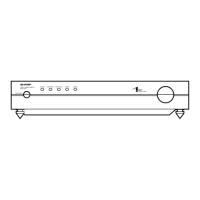
SM-SX100
– 11 –
1-bit PWB adjusting method
Connect as shown Fig. 11-1.
AC IN 110-120, 220-240, 230V
AC POWER SUPPLY
UNIT
Digital Multimeter
Oscilloscope
Figure 11-1
[Simplified offset voltage adjustment]
Connect the digital multimeter to the terminals of the speaker, and adjust the voltage between + and - of each terminal to 0 ± 10mV.
(Fig. 11-2)
(Adjusi from 4 ohms)
Voltage check SP
Terminal
Impedance selector
SW
Adjustment VOL
Rch 4 ohms VRA1
Rch 8 ohms VRA3
Lch 4 ohms VRA2
Lch 8 ohms VRA4
Figure 11-2
4 ohms and 8 ohms
SP terminal
Rch
Rch
Lch
Lch
Impedance
Selector SW
(Parallel to SP terminal
on the upper side)
(Terminal Board Diagram)
* On both Lch and Rch, adjust the 4 ohms side earlier.
[Adjustment Check]
Connect the oscilloscope to the test point, and verify that the voltage span of the bottom figure confirmation. (Fig. 11-3)
5.0
}
1.0Vp-p
Check both L and R.
Lch T.P
Rch T.P
(VRA2)
(VRA4)
(VRA3)
(VRA1)
(1 BIT AMP. PWB)
Figure 11-3


 To Next Page