4.2 UP-T80BP LOGO
No Procedure on P.C. side No Procedure on UP-3300 side
1 Install "UTL33.EXE" on the P.C.
2 Enter the SRV mode. Then turn OFF the power or UP-3300.
3 While pressing the On-Line key, tum ON the power of UP-3300.
Keep pressing the On-Line key, and then press the Feed key
also. (Don’t move a finger from the On-line key.)
4 UP-T80BP enters into LOGO mode.
UP-T80BP prints out
"****************".
5 Go into "UP-T80BP Utility mode".
Select "6 UP-T80BP Utility" in SRV mode.
6 Starting of "UP-T80BP Utility mode".
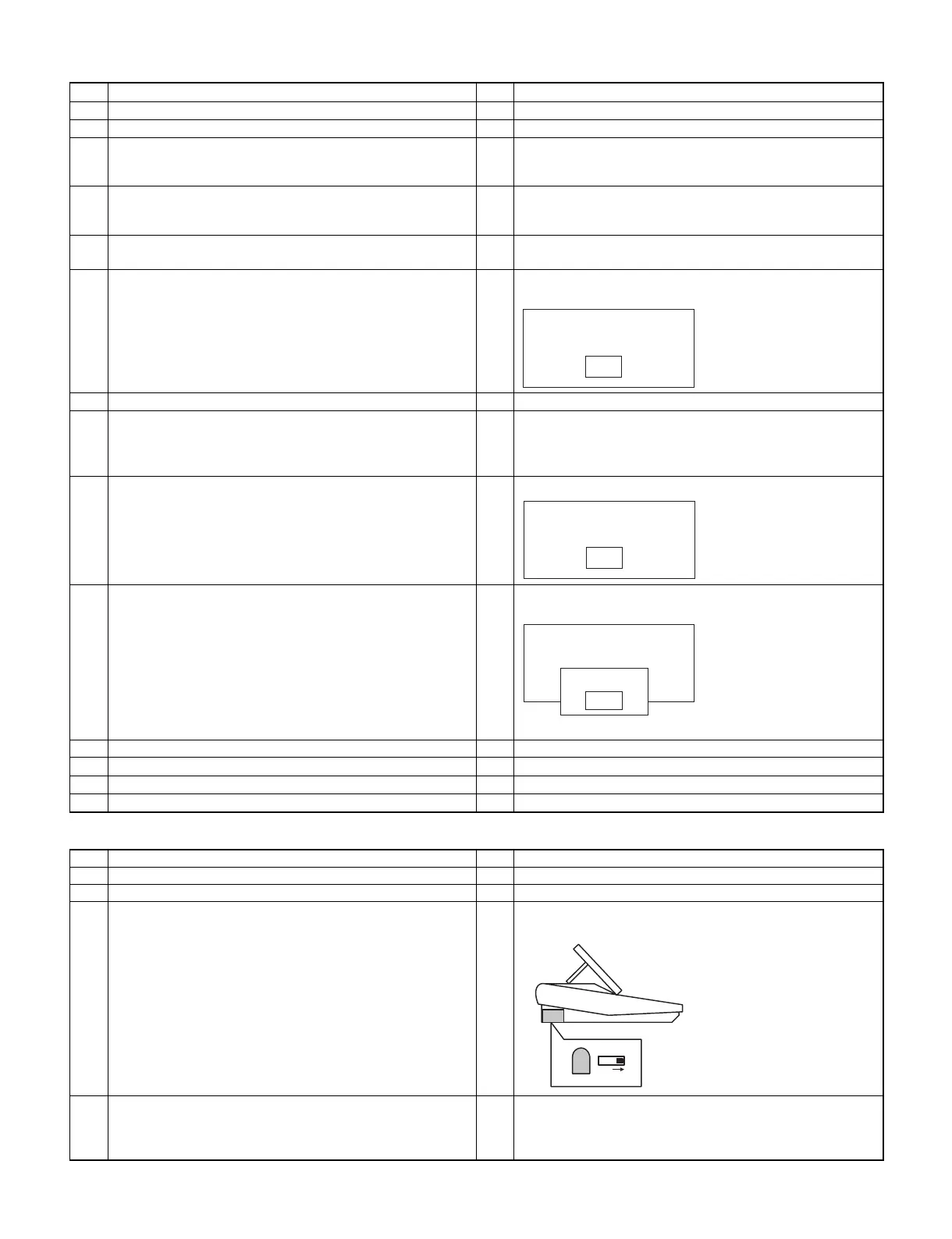
UP-3300 shows
7 Connect P.C. and UP-3300 via IR. (Fig 1)
8 Execute "UTL33.EXE" on P.C.
Operation:
>UTL33 LOGO.BMP
("LOGO.BMP" is a file name of Bit-Map image.)
9 Program data is sent to UP-3300 automatically. 9 Program data is received from P.C. automatically.
10 "UTL33.EXE" is completed.
P.C. shows
"Completed."
10 ER-3300 shows
"Completed."
And UP-T80BP prints out the LOGO image.
11 Touch "OK" button.
12 Touch "EXIT" button.
13 Turn OFF the power of UP-3300.
14 Execute "Master Reset" on UP-T80BP.
4.3 UP-T80BP IPL
No Procedure on P.C. side No Procedure on UP-3300 side
1 Install "UTL33.EXE" on the P.C.
2 Turn OFF the power of UP-3300.
3 Select "IPL Mode" on UP-T80BP.
Set the Bit 1 of DipSwitch 2 to "ON" to enter "IPL Mode".
4 While pressing both the Feed key and the On-Line key, turn ON
the power of UP-3300.
The ERROR Lamp and the On-line Lamp of UP-T80BP is
blinking.
UP-T80BP Utility
EXIT
UP-T80BP Utility
Normal mode
EXIT
UP-T80BP Utility
Normal mode
EXIT
Complete
OK
IPL SW
ON
IR Filter
3 – 5



 To Next Page