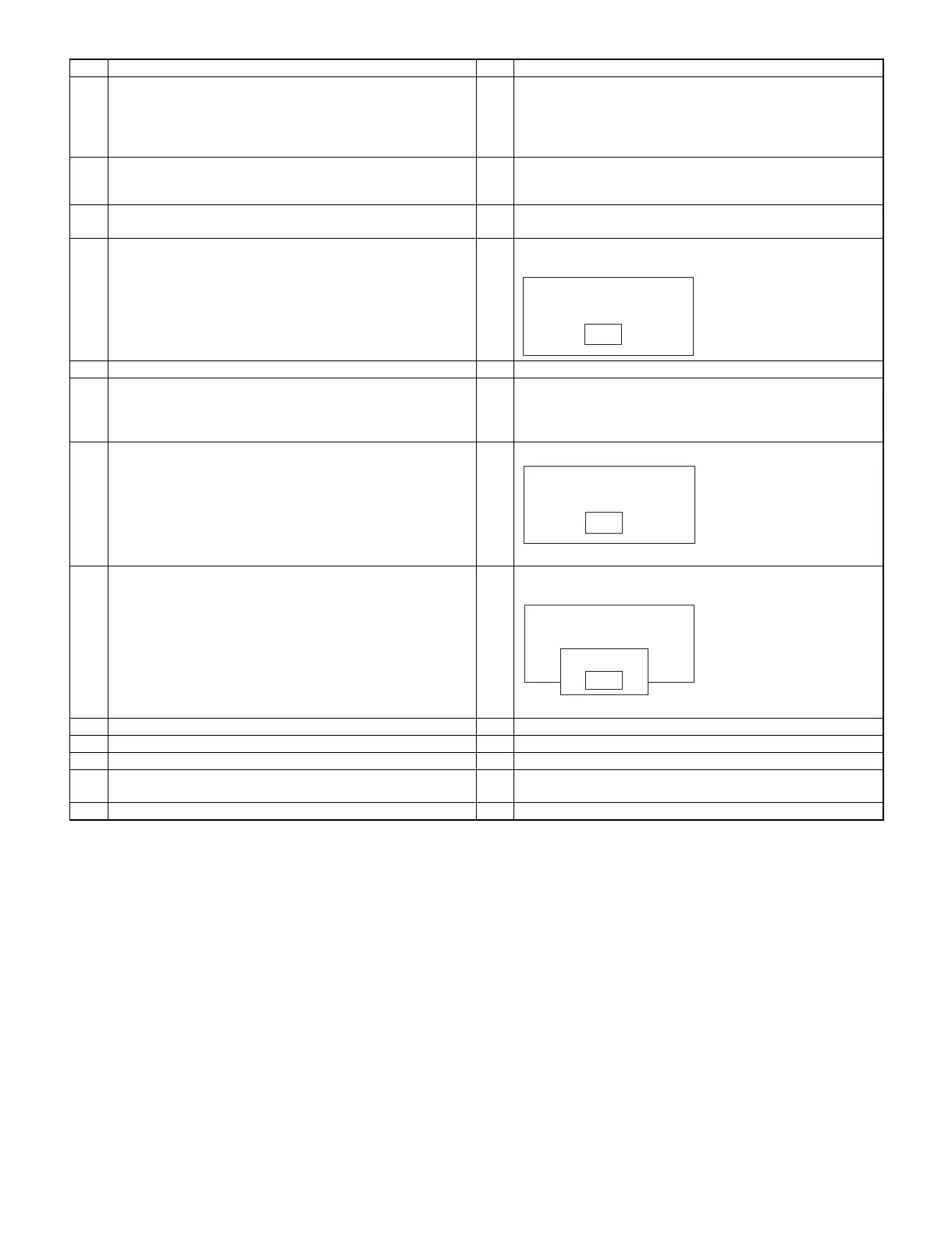
No Procedure on P.C. side No Procedure on UP-3300 side
5 UP-T80BP enters into IPL mode when the Feed key is pressed.
(UP- T80BP clears the application program which is in its own
flash ROM.)
The ERROR Lamp is blinking and the On-Line Lamp is
turned off.
6 UP-T80BP waits the application program data.
The ERROR Lamp is turned off and the On-Line Lamp is
turned on.
7 Enter "UP-T80BP Utility" mode.
Select "6 UP-T80BP Utility" in SRV mode
8 Starting of "UP-T80BP Utility" mode.
UP-3300 shows
9 Connect P.C. and UP-3300 via IR. (Fig 1)
10 Execute "UTL33.EXE" on P.C.
Operation:
>UTL33 T80BP.ROM
("T80BP.ROM" is a file name of S-type object.)
11 Program data is sent to UP-3300 automatically. 11 Program data is received from P.C. automatically.
The On-line Lamp of UP-T80BP starts blinking.
12 "UTL33.EXE" is completed.
P.C. shows
"Completed."
12 ER-3300 shows
"Completed."
The On-line Lamp of UP-T80BP stops blinking.
13 Touch "OK" button.
14 Touch "EXIT" button.
15 Turn OFF the power of UP-3300.
16 Select "Normal Mode" on UP-T80BP.
Set the Bit 1 of DipSwitch 2 to "OFF" to enter "Nomal Mode".
17 Execute "Master Reset" on UP-T80BP.
UP-T80BP Utility
EXIT
UP-T80BP Utility
EXIT
IPL mode
IPL mode
UP-T80BP Utility
EXIT
Complete
OK
<Usage of "UTL33.EXE">
"UTL33.EXE" is a utility program on P.C. - a program that sends the
application program data of UP-3300, the image data of the Logo
stamp of UP-T80BP or the application program data of UP-T80BP in
order to replace them.
Syntax
UTL33 [-Fn] [-Cn] filename [filename ...]
Parameter
filename
Specifies the name file which you want to send.
For UP-3300 IPL S-type ROM object file
For UP-T80BP LOGO STAMP BMP/PCX file
For UP-T80BP IPL S-type ROM object file
Switches
-Fn
Specifies the function. Valid values for n are in the range 1
through 3.
1: UP-3300 IPL
2: UP-T80BP LOGO STAMP
3: UP-T80BP IPL
Normally, UTL33.EXE takes the suitable function automatically.
If the automatic selection does not work correctly, please use this
switch.
-Cn
Specifies the number of the serial (COM) port. Valid values for n
are in the range 1 through 2.
The default value is 1 (COM1).
Example
For UP-3300 IPL.
UTL33 3300_1.ROM 3300_2.ROM
For UP-T80BP LOGO STAMP (To use COM2).
UTL33 -C2 LOGO.BMP
For UP-T80BP IPL (To use the switch "-F").
UTL33 -F3 80BP.ROM.
3 – 6



 To Next Page