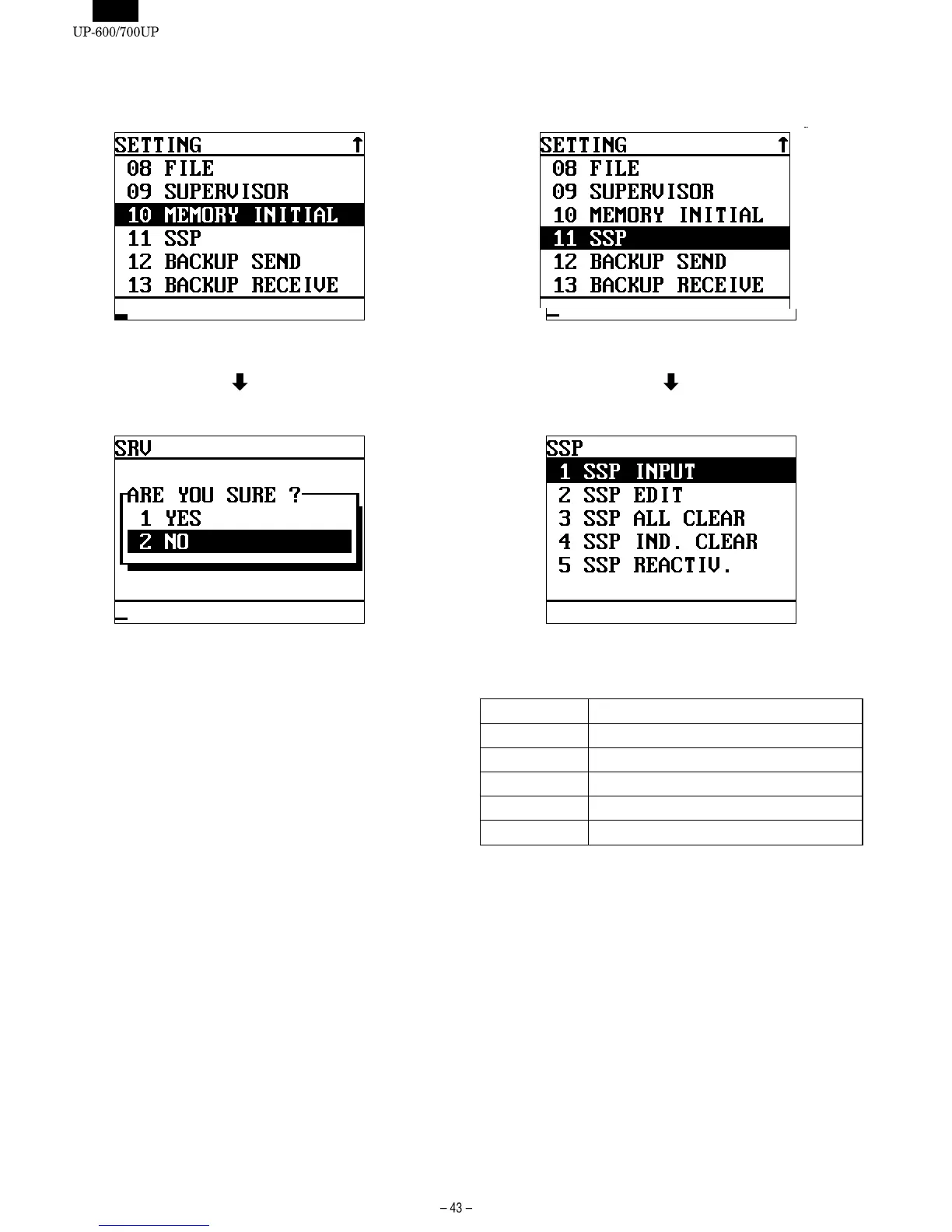
10. [10 MEMORY INITIAL]
DISPLAY: Setting item select screen
Select "10 MEMORY INITIAL" and press the ENTER key.
DISPLAY: The following display is shown.
Select the item and press the ENTER key.
11. [11 SSP]
DISPLAY: Setting item select screen
Select "11 SSP " and press the ENTER key.
DISPLAY: SSP screen
Select the item and press the ENTER key.
The contents of item are shown in the table below.
DISPLAY TEXT CONTENTS
SSP INPUT Used for SSP data input.
SSP EDIT Used for edit of entered SSP data.
SSP ALL CLEAR Used to erase all the entered SSP data.
SSP IND.CLEAR Used to erase entered SSP data individually.
SSP REACTIV. Used to restore erased SSP data.













 To Next Page