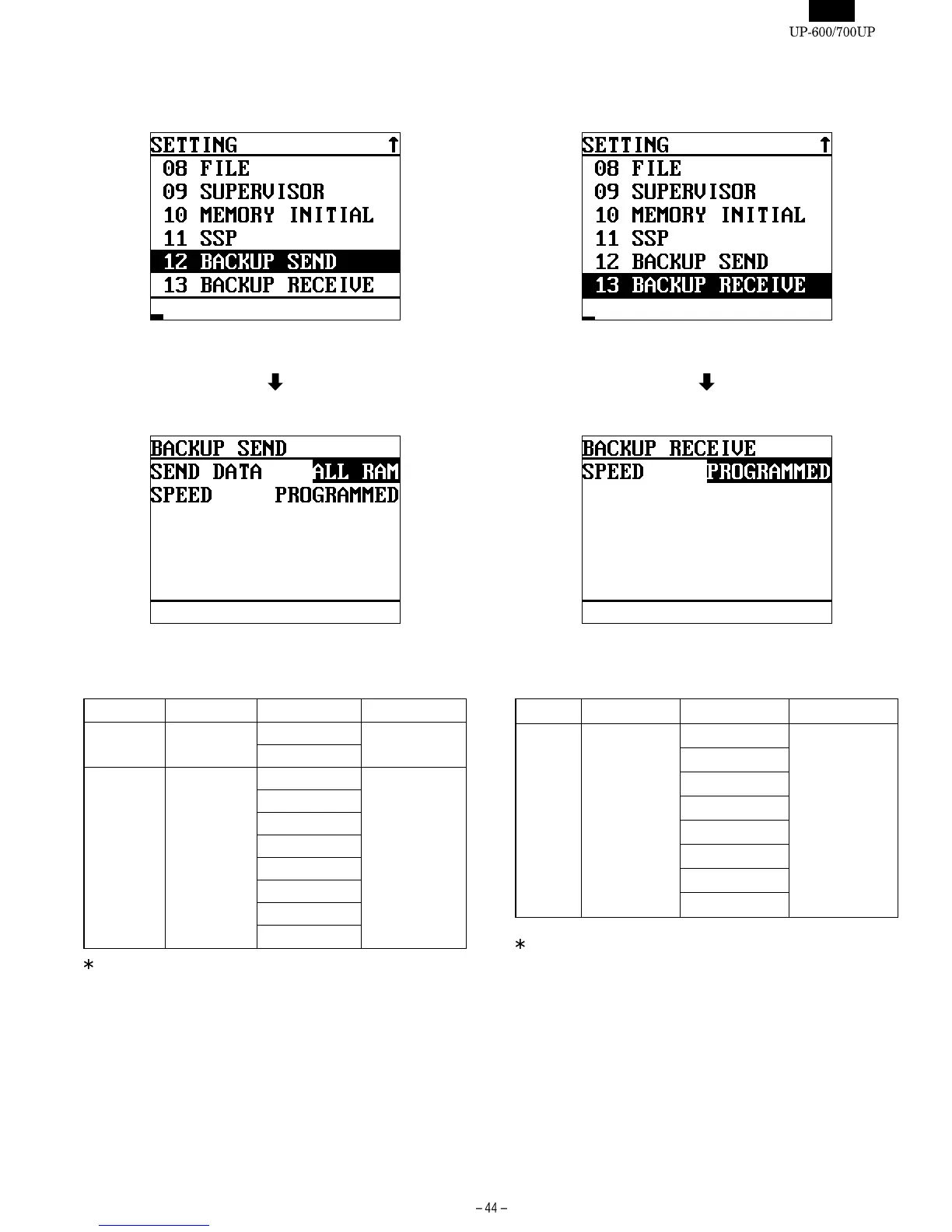
12. [12 BACKUP SEND]
DISPLAY: Setting item select screen
Select "12 BACKUP SEND" and press the ENTER key.
DISPLAY: BACKUP SEND screen
Select the item and press the ENTER key.
The contents of item are shown in the table below.
DISPLAY CONTENTS SELECT ITEM MRS
SEND DATA Send content
select
ALL RAM ALL RAM
SSP
SPEED Communication
speed setting
PROGRAMMED PROGRAMMED
115,200 bps
57,600 bps
38,400 bps
19,200 bps
9,600 bps
4,800 bps
2,400 bps
Only channel 2 is available. For connection, a modular-D-sub con-
version cable is required.
For the modular-D-sub conversion cable, see Service Manual.
13. [13 BACKUP RECEIVE]
DISPLAY: Setting item select screen
Select "13 BACKUP RECEIVE" and press the ENTER key.
DISPLAY: BACKUP RECEIVE screen
Select the item and press the ENTER key.
The contents of item are shown in the table below.
DISPLAY CONTENTS SELECT ITEM MRS
SPEED Communication
speed setting
PROGRAMMED PROGRAMMED
115,200 bps
57,600 bps
38,400 bps
19,200 bps
9,600 bps
4,800 bps
2,400 bps
Only channel 2 is available. For connection, a modular-D-sub con-
version cable is required.
For the modular-D-sub conversion cable, see Service Manual.













 To Next Page