CHAPTER 5. SRV MODE PROGRAMMING ("4 DOWN LOAD")
After IRC SETUP, using this setting procedure, download the setting
data from the master.
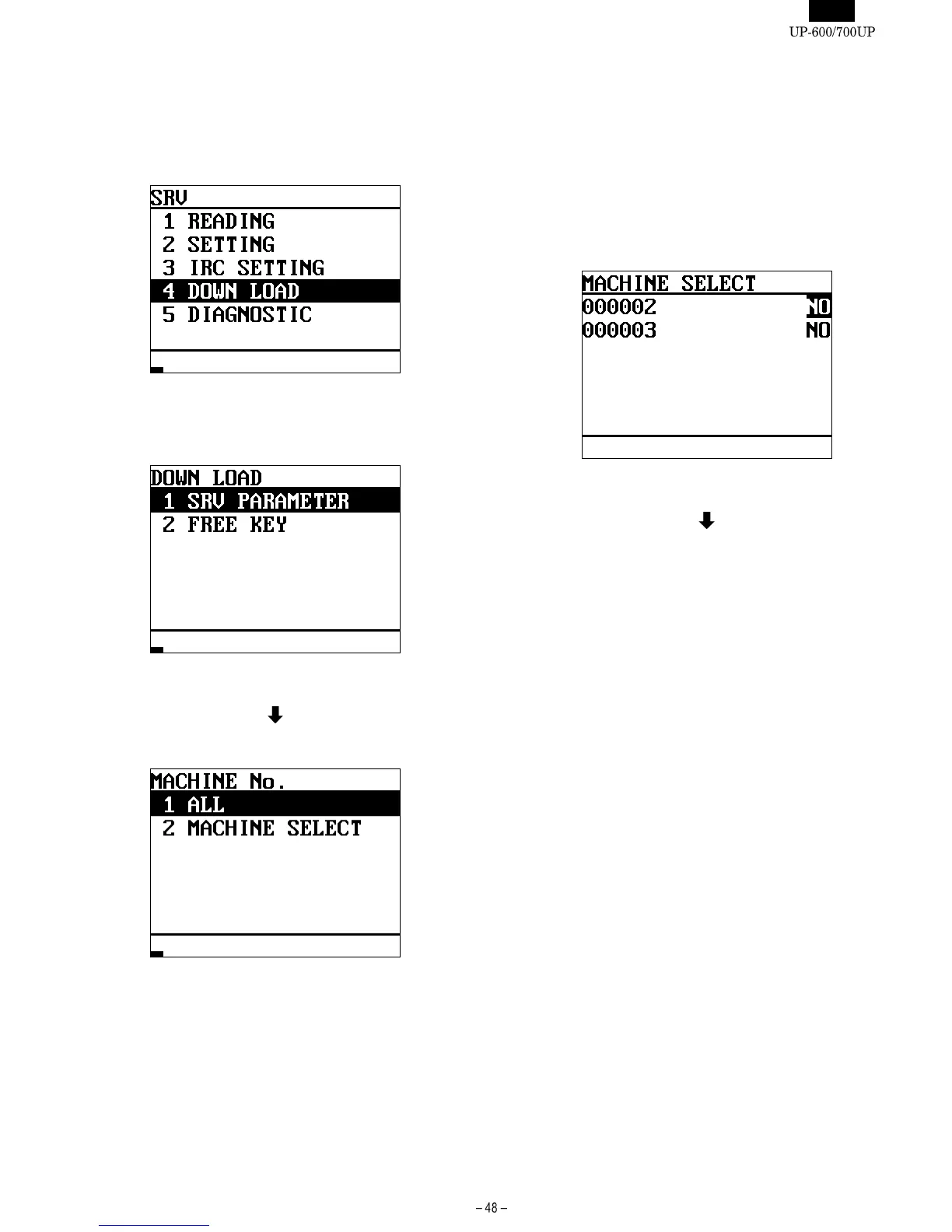
DISPLAY: SRV mode screen
Select the "4 DOWN LOAD" and press the ENTER key.
DISPLAY: DOWN LOAD item selection screen
Select the item and press the ENTER key.
DISPLAY: DOWN LOAD METHOD item selection screen
Select the item and press the ENTER key.
[1 ALL]
Download data from all the machines included in the master list.
[2 MACHINE SELECT]
Select the machine among the master list from which you want to
download data.
DISPLAY: MACHINE SELECT screen
Select the machine and press the ENTER key.
The downloading of data is started.













 To Next Page