21
VL-PD3AS/AH/AE
Click
■ ID code is acquired
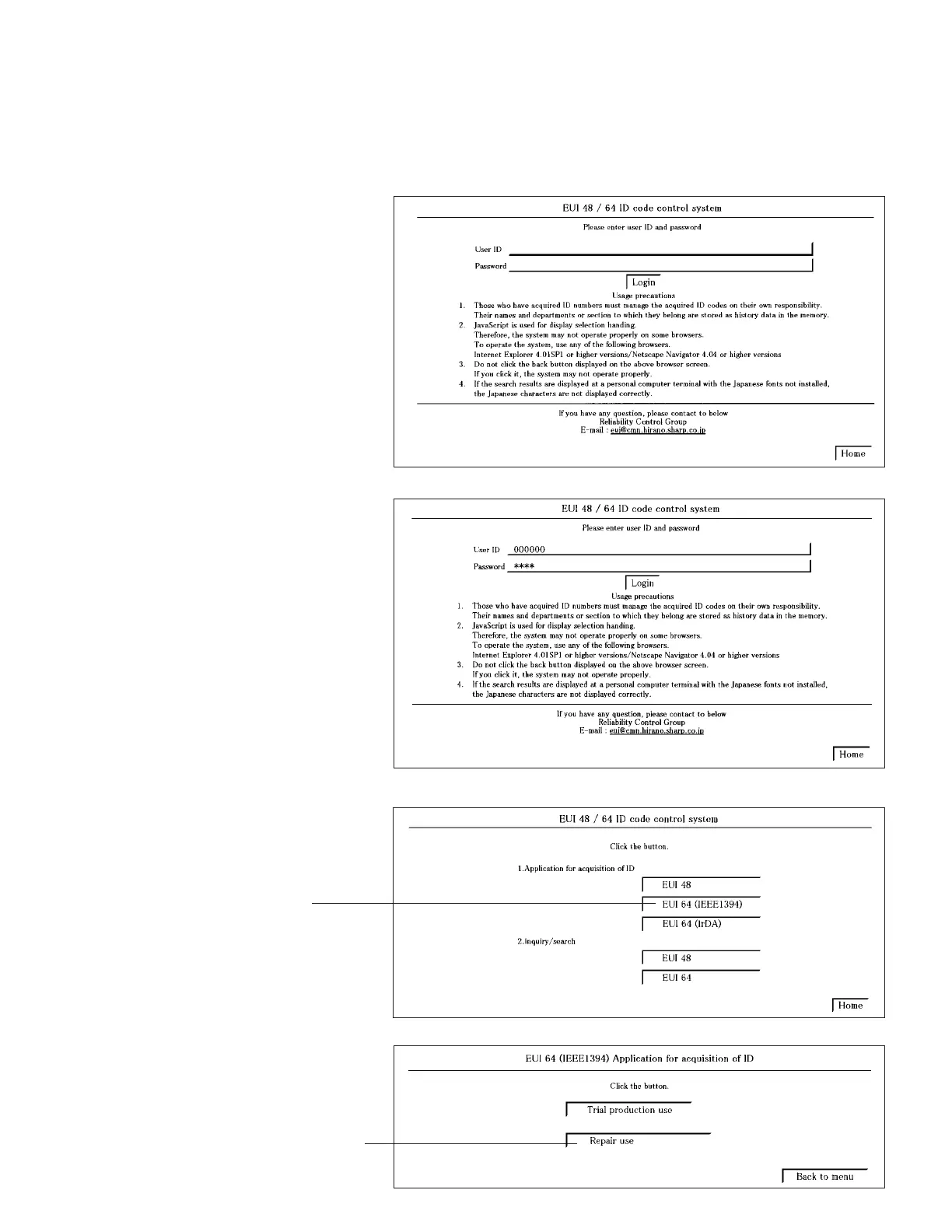
1. Connect with the EUI48/64 ID code control system.
(1) Start the Internet Explorer or Netscape Navigator.
(2) Access the following address.
(URL:http://www.rcg.kami.sharp.co.jp/quics/e_index.html)
Select the "EUI48/64 ID code control system" from the "Service" item.
Note: If you want to establish a connection by directly inputting the URL, please input the following.
URL:http://www1.rcg.kami.sharp.co.jp:7000/adrs_agt/adrs_dba/ide00010.main
The login screen will appear.
Click
(4) Click on [EUI 64 (IEEE 1394)] from the [1. Application for acquisition of ID].
(3) For the [User ID], input the [Password].
Click on [Login].
(5) Click on [Repair use].



 To Next Page