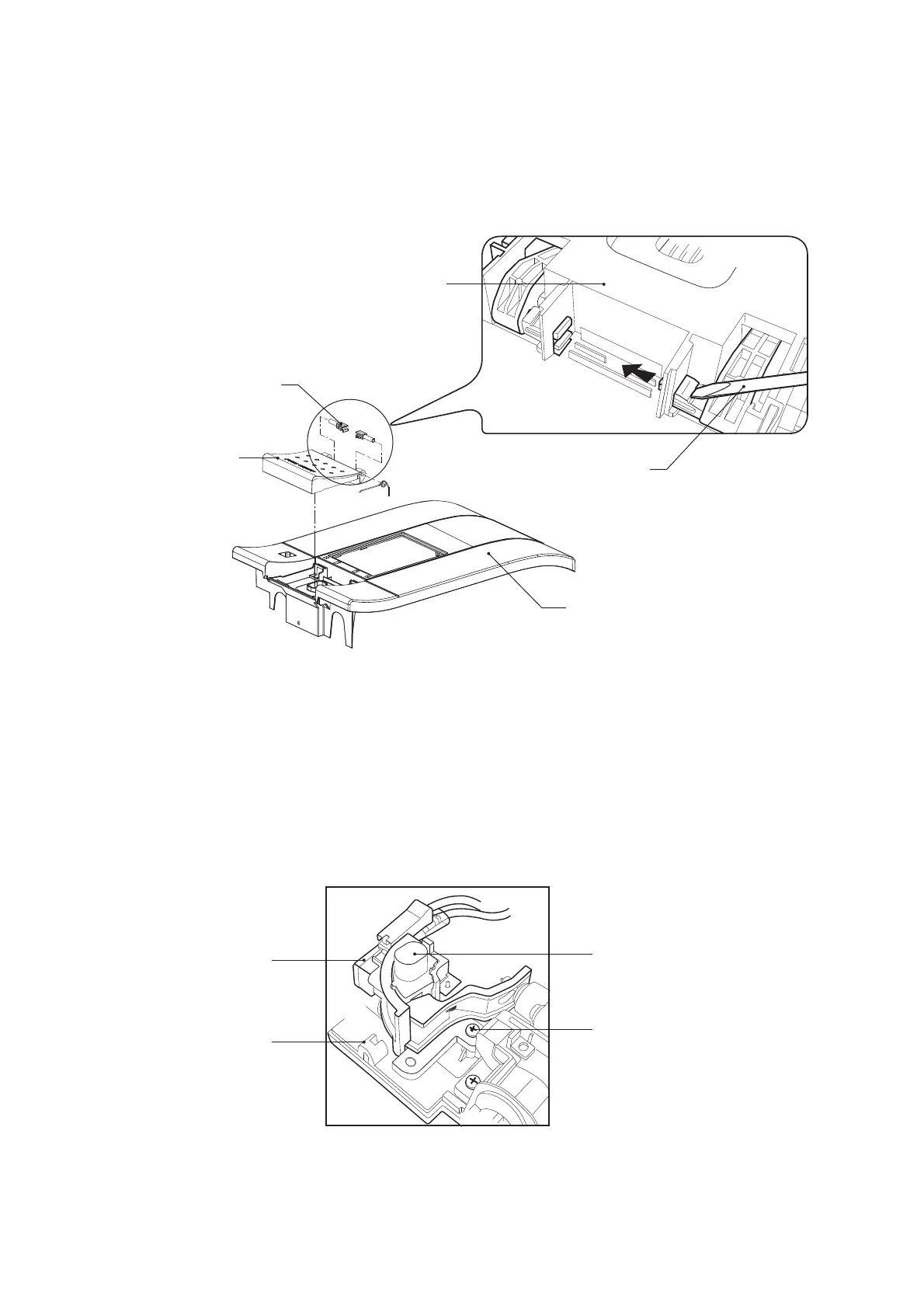
Guide pin
Body
Push SW. set
Screw
Micro SW.
Back cover
12
Fig. 22
Fig. 23
1. Remove the body in accordance with “REMOVE OF BODY”.
2. Remove 2 screws holding the push SW. set to the back cover.
3. Now the push SW. set is free.
REMOVE OF PUSH SWITCH SET
Body
Remove the guide pin
Flat screwdriver
1. Remove the body in accordance with “REMOVE OF BODY”.
2. Push the claws of the guide pin by fl at screwdriver and remove the guide pin from the body.
3. Now the power SW. button is free.
REMOVE OF POWER SWITCH BUTTON
Power SW. button


 To Next Page