XEA147BK and XEA147WH Frequently Asked Questions Page 18 of 21
Correction of entries after the transaction has been finalised.
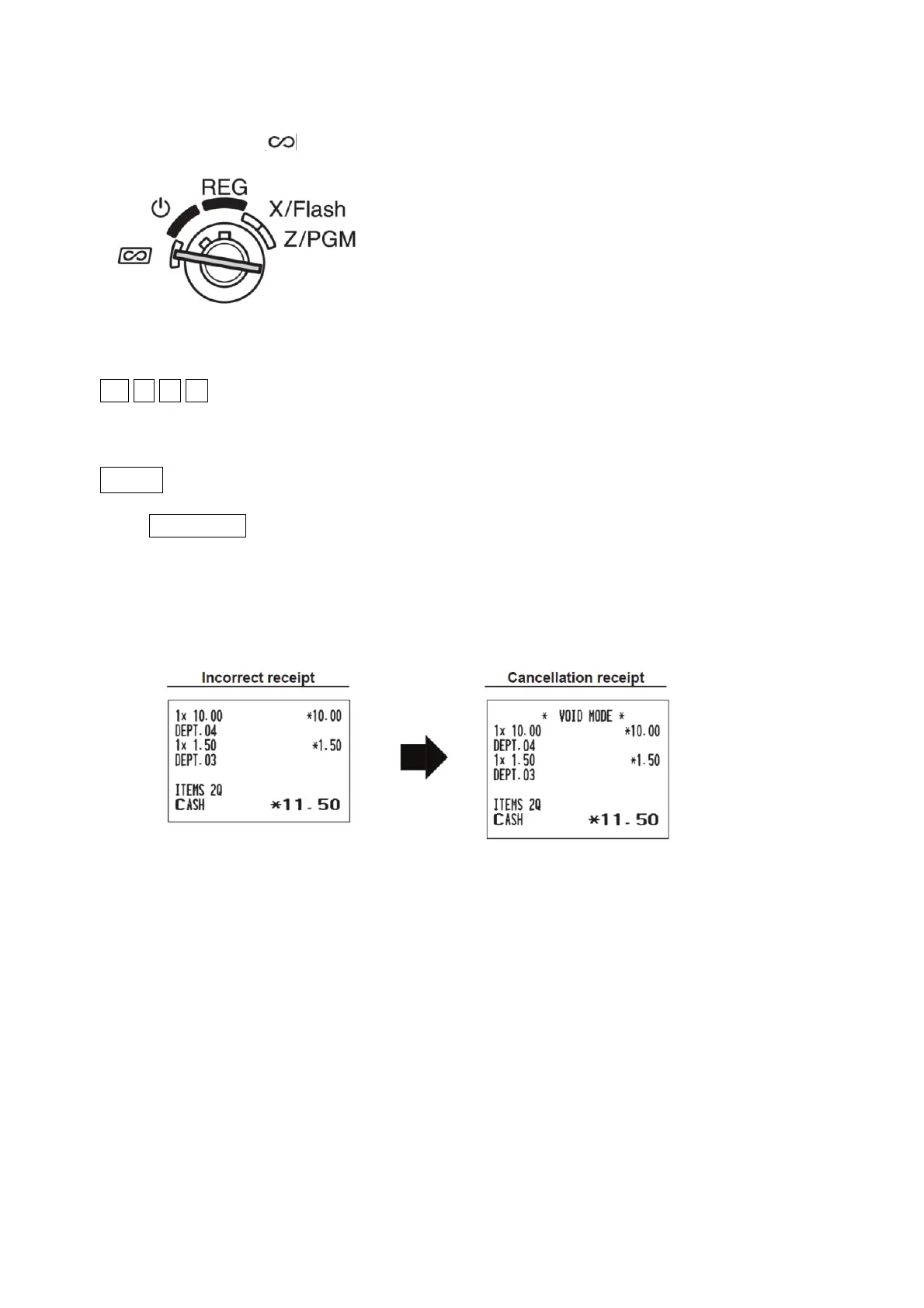
1. Turn the mode key to position
2. Enter the amount to be corrected (removed) in cents. For example $15.00 is entered as:
-1- 5 0 0
3. Press the department key you wish to remove the $15.00 from. For example department 2:
_2
6
_
4. Press TL/AT/NS to remove the amount from cash.
All the amounts you enter will be removed from the relevant Department and/or PLU as well as the
Transaction totals such as Cash in Drawer. The amounts removed will be added to the Void Mode
Transaction totaliser. A Void Mode receipt will print even if the receipt is switched off.


 To Next Page