XL-DK257N
2 – 2
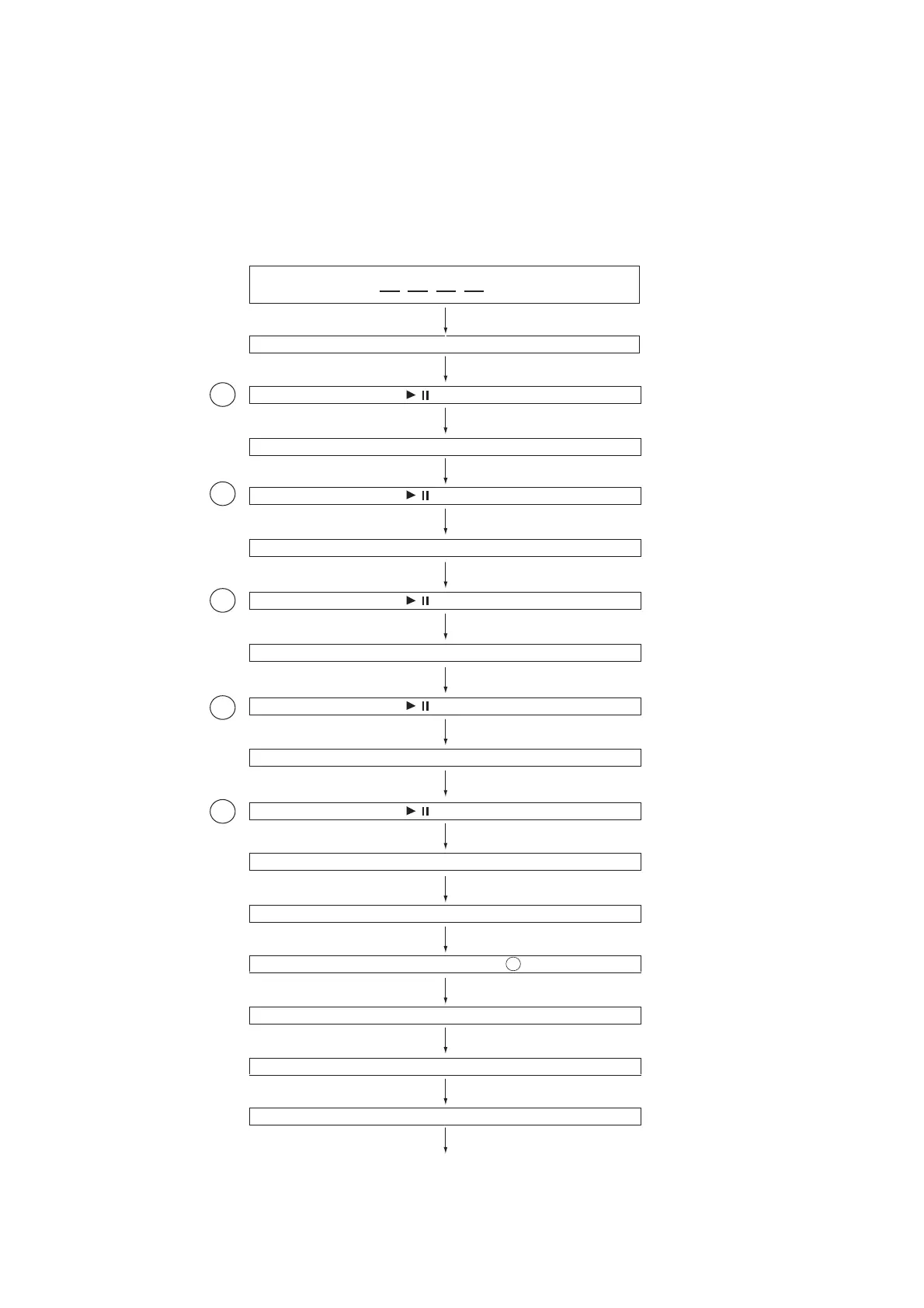
[2] Test Mode
• Setting the test mode
During AC unplug, plug-in AC while pressing down the
POWER button and CD button. Then, press the CD
button to enter the test mode.
IL isn’t done
OPEN/CLOSE operation is using manual. IL isn’t done
C DTEST
Laser ON.
Focus ON
CLV Servo ON
<<STOP>> key input.
<<STOP>> key input.
1
Step
2
Step
3
Step
4
Step
5
Step
Tracking Servo ON
Reading Sub-code and Display
STOP and return to Step
1
Hold down << CD >> key for more than 2 sec.
Start Auto Adjustment at current pick-up location.
<< >> key input.
/
<< >> key input.
/
<< >> key input.
/
<< >> key input.
/
<< >> key input.
/


 To Next Page