EasyManua.ls Logo

Sharp XL-UH12H - User Manual

Sharp XL-UH12H
16 pages
Print Icon
To Next Page IconTo Next Page
Loading...
Thank you for purchasing this SHARP product. To obtain the best performance from this product, please read this
manual carefully. It will guide you in operating your SHARP product.
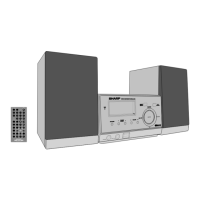
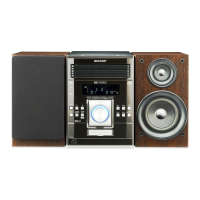
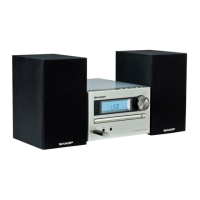
XL-UH12H Micro Component System consisting of XL-UH12H (main unit) and CP-UH12H (speaker system).
92LEUH12H015RR
SHARP ELECTRONICS (Europe) GmbH
Sonninstraße 3, D-20097 Hamburg
12F R MW 1
Please confirm that the following accessories are included. The sound level at a given volume setting depends on
speaker efficiency, location and various other factors. It is
advisable to avoid exposure to high volume levels. Do not
turn the volume on to full at switch on. Listen to music at
moderate levels. Excessive sound pressure from
earphones and headphones can cause hearing loss.
Supply of this product does not convey a license nor imply any right to distribute content created with this product in revenue-
generating broadcast systems (terrestrial, satellite, cable and/or other distribution channels), revenue generating streaming
applications (via Internet, intranets and/or other networks), other revenue-generating content distribution systems (pay-
audio or audio-on-demand applications and the like) or on revenue-generating physical medi
a (compact discs, digital
versatile discs, semiconductor chips, hard drives, memory cards and the like). An independent license for such use is
required. For details, please visit http://mp3licensing.com
MPEG Layer-3 audio coding technology licensed from Fraunhofer IIS and Thomson.
Accessories
Remote control x 1
(92L850RC35E004)
“AAA” size battery
(UM/SUM-4, R03, HP-16
or similar) x 2
Volume control
Special note
MODEL
XL-UH12H
MICRO COMPONENT SYSTEM
OPERATION MANUAL
ENGLISH


Questions and Answers

  • J
    Jennifer LittleAug 18, 2025
    What to do if the Sharp XL-UH12H Stereo System remote control does not operate?
    • D
      David HurleyAug 18, 2025
      If the remote control for your Sharp Stereo System isn't working, try these steps: * Ensure the AC power lead of the unit is plugged in. * Verify the battery polarity is correct and correct it if needed. * Replace the batteries if they are dead. * Adjust the distance or angle between the remote and the unit. * Move the unit away from strong light sources that might interfere with the remote control sensor.
  • M
    Michael GilbertAug 20, 2025
    Why is there no sound coming from my Sharp XL-UH12H Stereo System?
    • A
      Andrew WilliamsAug 20, 2025
      If you're not hearing any sound from your Sharp Stereo System, consider these potential causes: * Check if the volume level is set to “MIN.” If so, increase the volume. * Make sure headphones are not connected. If they are, disconnect them to play sound through the speakers. * Verify that the speaker wires are properly connected. Reconnect them if they are disconnected.
  • E
    Eric KellyAug 23, 2025
    What to do if my Sharp Stereo System does not respond when a button is pressed?
    • L
      Lisa EdwardsAug 23, 2025
      If your Sharp Stereo System isn't responding when you press a button, try setting the unit to the power stand-by mode and then turn it back on. If the unit still malfunctions, reset it.
  • J
    Jose BakerAug 26, 2025
    Why does the Sharp XL-UH12H skip or stop during playback?
    • M
      meredith18Aug 26, 2025
      If your Sharp Stereo System is skipping or stopping during playback, consider these possible reasons: * The unit might be located near excessive vibrations. Move it away from such vibrations. * The disc might be very dirty. Clean the disc. * Condensation might have formed inside the unit. Allow the unit to dry.
  • T
    Tiffany MooreAug 28, 2025
    What to do if playback does not start on Sharp Stereo System?
    • B
      Breanna Robinson DDSAug 28, 2025
      If playback doesn't start on your Sharp Stereo System, check the following: * Ensure the disc is loaded correctly (not upside down). Load the disc correctly. * Verify the disc meets the required standards. * If the disc is distorted or scratched, replace it.
  • C
    Catherine ThomasAug 30, 2025
    Why Sharp XL-UH12H Stereo System cannot detect my device?
    • M
      mirandaangelaAug 30, 2025
      If your Sharp Stereo System isn't detecting your device, check these things: * Make sure there is an MP3/WMA file available on the device; if not, add one. * Ensure the device is properly connected. * Verify whether the device is an MTP device. * If the device contains only AAC files, add MP3/WMA files instead.
  • O
    ofranklinSep 2, 2025
    Why Sharp XL-UH12H doesn't start playback?
    • J
      joegarciaSep 2, 2025
      If your Sharp Stereo System doesn't start playback, check if it is a copyright-protected WMA file, and if so, use a non-protected WMA file. Also, check if it is a false MP3 file, and if so, use a valid MP3 file.
  • V
    vwalkerSep 5, 2025
    Why does my Sharp XL-UH12H Stereo System radio make unusual noises?
    • D
      David ObrienSep 5, 2025
      If your Sharp Stereo System radio is making unusual noises, it could be due to the unit being placed near a TV or computer. Move the unit away from such devices. Also, ensure the FM aerial is placed properly and adjust it if necessary.
  • A
    annette59Sep 7, 2025
    What to do if strong external interference causes Sharp XL-UH12H malfunction?
    • K
      Kimberly WilliamsSep 7, 2025
      If strong external interference causes your Sharp Stereo System to malfunction, try setting the unit to the stand-by mode and turning the power on again. If that doesn't work, unplug and plug in the unit again, and then turn the power on. As a last resort, clear all the memory by resetting it.
  • M
    Mark SaundersSep 9, 2025
    What to do if condensation causes Sharp XL-UH12H Stereo System to malfunction?
    • A
      amy96Sep 10, 2025
      If condensation causes your Sharp Stereo System to malfunction, leave the power on with no hour and wipe off any condensation.

Summary

Product Safety and Disposal

General Warnings and Cautions

Important safety warnings, cautions, and general notes for operating the unit.

System Setup and Connections

Connecting Peripherals and Power

Instructions for connecting speakers, antenna, and the AC power source.

Radio Reception and RDS

Clock and Timer Functions

Timer and Sleep Operation

Configuring automatic playback at set times and using the sleep timer.

System Enhancements and Troubleshooting

Troubleshooting Common Problems

Resolving issues with general operation, CD, remote, tuner, and USB.

Technical Specifications

General and Amplifier Specifications

Technical details for power, dimensions, weight, and amplifier output.

Component and Interface Specifications

Specs for CD player, USB host, tuner, and speakers.

Sharp XL-UH12H Specifications

General IconGeneral
TypeMini Hi-Fi System
Speaker Type2-way
Speakers2
BluetoothYes
USB PlaybackYes
Playable File FormatsMP3, WMA
Remote ControlYes
Playable MediaCD, USB
FM/AM TunerFM
InputsAux-in
Power Output20W x 2

Related product manuals