EasyManua.ls Logo

Sharp XL-UH242 - User Manual

Sharp XL-UH242
40 pages
Print Icon
To Next Page IconTo Next Page
Loading...
Thank you for purchasing this SHARP product.
To obtain the best performance from this product, please read this
manual carefully. It will guide you in operating your SHARP product.
MICRO COMPONENT SYSTEM
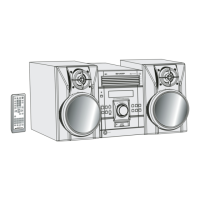
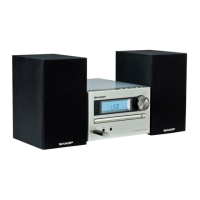
XL-UH242 Micro Component System consisting of XL-UH242 (main unit)
and CP-UH242 (speaker system).
Accessories
Please confirm that the following accessories are included.
MODEL
OPERATION MANUAL
XL-UH242
Note:
Only the above accessories are included.
Remote control 1
(RRMCGA081AWSA)
AM loop antenna 1
(QANTL0010AWZZ)
FM antenna 1
(92LFANT1535A)
Note:
This product is not compatible with MTP and AAC file systems.

Other manuals for Sharp XL-UH242

Questions and Answers

  • A
    Adam WilliamsJul 29, 2025
    What to do if buttons on my Sharp Stereo System don't respond?
    • H
      Harry GomezJul 30, 2025
      If a button press doesn't elicit a response from your Sharp Stereo System, try setting the unit to power stand-by mode and then turning it back on. If the problem persists, reset the unit.
  • J
    Joseph BooneAug 3, 2025
    What to do if my Sharp XL-UH242 Stereo System malfunctions due to external interference?
    • S
      samantha68Aug 3, 2025
      If your Sharp Stereo System malfunctions due to strong external interference or incorrect operation, first set the unit to stand-by mode and turn the power on again. If that doesn't work, unplug the unit, plug it back in, and then turn the power on.
  • F
    fisherpamelaAug 9, 2025
    How to reset the memory on my Sharp Stereo System?
    • A
      austin70Aug 9, 2025
      If your Sharp Stereo System isn't restored by the previous operations, clear all the memory by resetting it. First, press the ON/STAND-BY button to enter the power stand-by mode. Then, while pressing down the 1 button and the 5 button, press the POWER ON/STANDBY button until 'CLEAR ALL' appears.
  • D
    dscottAug 14, 2025
    Why is there no sound coming from my Sharp XL-UH242?
    • J
      jeffrey06Aug 14, 2025
      If you're not hearing any sound from your Sharp Stereo System, check these potential causes: * Is the volume level set to '0'? * Are the headphones connected? * Are the speaker wires disconnected?
  • T
    Todd RodgersAug 19, 2025
    What to do if playback doesn't start on my Sharp Stereo System?
    • M
      Michelle HughesAug 19, 2025
      If playback on your Sharp Stereo System doesn't start, stops midway, or isn't performing correctly, consider these possibilities: * Is the disc loaded upside down? * Does the disc meet the required standards? * Is the disc distorted or scratched?
  • D
    Daniel SmallAug 23, 2025
    Why does my Sharp XL-UH242 skip during playback?
    • M
      Megan DaltonAug 25, 2025
      If the sounds are skipped, or stopped in the middle of a track on your Sharp Stereo System, check these potential causes: * Is the unit located near excessive vibrations? * Is the disc very dirty? * Has condensation formed inside the unit?

Summary

Important Safety Instructions

General Precautions

Remote Control Operation

System Connections and Setup

Remote Control Battery Installation

Basic Unit Controls

Volume Control Operation

Instructions for adjusting the volume using the main unit and remote control.

Setting the System Clock

CD and MP3;WMA Disc Playback

Disc Playback Functions

Advanced CD;MP3;WMA Playback Features

Direct Track Selection

How to directly select specific tracks on a disc using number buttons.

Programmed CD Playback

Creating a Playback Program

Steps to program a custom sequence of up to 32 tracks for playback.

MP3;WMA Folder Mode Playback

Playback Procedure for MP3;WMA Discs

USB Mass Storage Playback

Advanced USB Playback Features

Radio Tuning and Reception

Tuning Radio Stations

Guide to manual and auto tuning for FM and AM radio frequencies.

Memorizing Radio Stations

Timer and Sleep Operations

Timer Playback Setup

How to set the unit to turn on and play a source at a preset time.

Sleep Operation Function

Troubleshooting Guide

General Troubleshooting

Common issues and their possible causes related to general unit operation.

CD Player Troubleshooting

Solutions for problems encountered with CD playback.

Remote Control Troubleshooting

Tuner Troubleshooting

System Reset and Memory Clear

Sharp XL-UH242 Specifications

General IconGeneral
Output Power20 W
Speaker Type2-way
CD PlayerYes
FM RadioYes
TunerFM
ConnectivityBluetooth
Playable MediaCD, MP3
TypeMicro Hi-Fi System

Related product manuals