EasyManua.ls Logo

Sharp XL-UH3H - User Manual

Sharp XL-UH3H
266 pages
Go to English
Print Icon
To Next Page IconTo Next Page
Loading...
MIKROWIEŻA
MIKRO KOMPONENT SYSTÉM
MIKRO KOMPONENS RENDSZER
МІКРОСИСТЕМА
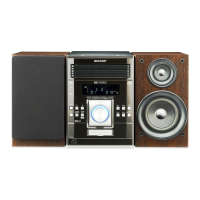
MICRO COMPONENT SYSTEM
MODEL
MODEL
MODEL
MODELLSZÁM
МОДЕЛЬ
MODEL
XL-UH3H
W skład zestawu XL-UH3H wchodzi XL-UH3H (urządzenie główne)
oraz CP-UH3H (komplet kolumn).
Mikrosystém XL-UH3H sestávající z XL-UH3H (hlavní jednotka)
a CP-UH3H (reproduktory).
Mikrosystém XL-UH3H sa skladá z XL-UH3H (hlavná jednotka)
a CP-UH3H (reproduktory).
XL-UH3H mikro komponens rendszer. Tartalom: XL-UH3H (alapkészülék),
CP-UH3H (hangszóró-rendszer).
В комплект мікросистеми XL-UH3H входять: XL-UH3H (головний блок)
та CP-UH3H (коплект гучномовців).
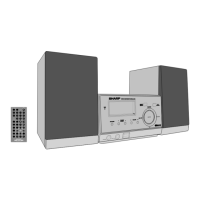
XL-UH3H Micro Component System consists of XL-UH3H (main unit)
and CP-UH3H (speaker system).
Patrz strony od i do ii oraz od PL-1 do PL-42.
Дивіться: сторінки від ix до x, а також від UA-1 до UA-42.
УКРАЇНСЬКА
POLSKI
Viz strany iii až iv a CZ-42 až CZ-42.
Prosím, pozrite si strany v až vi a SK-1 až SK-42.
Lásd az vii - viii és HU-1 - HU-42 oldalakat.
ČESKY
SLOVENSKY
MAGYAR
Please refer to pages xi to xii and E-1 to E-42.
ENGLISH
Note:
This product is not compatible with MTP and AAC file systems.
INSTRUKCJA OBSŁUGI
NÁVOD K POUŽITÍ
NÁVOD NA POUŽÍVANIE
HASZNÁLATI ÚTMUTA
ІНСТРУКЦІЯ З ЕКСПЛУАТАЦІЇ
OPERATION MANUAL

Table of Contents

Questions and Answers

  • B
    Brandi SchultzAug 16, 2025
    Why is my Sharp Stereo System remote control not working?
    • M
      michael89Aug 16, 2025
      If your Sharp Stereo System remote control isn't working, make sure the AC power lead of the unit is plugged in. Check that the battery polarity is correct and that the batteries aren't dead (replace them if needed). Also, ensure that the distance and angle to the unit are correct, and that the remote control sensor isn't exposed to strong light. Move the unit away from strong light if needed.
  • R
    robertfrenchAug 19, 2025
    What to do if my Sharp XL-UH3H Stereo System has no sound?
    • L
      Laura WilliamsAug 19, 2025
      If your Sharp Stereo System is not producing any sound, first, check if the volume level is set to "0". If it is, increase the volume. Next, verify whether headphones are connected; if so, disconnect them. Finally, ensure that the speaker wires are properly connected. Reconnect them if they are disconnected.
  • K
    Karen JohnsonAug 22, 2025
    What to do if Sharp Stereo System playback skips or stops?
    • R
      Rhonda ReedAug 22, 2025
      If your Sharp Stereo System skips or stops during playback, try the following: move the unit away from sources of excessive vibration. If the disc is dirty, clean it. If condensation has formed inside the unit, leave the power on with no disc inside for about 1 hour until normal playback is possible.
  • S
    Scott SimmonsAug 25, 2025
    Why won't my Sharp XL-UH3H start playback or why does playback stop?
    • L
      Laura PattersonAug 25, 2025
      If your Sharp Stereo System isn't playing discs correctly, make sure the disc is loaded correctly (not upside down). Also, verify that the disc meets the required standards. If the disc is distorted or scratched, replace it.
  • H
    heather80Aug 27, 2025
    What to do if buttons on my Sharp XL-UH3H Stereo System don't respond?
    • A
      Amy LangAug 27, 2025
      If your Sharp Stereo System isn't responding when you press a button, try setting the unit to power stand-by mode and then turning it back on. If the issue continues, reset the unit.
  • G
    George SantosAug 30, 2025
    Why does my Sharp XL-UH3H radio make unusual noises?
    • H
      harrisbenjaminAug 30, 2025
      If your Sharp Stereo System radio is making unusual noises continuously, try moving the unit away from the TV or computer. Also, ensure the FM aerial or AM loop aerial is properly placed, and move the aerial away from the AC power lead if it's nearby.
  • C
    Christopher HoldenSep 2, 2025
    What should I do if my Sharp XL-UH3H has a problem?
    • B
      brandonwongSep 2, 2025
      If you are experiencing issues with your Sharp Stereo System, set the unit to the stand-by mode and turn the power on again. If the unit is still not working, unplug it, plug it back in, and then turn the power on.
  • O
    opriceSep 5, 2025
    How to fix Sharp XL-UH3H Stereo System when it cannot record?
    • S
      Scott WilsonSep 5, 2025
      If your Sharp Stereo System won't record, check if the erase-prevention tab has been removed. If it has, remove the erase-prevention tab.
  • D
    Dylan Perez PhDSep 7, 2025
    How do I reset my Sharp XL-UH3H Stereo System?
    • S
      Sally RoySep 7, 2025
      To reset your Sharp Stereo System and clear all memory, press and hold the USB/SD button until the clock setting shows 0:00.
  • P
    Priscilla WestSep 10, 2025
    Why is the clock on my Sharp Stereo System not correct?
    • J
      Joanna LinSep 10, 2025
      If your Sharp Stereo System clock is not set to the correct time, and a power failure occurred, reset the clock.

Summary

General Information

Precautions

Essential safety guidelines and operating conditions for the unit.

Controls and Indicators

Identification of front panel controls and display elements.

System Setup and Basic Operation

System Connections

Detailed steps for connecting speakers, aerials, and power.

Remote Control Guide

Guide to battery installation and testing the remote control.

Basic Operation

How to control the unit and set the clock.

Media Playback

CD;MP3;WMA Playback

How to play audio from CDs, MP3, and WMA discs.

USB;SD Memory Playback

Instructions for playing music from USB and SD memory devices.

Cassette Tape Playback

Procedures for playing cassette tapes.

Recording and Advanced Functions

Cassette Tape Recording

How to record audio onto cassette tapes.

Radio Data System (RDS)

Using RDS features for radio reception and information.

Timer and Sleep Operation

Setting timers for playback and automatic shutdown.

Troubleshooting and Specifications

Troubleshooting Chart

Common problems and their potential solutions.

Maintenance

Cleaning instructions for tape parts and the cabinet.

Product Specifications

Technical details and performance figures of the unit.

Sharp XL-UH3H Specifications

General IconGeneral
BrandSharp
ModelXL-UH3H
CategoryStereo System
LanguageEnglish

Related product manuals