EasyManua.ls Logo

Sharp XL-UH220H - User Manual

Sharp XL-UH220H
53 pages
Print Icon
To Next Page IconTo Next Page
Loading...
MIKRO KOMPONENTEN SYSTEM
MICRO-CHAÎNE
SISTEMA MICRO
MIKRO KOMPONENT SYSTEM
MICRO SISTEMI
MICRO SYSTEEM
SISTEMA DE MICRO COMPONENTE
MICRO COMPONENT SYSTEM
MODELL
MODÈLE
MODELO
MODELL
MODELLO
MODEL
MODELO
MODEL
XL-UH220H
BEDIENUNGSANLEITUNG
MODE D’EMPLOI
MANUAL DE MANEJO
BRUKSANVISNING
MANUALE DI ISTRUZIONI
GEBRUIKSAANWIJZING
MANUAL DE OPERAÇÃO
OPERATION MANUAL
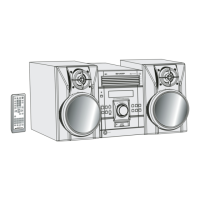
Die Abbildungen in dieser Bedienungsanleitung sind für das Modell XL-UH220H.
Les illustrations utilisées dans ce mode d’emploi sont pour le modèle XL-UH220H.
Las ilustraciones impresas en este manual de manejo son del modelo XL-UH220H.
Bilderna i denna bruksanvisning gäller för modelltypen XL-UH220H.
Le illustrazioni stampate in questo manuale di istruzioni sono per il modello XL-UH220H.
De afbeeldingen in deze gebruiksaanwijzing zijn gebaseerd op het XL-UH220H model.
As ilustrações impressas neste manual de operações são para o modelo XL-UH220H
This illustrations printed in this operation manual are for the model XL-UH220H.
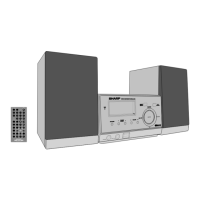
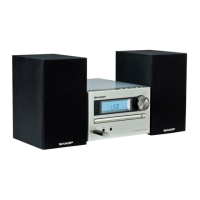
XL-UH220H / XL-UH220H (BK)
XL-UH222H
Siehe Seiten i bis x und D-1 bis D-40.
DEUTSCH
Favor consultar as páginas i a x e P-1 a P-40.
PORTUGUÊS
Se reporter aux pages i à x et F-1 à F-40.
FRANÇAIS
Consulte las páginas i a x y S-1 a S-40.
ESPAÑOL
Hänvisa till sidorna i till x och V-1 till V-40.
SVENSKA
Leggere le pagine i a x e I-1 a I-40.
ITALIANO
Raadpleeg de bladzijden i t/m x en N-1 t/m N-40.
NEDERLANDS
Please refer to pages i to x and E-1 to E-40.
ENGLISH
Note:
This product is not compatible with MTP and AAC file systems.
XL-UH220H(BK)
XL-UH222H


Other manuals for Sharp XL-UH220H

Questions and Answers

  • B
    Brandon GonzalezJul 29, 2025
    Why is my Sharp XL-UH220H remote control not working?
    • M
      Michael WoodJul 29, 2025
      Check the following: * Ensure the unit is plugged into AC power. * Verify the battery polarity is correct. * Make sure the batteries are not dead. * Confirm you are within the correct distance and angle. * Ensure the remote control sensor isn't receiving strong light.
  • T
    Teresa RiversAug 2, 2025
    What to do if no sound is heard from my Sharp XL-UH220H Stereo System?
    • M
      Mrs. Jennifer BerryAug 2, 2025
      If you're not getting any sound, check if the volume level is set to "0" or if headphones are connected. Also, verify that the speaker wires are properly connected.
  • C
    Carmen LopezAug 6, 2025
    What to do if my Sharp XL-UH220H Stereo System is making unusual noises continuously?
    • B
      Brandon BaileyAug 6, 2025
      The unusual noises might be caused by the unit's proximity to a TV or computer. Also, check the placement of the FM aerial or AM loop aerial. If it's near the AC power lead, move it away.
  • A
    Andrew YoungAug 10, 2025
    What to do if a button is pressed, but the Sharp XL-UH220H Stereo System does not respond?
    • A
      Anthony StevensAug 11, 2025
      Try setting the unit to power stand-by mode and then turning it back on. If the unit still malfunctions, reset it.
  • N
    Nicole FloresAug 15, 2025
    Why does playback stop in the middle of a track on my Sharp Stereo System?
    • C
      Christopher WalshAug 16, 2025
      Playback may stop or not perform properly if the disc is loaded upside down, doesn't meet the standards, or is distorted or scratched.
  • C
    Connie WeaverAug 19, 2025
    Why does my Sharp Stereo System skip or stop during playback?
    • J
      Julia SullivanAug 19, 2025
      Skipping or stopping during playback can occur if the unit is near excessive vibrations, the disc is very dirty, or condensation has formed inside the unit.
  • J
    Janice RoweAug 25, 2025
    What causes condensation inside my Sharp XL-UH220H Stereo System?
    • C
      Charles MartinezAug 25, 2025
      Condensation inside the cabinet or on the transmitter of the remote control can be caused by sudden temperature changes or an extremely humid environment. Leave the power on with no disc in the unit until normal playback is possible (about 1 hour). Wipe off any condensation on the transmitter with a soft cloth before operating the unit.

Summary

General Information

Precautions

Safety guidelines for operating the unit, including placement, ventilation, and electrical safety.

Controls and Indicators

Identification and function of front panel, display, and rear panel controls and indicators.

Preparation for Use

Instructions for connecting the system, including aerials, speakers, and power.

Accessories

List of included accessories for the system.

Basic Operation

General Control

How to turn the unit on/off, control illumination, volume, bass, and equalizer modes.

Setting the Clock

Step-by-step guide to setting the clock using the remote control.

CD or MP3;WMA Disc Playback

Instructions for playing standard CDs and discs with MP3/WMA files.

USB Memory Playback

How to play music files from USB devices like MP3 players.

Radio

Tuning into FM/AM radio stations, memorizing and recalling stations.

Advanced Features

Using the Radio Data System (RDS)

Explains how to use RDS features for radio tuning and information display.

Timer and Sleep Operation

Instructions for setting the timer for playback and the sleep function.

Enhancing Your System

Information on connecting external audio sources and headphones for improved system use.

Troubleshooting Chart

General Issues

Common problems and their possible causes, covering general unit operation.

CD Player Issues

Specific troubleshooting steps for CD playback problems.

Remote Control Issues

Troubleshooting steps for when the remote control is not functioning correctly.

Specifications

General Specifications

Technical details including power source, consumption, dimensions, and weight.

Amplifier Specifications

Technical details about the amplifier's output power and terminals.

USB and Speaker Specifications

Technical specifications for USB support and speaker system components.

Sharp XL-UH220H Specifications

General IconGeneral
BluetoothYes
CD PlayerYes
FM RadioYes
USB PlaybackYes
Playable File FormatsMP3, WMA
Speaker Type2-Way Speaker
Playable MediaCD, USB
DimensionsSpeakers: 126 x 181 x 136 mm Main Unit: 150 x 188 x 223 mm

Related product manuals