EasyManua.ls Logo

Sharp XL-UH240 - User Manual

Sharp XL-UH240
40 pages
Print Icon
To Next Page IconTo Next Page
Loading...
Thank you for purchasing this SHARP product.
To obtain the best performance from this product, please read this
manual carefully. It will guide you in operating your SHARP product.
XL-MP130
MICRO COMPONENT SYSTEM
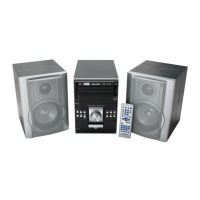
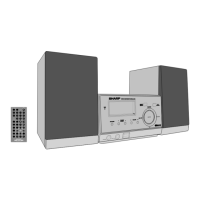
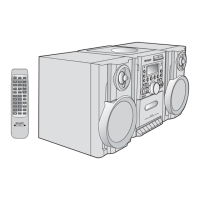
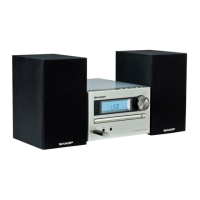
XL-UH240 Micro Component System consisting of XL-UH240 (main unit)
and CP-UH240 (speaker system).
Accessories
Please confirm that the following accessories are included.
MODEL
OPERATION MANUAL
XL-UH240
Note:
Only the above accessories are included.
Remote control 1
(RRMCGA081AWSA)
AM loop antenna 1
(QANTL0010AWZZ)
FM antenna 1
(92LFANT1535A)
Note:
This product is not compatible with MTP and AAC file systems.

Questions and Answers

  • E
    Emma RosalesJul 26, 2025
    Why is there no sound coming from my Sharp XL-UH240?
    • D
      Dylan PatelJul 26, 2025
      If you can't hear any sound from your Sharp Stereo System, first, make sure the volume isn't set to "0". If it is, adjust the volume. Also, check if headphones are connected; if so, disconnect them. Finally, ensure the speaker wires are properly reconnected.
  • P
    parkercurtisAug 1, 2025
    What to do if playback does not start on Sharp XL-UH240?
    • H
      hardylisaAug 1, 2025
      If playback on your Sharp Stereo System doesn't start, stops midway, or isn't working correctly, ensure the disc is loaded correctly (not upside down). Also, make sure the disc meets the required standards for compatibility. If the disc is distorted or scratched, replace it with a new one.
  • M
    moodyjenniferAug 7, 2025
    What to do if buttons on my Sharp XL-UH240 are not responding?
    • A
      Andrew RodriguezAug 7, 2025
      If your Sharp Stereo System doesn't respond when you press a button, try setting the unit to power stand-by mode and then turning it back on. If the problem continues, reset the unit.
  • J
    Joyce RobinsonAug 12, 2025
    Why does the Sharp XL-UH240 Stereo System skip or stop during playback?
    • T
      tthomasAug 12, 2025
      If the playback on your Sharp Stereo System skips or stops mid-track, it might be due to a few reasons. First, check if the unit is near any source of vibrations and, if so, move it away. Second, see if the disc is dirty and clean it if necessary. Lastly, if condensation has formed inside the unit, allow it to dry out completely.
  • C
    Catherine SimsAug 19, 2025
    What to do if trouble occurs with my Sharp XL-UH240 Stereo System?
    • M
      Melissa GonzalezAug 19, 2025
      If you're experiencing trouble with your Sharp Stereo System, try these steps: First, set the unit to stand-by mode and turn the power on again. If that doesn't work, unplug the unit, plug it back in, and then turn the power on. As a last resort, clear all the memory by resetting the unit.

Summary

Important Safety Instructions

Comprehensive Safety Guidelines

Covers operation, cleaning, electrical hazards, placement, and maintenance safety.

General Information and Precautions

Unit Placement and Environmental Precautions

Essential precautions for unit placement, ventilation, environment, and power handling.

Preparation for Use: System Setup

System Connections Guide

Illustrates how to connect antennas, speakers, and power for the audio system.

CD and MP3;WMA Disc Playback

Playing Discs and Understanding Formats

How to insert, play, and manage CD, MP3, and WMA discs, including format details.

MP3;WMA Folder Mode Playback

USB Memory Device Playback

Connecting and Playing USB Files

Instructions for connecting USB memory devices and playing MP3/WMA files.

Advanced USB Playback Options

Radio Tuning and Management

Tuning FM and AM Radio Stations

How to tune into FM and AM radio stations, including manual and auto tuning.

Advanced Features: Timer Operation

Setting and Managing Timers

Instructions for setting up once or daily timers for automatic playback.

Advanced Features: Sleep Operation

Setting the Sleep Timer

How to set the unit to turn off automatically after a specified time.

References and Maintenance

Troubleshooting Common Issues

Solutions for common problems with the remote control, tuner, and unit.

Sharp XL-UH240 Specifications

General IconGeneral
Speaker Configuration2.0
BluetoothYes
CD PlayerYes
USB PlaybackYes
FM RadioYes
Playable MediaCD, CD-R/RW, USB
Audio formats supportedMP3, WMA
USB portYes
FM TunerYes
TypeStereo System
RMS output power20 W

Related product manuals