EasyManua.ls Logo

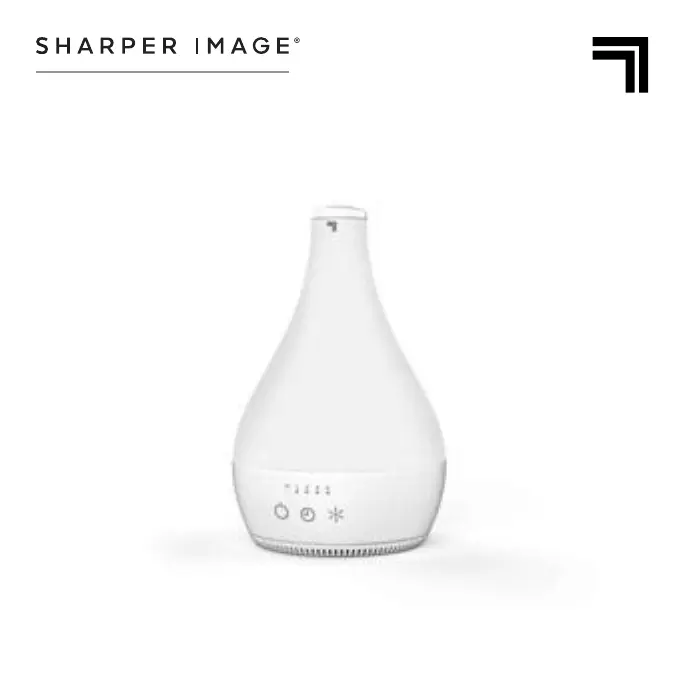
Sharper Image AROMA 2 - User Manual

Sharper Image AROMA 2
19 pages
Print Icon
To Next Page IconTo Next Page
Loading...
READ AND SAVE
THESE INSTRUCTIONS
MODEL
AROMA 2
ULTRASONIC HUMIDIFIER
OWNER’S GUIDE

Questions and Answers

  • D
    Dr. John Byrd Jr.Jul 29, 2025
    Why is my Sharper Image Humidifier not producing mist?
    • S
      Sean WallaceJul 30, 2025
      If your Sharper Image Humidifier isn't producing the desired amount of humidity, or the mist output has stopped, several factors could be at play. First, check the water level in the tank; if it's low and the LED indicator is flashing red, refill it with clean, cool tap water. If the tank is empty and the unit has shut off, refill it as well. A dirty ultrasonic disk can also cause this issue, so clean it. Ensure that airflow isn't blocked by any obstructions. Lastly, make sure the water tank is correctly installed on the base to ensure a proper power connection.
  • X
    xhoffmanAug 8, 2025
    How to fix Sharper Image AROMA 2 that won't turn on?
    • T
      Tiffany RodriguezAug 8, 2025
      If your Sharper Image Humidifier fails to power on, there are a few things you can check. Begin by ensuring the power cord is properly plugged into an electrical outlet. If it is, verify that the household circuit breaker or ground fault circuit interrupter hasn't tripped, or that a fuse hasn't blown; reset the breaker/interrupter or replace the fuse. If the problem persists, it's possible the unit is damaged and requires professional attention.
  • J
    Justin Sims DDSAug 17, 2025
    What to do if Sharper Image AROMA 2 Humidifier leaves white dust?
    • J
      Jasmin LaneAug 17, 2025
      If you notice white dust accumulating on the Mist Outlet or flooring around your Sharper Image Humidifier, it could be due to a few reasons. The unit, particularly the ultrasonic disk, might need cleaning. Alternatively, the water you're using might be too hard; try using distilled water instead.

Summary

Important Safety Instructions

Child and Impaired Person Safety

Supervision is required for children and those with reduced capabilities during operation and maintenance.

Installation and Placement Warnings

Avoid heat sources, unstable surfaces, and water. Route cords safely to prevent tripping.

How to Use

Filling the Water Tank

Steps for unplugging, removing tank, filling with water, and replacing cap.

Cleaning Instructions

Troubleshooting Common Issues

Unit Fails to Power On

Check power connection, circuit breaker, or contact service if unit is damaged.

Low Humidity or Mist Output

Check water level, ensure tank is seated, clean ultrasonic disk, and remove obstructions.

Product Warranty Information

Warranty Coverage and Duration

One-year warranty against defects in material or workmanship from date of purchase.

Sharper Image AROMA 2 Specifications

General IconGeneral
BrandSharper Image
ModelAROMA 2
CategoryHumidifier
LanguageEnglish

Related product manuals