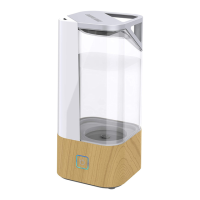
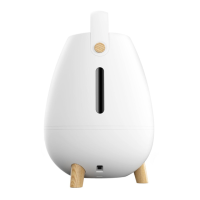
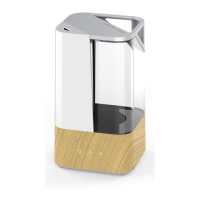
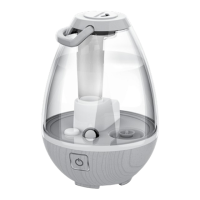
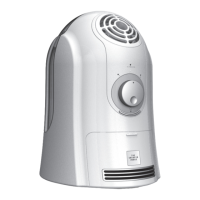
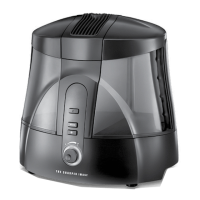
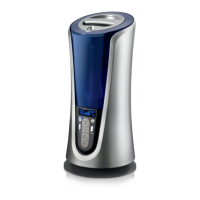
The Sharper Image Ultrasonic Humidifier, model VOTIV 4, is designed to humidify and circulate air in indoor living spaces. This owner's guide provides important safety, usage, and maintenance information to ensure proper operation and longevity of the product.
Function Description:
The Sharper Image Ultrasonic Humidifier uses an internal ultrasonic disk to shatter water into a fine, visible mist, thereby increasing the humidity in a room. It features a touch-sensitive power control that allows users to adjust mist settings and an optional illumination feature that provides a candle-like glow in the moving mist. The humidifier is intended for residential use in the United States and is not suitable for commercial or industrial applications. It also includes an auto-shutoff feature that activates when water levels are low, indicated by a pulsating light.
Important Technical Specifications:
- Water Tank Capacity: 0.31 gallons.
- Power Source: Detachable external power supply and cord.
- Model Number: VOTIV 4.
- FCC Compliance: CFR 47 Part 18.
- Warranty: One (1) year limited warranty covering defects in material or workmanship.
Usage Features:
- Easy Filling: The water tank is designed for easy filling, installation, and cleaning, with a clear view of the water level. The fill icon on the bottom of the tank indicates where to unscrew the cap for filling with cool tap water.
- Integrated Carry Handle: The water tank features an integrated carry handle for convenient lifting and carrying.
- Power Control: A touch-sensitive power control allows users to cycle through five operating modes:
- MODE 1: High mist setting, base light on.
- MODE 2: High mist setting, base light off.
- MODE 3: Low mist setting, base light on.
- MODE 4: Low mist setting, base light off.
- MODE 5: Powers off unit, all lights off.
- Quick Power Off: Users can also hold down the power control for 3 seconds to power off the unit when it is operating in Modes 1 through 4.
- High Mist Setting: Provides fast humidification for small rooms.
- Low Mist Setting: Ideal for quiet, nighttime use.
- Low Water Indicator & Auto Shutoff: The humidifier automatically powers off when it detects a low water level. If the power control is pressed in this state, the light will pulsate 3 times to indicate that the water tank needs refilling.
- Distilled Water Recommendation: For areas with hard water or excessive minerals, using distilled water is recommended to reduce white dust and mineral buildup.
- Additives Warning: The manufacturer explicitly states that any additives, such as aroma fragrances, should not be used in the water tank or base, as they can cause cracks in the plastic and affect performance, thereby voiding the warranty.
- Humidity Control: It is recommended to turn off the humidifier if the relative humidity exceeds 60% to prevent moisture buildup and potential microorganism growth. A hygrometer can be used for accurate readings.
Maintenance Features:
- Regular Cleaning: Proper cleaning is crucial for air quality and humidifier performance. The frequency of cleaning depends on usage, water hardness, and environmental factors. Weekly cleaning is recommended, or when algae, mineral deposits, or other particles begin to form.
- Cleaning Instructions:
- Turn off and unplug the humidifier, then disconnect the adapter from the base.
- Remove the water tank and empty any remaining water from the base.
- Gently wipe and clean the water tank with a mild detergent, then rinse with clean tap water.
- To clean the ultrasonic disk (located in the center of the base), apply 5-10 drops of vinegar to its surface. Wait 2-5 minutes, then gently clean the disk with a soft-tipped cotton swab. Avoid scrubbing or scraping the disk.
- Clean the water basin using a soft cloth or soft-tipped cotton swab, and rinse with clean tap water. Do NOT submerge the base in water.
- Wipe the outer surface of the unit with a soft, damp cloth if needed.
- No Harsh Chemicals: Do not use gasoline, thinners, solvents, ammonias, or other chemicals for cleaning.
- Preventing Microorganism Growth: Empty the water tank immediately after each use to protect against mold, mildew, and other microorganisms. If water is left in the tank for more than 8 hours, thoroughly clean and disinfect the unit.
- Storage:
- Unplug the power cord and bundle it loosely.
- Ensure the humidifier is completely dry before storing; do not store with water in the tank or base.
- Cover the unit or place it back in its retail carton to prevent dust accumulation.
- Store the humidifier in a cool and dry location. Cleaning is recommended before storage.
Safety Warnings:
- Children and Impaired Persons: Supervision is required for children aged 12 and younger, and individuals with reduced physical, sensory, or mental capabilities during installation, operation, cleaning, and maintenance. Children should not play with the appliance.
- Installation: Do not place the product near high-temperature heat sources (furnaces, fireplaces, stoves), in a window, on an uneven or unstable surface, or near water. Ensure the power cord and plug do not come into contact with water. Do not use outdoors or expose to weather. Avoid running the cord under carpeting or furniture, and route it away from traffic areas. Place the appliance near an easily accessible outlet for quick unplugging.
- Electrical Safety: Do not operate with a solid-state speed device (e.g., dimmer switch). Do not use if the unit, power cord, or plug is damaged. Do not attempt to repair or replace parts. Use only the provided detachable power supply and cord. Ensure electrical information on the rating label matches the outlet's power supply. Do not use the cord as a handle or yank/stretch it. Do not insert foreign objects into openings. A loose fit between the wall outlet and plug may cause overheating; discontinue use and contact an electrician.
- Hot Surfaces: The product may become hot during use. Avoid touching hot surfaces with bare skin. Allow the appliance to cool for at least 30 minutes before moving, refilling, or emptying.
- Servicing: Clean the product only as instructed in the manual. Do not open the appliance housing while plugged in. All service and repairs must be performed by contacting Vornado Consumer Service.



 To Next Page
 General