EasyManua.ls Logo

Sharper Image UHS1-SI - User Manual

Sharper Image UHS1-SI
19 pages
Print Icon
To Next Page IconTo Next Page
Loading...
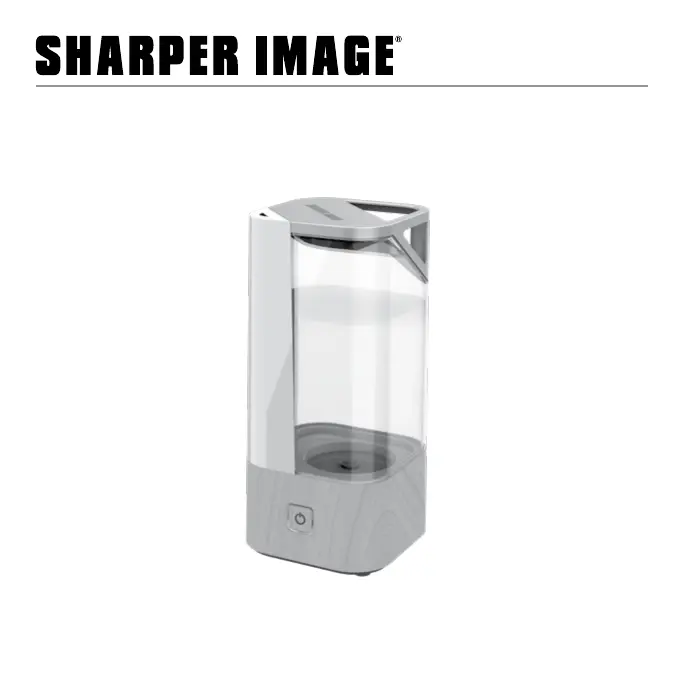
ULTRASONIC HUMIDIFIER
OWNER’S GUIDE
MODEL
UHS1-SI
READ AND SAVE
THESE INSTRUCTIONS

Questions and Answers

  • J
    Joshua HawkinsJul 28, 2025
    Why is my Sharper Image UHS1-SI Humidifier not producing mist?
    • R
      Ryan WestJul 28, 2025
      If your Sharper Image Humidifier isn't producing the desired amount of humidity, or the mist output has stopped, several factors could be at play. First, check the water level in the tank. A low water level, indicated by a flashing red LED, means you should refill it with clean, cool tap water. If the tank is empty and the unit has shut off automatically, do the same: refill it. Also, make sure the water tank is properly installed, ensuring it's correctly attached to the base for a secure power connection. Another reason could be blocked airflow, so clear any obstructions. Finally, the ultrasonic disk might be dirty.
  • H
    Hannah PattersonAug 6, 2025
    What to do if Sharper Image Humidifier doesn't turn on?
    • L
      Lance WilsonAug 6, 2025
      If your Sharper Image Humidifier fails to power on, there are a couple of things to check. First, verify that the household circuit breaker or ground fault circuit interrupter hasn't tripped, or that a fuse hasn't blown. If it has, reset the breaker/interrupter or replace the fuse. If this doesn't solve the problem, it is possible that the unit is damaged or needs repair.
  • C
    Chloe RodriguezAug 16, 2025
    How to prevent white dust from Sharper Image UHS1-SI?
    • V
      virginia52Aug 16, 2025
      If you notice white dust accumulating on the mist outlet or flooring around your Sharper Image Humidifier, it could be due to two main reasons. The first is that the unit and ultrasonic disk need cleaning. The second potential cause is the hardness of your water. If your water is too hard, switch to using distilled water in the humidifier.

Summary

Important Safety Instructions

General Safety and Intended Use

Outlines product purpose, child supervision, and installation precautions.

Electrical and Operational Safety

Covers risks of circuit overload, damaged equipment, and proper power cord use.

Product Handling and Environmental Safety

Advises on handling hot surfaces, water contact, and humidity levels for health.

Servicing, Compliance, and Disposal

Details servicing, FCC compliance, and environmentally responsible disposal practices.

Disposal Warning and Recycling

Provides guidance on environmentally responsible package recycling and disposal.

Product Features

Mist Projection Components

Describes the mist nozzle, spout, and ultrasonic disk for mist generation.

Water Tank and Handling

Details the water tank capacity, ease of filling, and integrated carry handle.

Base and Cleaning Tools

Covers the base design and the included cleaning brush.

How to Use

Filling the Water Tank

Step-by-step guide on filling the humidifier's water tank with water.

Operation Modes and Controls

Explains how to operate the humidifier using the touch power button and its modes.

Mist Settings and Indicators

Details high/low mist settings, operation duration, and low water indicator functions.

Cleaning and Maintenance

Cleaning Recommendations

Advises on regular cleaning frequency based on usage and water conditions.

Cleaning Instructions

Provides a detailed process for cleaning the humidifier's base, tank, and ultrasonic disk.

Storage Procedures

Storage Preparation

Guides on unplugging, drying, and covering the humidifier for storage.

Storage Location

Recommends storing the unit in a cool and dry location to prevent damage.

Troubleshooting Guide

Unit Power and Output Issues

Addresses problems like the unit failing to power on or low mist output.

White Dust and Airflow Problems

Explains white dust causes and blocked airflow solutions.

Warranty Information

Warranty Coverage and Service

Outlines the one-year warranty terms and how to obtain service.

Warranty Exclusions and Limitations

Lists conditions that void the warranty and limitations on liability.

Sharper Image UHS1-SI Specifications

General IconGeneral
BrandSharper Image
ModelUHS1-SI
CategoryHumidifier
LanguageEnglish

Related product manuals