AVERAGEWINDSPEED&WINDDIRECTIONFORECAST
Press MODE repeatedly until WIND appears. A total of 16 wind directions are
available: N for north, S for south, SW for south-west and so on.
Press
5
/ WIND toselectwindspeedunitofmeasurement:km/h,m/s,knotsormph.
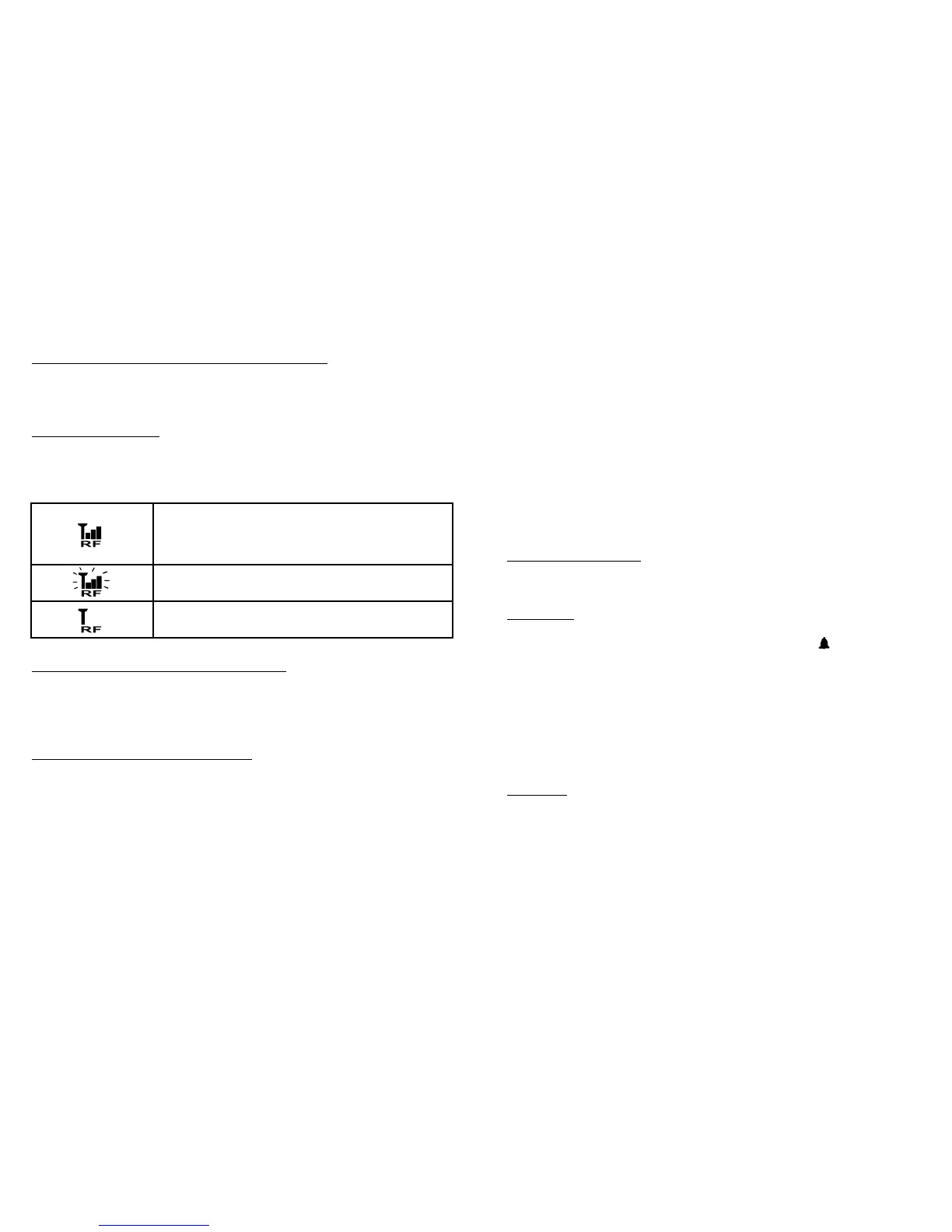
RF RECEPTION STATUS
The icon shows the RF connection status between the Main Unit and the
USB transmitter.
(See“ESTABLISHRFCONNECTIONWITHMAINUINIT”sectiontoreconnect
theUSBtransmitter.)
RECEIVINGTHELASTESTUPDATEDFORECAST
Thetoplinedisplaysthelastupdatedweatherforecasttimeinmonth/dayhour-
minute display format. If your PC is not connected to the Internet for more than
10days,allforecastinformationwillshow“--“untilthePCisconnectedtothe
Internet again.
NETWORKTIME(Auto-synchronizedclock)
Foryourconvenience,theclockontheMainUnitissynchronizedtotheInternet
network time, automatically adjusted for optimum accuracy.
NOTE:
- If your PC is not connected to the Internet for a long period of time, the clock
display may not be accurate.
- Youmaysetthetimeoffset(+/-0.5,1,1.5or2hours)ofyourhomecityin
thePCprogramtoadjustDST&timezoneifnecessary(duetochangesin
plannedstart/enddatesfordaylightsavingstime,timeboundaries,etc)and
the time on your Main Unit will be updated accordingly.
Hold CLOCKbuttonontheMainUnittosetthe12/24hourformat,press
5
or
6
to select and press CLOCKtoconfirm.The“M”&“D”iconswill flash, press
5
or
6
toselectday/monthormonth/dayformatforthecalendar.Press
CLOCK button to confirm and exit.
SUNRISE/SUNSETTIME
Press CLOCK button repeatedly until the respective SUNRISE or SUNSET
appears to view the sunrise or sunset time in your home city.
ALARM TIME
• PressALARM button to view the alarm time, and AL will appear. Press
ALARM button again to enable and disable the alarm. A icon appears
when alarm is enabled. Press CLOCK button to return to time display.
• HoldALARM button for 3 seconds to enter alarm setting mode. Press
5
or
6
to change the hour HH to the correct value. Press ALARM to change
to the minutes MM setting mode. Set the minutes using
5
or
6
. Press
ALARM to confirm the settings. When alarm is going off, press ALARM to
stop alarm for one day or press MODE/SNOOZEtoactivatesnoozefunction.
• Snoozesoundsevery9minutesuntilALARM is pressed to stop alarm
for the day.
CALENDAR
Press CLOCK button repeatedly to show the day-of-the-week. Calendar can
bedisplayedinday/monthormonth/dayformat.Seesection“NETWORK
TIME”forsettings.
MainUnitissuccessfullysynchronizedtotheUSB
transmitter and is receiving weather data from USB
transmitter periodically.
Flashing indicates that it is in registration mode and is
searching for RF signal from USB transmitter.
Fail to receive RF signal from USB transmitter.
15
14


 To Next Page