14
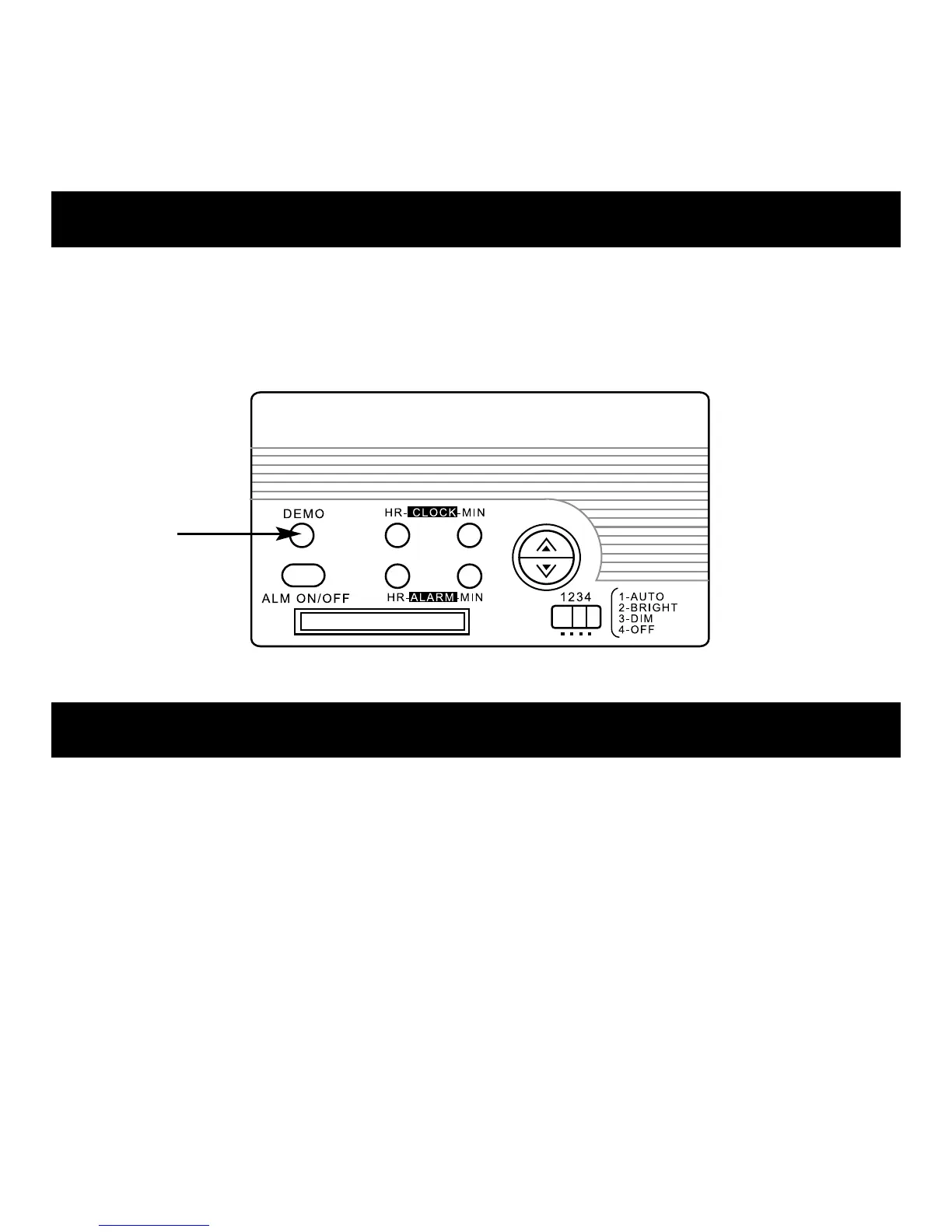
To test the sound of the alarm, press the DEMO button.
The alarm sounds. To cancel the test, press the button again.
Troubleshooting
•If the clock display appears dim or difficult to read, the battery
may be weak. Replace the CR2032 battery.
(See Clock Battery Replacement.)
•If the clock malfunctions or the display freezes, use a straightened
paper clip or similar object and press the RESET button located
under the AA battery cover to return the clock to its
default settings.



 To Next Page