14 Shelly GAS User guide 15
Settings
Volume
Dene the alarm volume level of the device, when the
alarm is triggered. Possible range: 1 ~ 11.
Time Zone and Geo-location
Enable or Disable the automatic detection of Time Zone
and Geo-location.
Factory Reset
Return Shelly to its factory default settings.
Device Reboot
Restart your Shelly device.
Device Information
• Device ID - Unique ID of Shelly
• Device IP - The IP of Shelly in your Wi-Fi network
Edit Device
• Device Name
• Device Room
• Device Picture
When you are done editing press Save Device.
THE EMBEDDED WEB INTERFACE
Even without the mobile app Shelly can be set and con-
trolled through a browser and connection of a mobile
phone or tablet.
Abbreviations used
• Shelly-ID – consists of 6 or more characters. It may in-
clude numbers and letters, for example 35FA58.
• SSID – the name of the WiFi network, created by the
device, for example ShellyGas-35FA58.
• Access Point (AP) – in this mode in Shelly creates its
own WiFi network.
• Client Mode (CM) – in thismode in Shelly connects to
another WiFi network.
Installation/Initial inclusion
Step 1
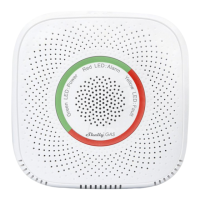
Place Shelly into the power socket, in the room where you
want to use it. The device will make a self test, and in the
rst 3 minutes the LED ring should turn in a sequence:
green->orange->red. After the self test is nished, the LED
ring should turn green and the WiFi LED should be blinking,
once per second. This means that the device is calibrated
and is in AP mode.
CAUTION! If the WiFi LED is not blinking once per second,
press and hold the reset button for at least 10 seconds.
The WiFi LED should be blinking, once per second. If not,
please repeat or contact our customer support at:
support@shelly.cloud
Step 2
When WiFi LED is blinking once per second, Shelly has
created a WiFi network, with name such as Shelly-
Gas-35FA58. Connect to it.


 To Next Page