Led indicators
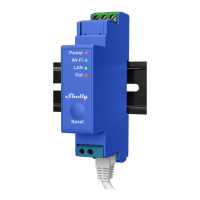
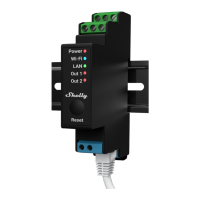
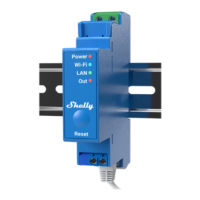
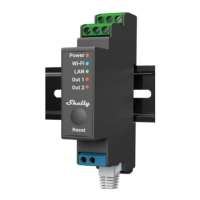
Power (red): Red light indicator will be on if power is connected. Wi-Fi (blue): Blue
light indicator will be on if the Device is in AP mode.
Wi-Fi (red): Red light indicator will be on if the Device is in STA mode and not
connected to a local Wi-Fi network.
Wi-Fi (yellow): Yellow light indicator will be on if the Device is in STA mode and
connected to a local Wi-Fi network. Not connected to Shelly Cloud or Shelly Cloud
disabled.
Wi-Fi (green): Green light indicator will be on if the Device is in STA mode and
connected to a local Wi-Fi network and to the Shelly Cloud.
Wi-Fi (flashing): The light indicator will be flashing Red/Blue if OTA update is in
progress.
LAN (green): Green light indicator will be on if LAN is connected.
Out1 (red): Red light indicator will be on if the Output 1 rellay is closed.
Out2 (red): Red light indicator will be on if the Output 2 rellay is closed.
Declaration of conformity
Hereby, Allterco Robotics EOOD declares that the radio equipment type Shelly Pro 2
is in compliance with Directive 2014/53/ EU, 2014/35/EU, 2014/30/EU, 2011/65/EU.
The full text of the EU declaration of conformity is available at the following inter net
address https://shelly.cloud/knowledge-base/devices/shelly-pro-2/
Manufacturer: Allterco Robotics EOOD
Address: Bulgaria, Sofia, 1407, 103 Cherni vrah Blvd. Tel.: +359 2 988 7435
E-mail: support@shelly.cloud
Web: http://www.shelly.cloud
Changes in the contact data are published by the Manufacturer at the official website
of the Device http://www.shelly.cloud
All rights to trademark Shelly® and other intellectual rights associated with this
Device belong to Allterco Robotics EOOD.


 To Next Page