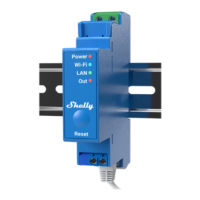
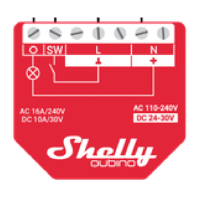
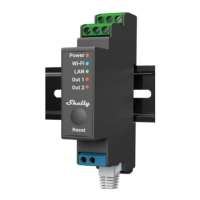
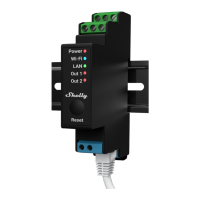
The Shelly Qubino Wave 1 Mini is a compact Z-Wave® smart switch designed for controlling electrical circuits with potential-free (dry) contacts. It enables remote control of one electrical appliance (up to 8 A AC or 5 A DC) via a smartphone, tablet, PC, or home automation system. This device is compatible with both switches (default configuration) and push-buttons, offering flexibility in its application. Examples of controlled appliances include bulbs, ceiling fans, IR heaters, electrical locks, garage doors, and irrigation systems.
Function Description:
The Wave 1 Mini operates on the Z-Wave® wireless communication protocol, requiring a gateway (Z-Wave® controller) for configuration and control. When connected to the internet via a gateway, Shelly Qubino devices can be controlled remotely from anywhere. The device is designed to be interoperable within any Z-Wave® network, working with other Z-Wave® certified devices from various manufacturers. All mains-operated nodes within the network act as repeaters, enhancing network reliability. It is backward and forward-compatible with older generations of Z-Wave® devices and gateways.
The device features a single switch input (SW1) that can be configured as either a toggle switch or a momentary push-button. If configured as a toggle switch (default), each change in the switch's state (on/off) will reverse the output O (O1) state. If configured as a push-button, each press will toggle the output O (O1) state.
Important Technical Specifications:
- Power Supply: 110 - 240 V AC, 50/60 Hz
- Power Consumption: < 0.3 W
- Max. Switching Voltage AC: 240 V
- Max. Switching Current AC: 8 A
- Max. Switching Power AC: 2000 W
- Max. Switching Voltage DC: 30 V
- Max. Switching Current DC: 5 A
- Overheating Protection: Yes
- Distance: Up to 40 m indoors (131 ft.) (depends on local conditions)
- Z-Wave® Repeater: Yes
- CPU: Z-Wave® S800
- Z-Wave® Frequency Bands: 868.4 MHz
- Maximum Radio Frequency Power Transmitted: < 25 mW
- Size (H x W x D): 29x35x16 ±0.5 mm / 1.11x1.35x0.63 ±0.02 in
- Weight: 19 ±1 g / 0.65 ±0.04 oz
- Mounting: Wall box
- Screw Terminals Max. Torque: 0.4 Nm / 3.54 lbin
- Conductor Cross Section: 0.5 to 1.5 mm² / 20 to 16 AWG
- Conductor Stripped Length: 5 to 6 mm / 0.20 to 0.24 in
- Shell Material: Plastic
- Color: Blue
- Ambient Temperature: -20°C to 40°C / -5°F to 105°F
- Humidity: 30% to 70% RH
- Max. Altitude: 2000 m / 6562 ft.
Supported Load Types:
- Resistive (incandescent bulbs, heating devices)
- Inductive with RC Snubber (LED light drivers, transformers, fans, refrigerators, air-conditioners)
- Capacitive (capacitor banks, electronic equipment, motor start capacitors)
Usage Features:
The Wave 1 Mini supports Z-Wave® Security 2 (S2) for enhanced network security, utilizing AES 128 Encryption. For S2 inclusion, a Device Specific Key (DSK) PIN Code is required, found on the device label and in the packaging. The device supports SmartStart inclusion, allowing automatic addition to a Z-Wave® network by scanning a QR code. Manual inclusion and exclusion are also possible using the S button or a connected switch/push-button.
Z-Wave® Parameters provide extensive configuration options:
- Parameter No. 1 - SW (SW1) Switch type: Configures the input as a momentary (push-button) or toggle switch.
- Parameter No. 17 - Restore the O (O1) state after a power failure: Determines if the output state is saved and restored or remains off after a power failure.
- Parameter No. 19 - O (O1) Auto OFF with timer: Schedules automatic turn-off for the load after a defined period (1-32535 seconds or milliseconds).
- Parameter No. 20 - O (O1) Auto ON with timer: Schedules automatic turn-on for the load after a defined period (1-32535 seconds or milliseconds).
- Parameter No. 23 - O (O1) contact type - NO/NC: Sets the relay contact type for output O (O1) as normally open (NO) or normally closed (NC).
- Parameter No. 25 - Set timer units to s or ms for O (O1): Selects whether timer values for parameters 19 and 20 are in seconds or milliseconds.
- Alarm Responses (Parameters 91-94): Configures how the device reacts to Water, Smoke, CO, and Heat alarm frames (e.g., open relay, close relay, no action).
- Parameter No. 105 - LED Signalization intensity: (To be implemented in 2024 for Wave 1 Mini) Adjusts the intensity of the LED indicator.
- Parameter No. 120 - Factory Reset: Resets the device to factory defaults and removes it from the Z-Wave network.
- Serial Number Parameters (201-203): Read-only parameters containing parts of the device's serial number.
Z-Wave® Command Classes:
The device supports various Z-Wave® Command Classes, including ASSOCIATION_V2, BASIC_V2, SWITCH_BINARY_V2, CONFIGURATION_V4, NOTIFICATION_V8, SECURITY_2_V1, and others, enabling comprehensive control and status reporting within a Z-Wave® network. The BASIC Command Class is mapped to SWITCH_BINARY for output control.
Z-Wave® Associations:
The Wave 1 Mini supports associations for direct communication with other Z-Wave® devices without gateway intervention.
- Association Group 1 - Lifeline: Reports device status (LED status, local reset, binary switch report for O1, overheat notification) to the gateway (default).
- Association Group 2: Assigned to the switch connected to SW1, sending BASIC_SET ON/OFF commands to associated devices based on the switch state.
- Association Group 3: Assigned to the switch connected to SW1, using Switch Multilevel commands for associated devices (recommended for push-buttons).
Maintenance Features:
- Factory Reset: Can be performed via the S button or a connected switch/push-button to restore default settings and remove the device from the Z-Wave® network. This is useful if the gateway is missing or inoperable.
- OTA Firmware Updating: The device supports Over-The-Air (OTA) firmware updates, indicated by blinking blue and red LEDs during the process.
- LED Signalization: Provides visual feedback on the device's status, including:
- Removed/Excluded: Blinking blue LED (Mode 1).
- Added/Included: Blinking green LED (Mode 1).
- Factory Reset and Reboot: Solid green, then blinking blue and red LEDs.
- Adding/Removing: Blinking blue LED (Mode 2).
- OTA Firmware Updating: Blinking blue and red LEDs (Mode 2).
- Checking Power Supply: Blinking blue and red LEDs (Mode 5).
- Settings Mode: Solid blue LED.
- Alarm Mode (Overheat): Blinking red LED (Mode 4).
- Overheat Detection: If overheat is detected, the device will switch off all outputs and send a notification. The condition can be restored by a power cycle or a short press on the S button/switch.
Installation:
The device is designed for retrofitting into standard electrical wall boxes, behind power sockets, light switches, or other spaces with limited room. Installation should be performed by a qualified electrician, ensuring no voltage is present at the terminals before connecting wires. It is recommended to use solid single-core cables or stranded cables with ferrules, with insulation rated at PVC T105°C (221°F) or higher. For inductive appliances, an RC snubber (0.1 µF / 100 Ω / 1/2 W / 600 VAC) should be connected in parallel. The antenna should be placed as far away as possible from metal elements to prevent signal interference.

 Need help?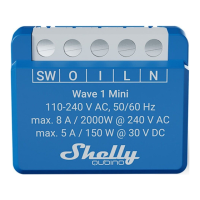

 To Next Page
 General