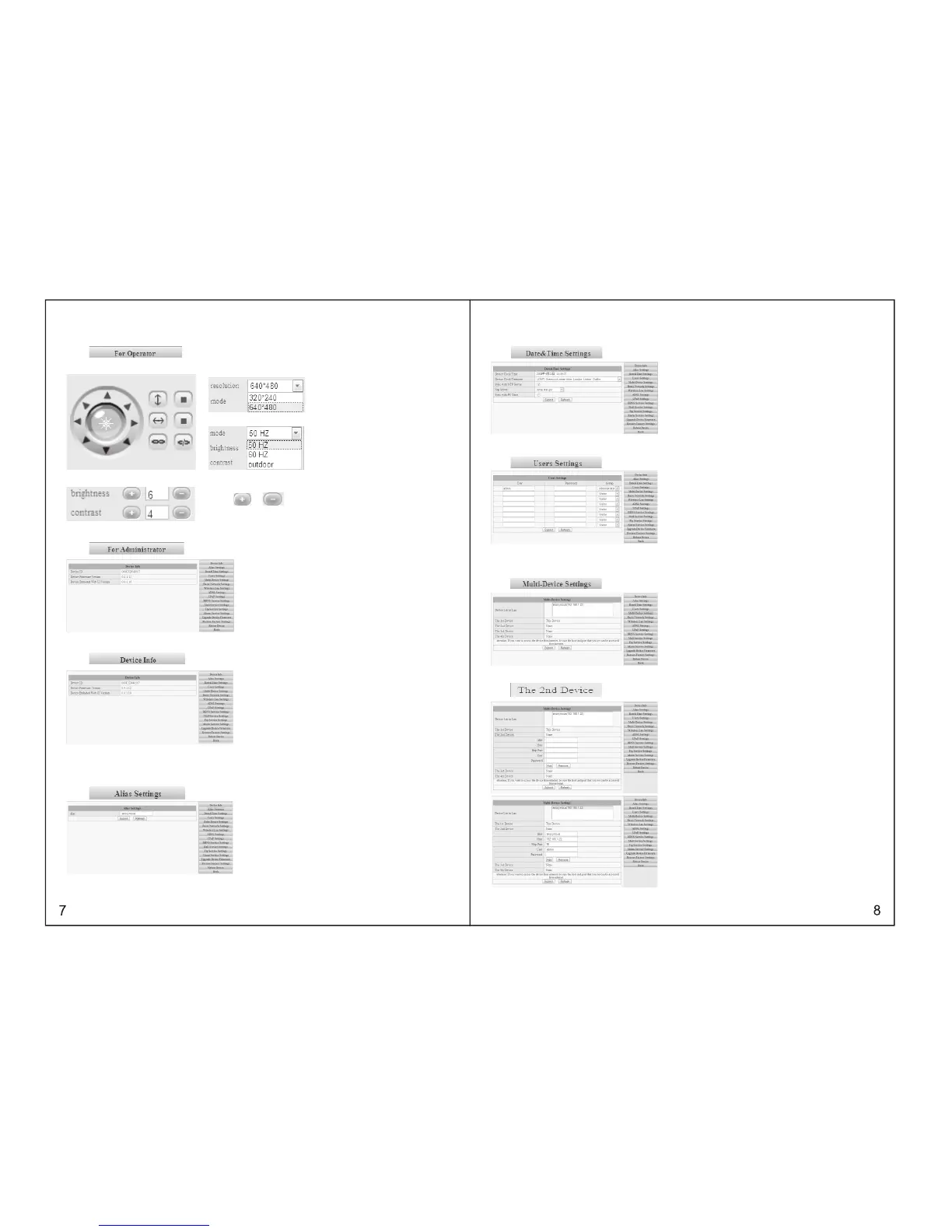
3.4.2 OPERATOR OPERATING
Press , to set up following parameters
PTZ control
Resolution˖GA˄640 X 480˅/ QVGA(320 X 240)
working mode˖0Hz/60Hz/outdoor
photo parameters˖
Press or to adjust the brightness or contrast.
3.5 ADMINISTRATOR OPERATING
Press , to enter into administrating page.
3.5.1 DEVICE INFORMATION
Click , please refer to the following picture:
The sequence number of the device: our factory sequence number.
Edition of system firmware of device: edition of system software of IP606W
Edition of application firmware of device: edition of application software of IP607W
3.5.2 DEVICE NAME SETTINGS
Click , please refer to the following picture:
Name : set up the name for the camera
3.5.3 DEVICE CLOCK SETTINGS
Click , please refer to the following picture:
3.5.4 DEVICE USER SETTINGS
Click , please refer to the following picture:
IP607W can set up maximum 8 users and permissions
3.5.5 MULTI-CHANNEL DEVICE SETTINGS
Click , please refer to the following picture:
For example: add the 2nd channel image
Click , please refer to the following picture:



 To Next Page