EasyManua.ls Logo

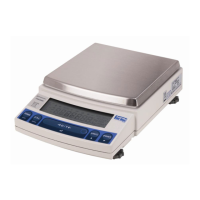
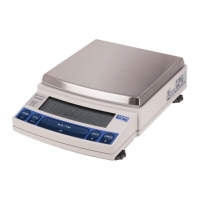
Shimadzu UW6200H - User Manual

Shimadzu UW6200H
106 pages
Print Icon
To Next Page IconTo Next Page
Loading...
M054-E117D
Read These Pages Before Installation
Electronic Balance
Instruction Manual
UW series
UX series
READ AND UNDERSTAND THIS MANUAL BEFORE
OPERATION. SAVE THIS MANUAL.

Table of Contents

Question and Answer IconNeed help?

Do you have a question about the Shimadzu UW6200H and is the answer not in the manual?

Summary

Safety Precautions

Shimadzu Balances and 21 CFR Part 11

2. Name and Function of Components

2.1 Components

Details the physical components of the balance, including the pan, display, and keys.

2.2 Key Panel and Operation

2.3 Balance Display and Function

3. Specifications

4. Installation

4.1 Choosing the Installation Site

Details factors for selecting an optimal installation site, avoiding environmental hazards.

4.2 Unpacking and Delivery Inspection

4.3 Installation

4.4 Turning ON the Power

4.5 Span Calibration

5. Basic Operation

5.1 Weighing

Explains the step-by-step process for performing a weighing operation, including taring.

6. WindowsDirect Function

6.2 Set Up WindowsDirect

Details the initial settings required on the balance for the WindowsDirect function.

6.2.2 Cable Connection

6.2.3 Setting Up the Computer

6.2.4 Start and Checking Operation

6.3 Troubleshooting

7. Menu Item Selection

7.3 Menu Item Selection Procedure

7.4 Setting Numeric Values

7.5.3 Menu Lock

10. Calibration

10.1 What is calibration?

Defines calibration and lists the conditions requiring recalibration.

10.2 Calibration Execution

10.2.1 Span Calibration Using the Built-in Weight (UW Series Only)

Provides detailed steps for performing span calibration using the balance's internal calibration weight.

10.2.2 Calibration Check Using the Built-in Weight (UW Series Only)

10.2.3 Span Calibration Using External Weights

10.2.4 Calibration Check Using External Weights

10.3 Calibration Setting

10.3.1 Selecting the Calibration Type

Guides users on how to choose the appropriate calibration method for their needs.

10.3.2 PSC Fully-automatic Calibration (UW series only)

Describes the PSC function for automatic calibration triggered by temperature changes.

10.3.3 Clock-CAL Fully-automatic Calibration (UW series only)

10.3.4 PCAL: Calibration of the Built-in Weight (UW series only)

10.3.5 PCAL Password Setting (UW series only)

10.4 For GLP;GMP;ISO Conformance

11. Environment

12. Units

13. Enhancing Productivity

13.1 Checkweighing and Target Display

Details checkweighing and target modes for quality control and production.

13.1.1 Checkweighing (Comparator) Display Type 1

13.1.2 Checkweighing (Comparator) Display Type 2

13.1.3 Target Mode

13.2 Piece Counting (PCS)

13.3 Auto Print

13.7 Pretaring Value

14. Application Functions

14.1 Solid Specific Gravity Measurement

Details the procedure for measuring the specific gravity of solid samples.

14.2 Liquid Density Measurement

14.3 Peak Hold

14.4 Interval Timer

14.5 Auto-Memory and Zeroing

14.6 Animal Weighing

15. Connecting Peripheral Instruments

15.2 Personal Computer - RS-232 C -

15.3 Communication Setting

15.2.3 Using Command Codes

15.3.3 Format

15.3.4 Communication Speed

15.3.7 Delimiter

16. Maintenance and Transportation

17. Troubleshooting

17.2 Error Display

17.3 Troubleshooting

A-6. Performance Checks

Cornerload Performance

Key Panel and Operation

Span Calibration Procedure

Explains the process of calibrating the balance, including UW and UX series specific steps.

Summary

Safety Precautions

Shimadzu Balances and 21 CFR Part 11

2. Name and Function of Components

2.1 Components

Details the physical components of the balance, including the pan, display, and keys.

2.2 Key Panel and Operation

2.3 Balance Display and Function

3. Specifications

4. Installation

4.1 Choosing the Installation Site

Details factors for selecting an optimal installation site, avoiding environmental hazards.

4.2 Unpacking and Delivery Inspection

4.3 Installation

4.4 Turning ON the Power

4.5 Span Calibration

5. Basic Operation

5.1 Weighing

Explains the step-by-step process for performing a weighing operation, including taring.

6. WindowsDirect Function

6.2 Set Up WindowsDirect

Details the initial settings required on the balance for the WindowsDirect function.

6.2.2 Cable Connection

6.2.3 Setting Up the Computer

6.2.4 Start and Checking Operation

6.3 Troubleshooting

7. Menu Item Selection

7.3 Menu Item Selection Procedure

7.4 Setting Numeric Values

7.5.3 Menu Lock

10. Calibration

10.1 What is calibration?

Defines calibration and lists the conditions requiring recalibration.

10.2 Calibration Execution

10.2.1 Span Calibration Using the Built-in Weight (UW Series Only)

Provides detailed steps for performing span calibration using the balance's internal calibration weight.

10.2.2 Calibration Check Using the Built-in Weight (UW Series Only)

10.2.3 Span Calibration Using External Weights

10.2.4 Calibration Check Using External Weights

10.3 Calibration Setting

10.3.1 Selecting the Calibration Type

Guides users on how to choose the appropriate calibration method for their needs.

10.3.2 PSC Fully-automatic Calibration (UW series only)

Describes the PSC function for automatic calibration triggered by temperature changes.

10.3.3 Clock-CAL Fully-automatic Calibration (UW series only)

10.3.4 PCAL: Calibration of the Built-in Weight (UW series only)

10.3.5 PCAL Password Setting (UW series only)

10.4 For GLP;GMP;ISO Conformance

11. Environment

12. Units

13. Enhancing Productivity

13.1 Checkweighing and Target Display

Details checkweighing and target modes for quality control and production.

13.1.1 Checkweighing (Comparator) Display Type 1

13.1.2 Checkweighing (Comparator) Display Type 2

13.1.3 Target Mode

13.2 Piece Counting (PCS)

13.3 Auto Print

13.7 Pretaring Value

14. Application Functions

14.1 Solid Specific Gravity Measurement

Details the procedure for measuring the specific gravity of solid samples.

14.2 Liquid Density Measurement

14.3 Peak Hold

14.4 Interval Timer

14.5 Auto-Memory and Zeroing

14.6 Animal Weighing

15. Connecting Peripheral Instruments

15.2 Personal Computer - RS-232 C -

15.3 Communication Setting

15.2.3 Using Command Codes

15.3.3 Format

15.3.4 Communication Speed

15.3.7 Delimiter

16. Maintenance and Transportation

17. Troubleshooting

17.2 Error Display

17.3 Troubleshooting

A-6. Performance Checks

Cornerload Performance

Key Panel and Operation

Span Calibration Procedure

Explains the process of calibrating the balance, including UW and UX series specific steps.

Shimadzu UW6200H Specifications

General IconGeneral
Capacity6200 g
Readability0.01 g
Repeatability (Standard Deviation)0.01 g
Linearity±0.02 g
Operating Temperature5°C to 40°C
Power SupplyAC adapter
DisplayLCD with backlight
InterfaceRS-232C
Response Time1.5 seconds
CalibrationExternal
Units of Measurementg, oz, lb, ct

Related product manuals