9. MAINTENANCE VM-5S
-73-
9-8 LCD CONTRAST ADJUSTMENT
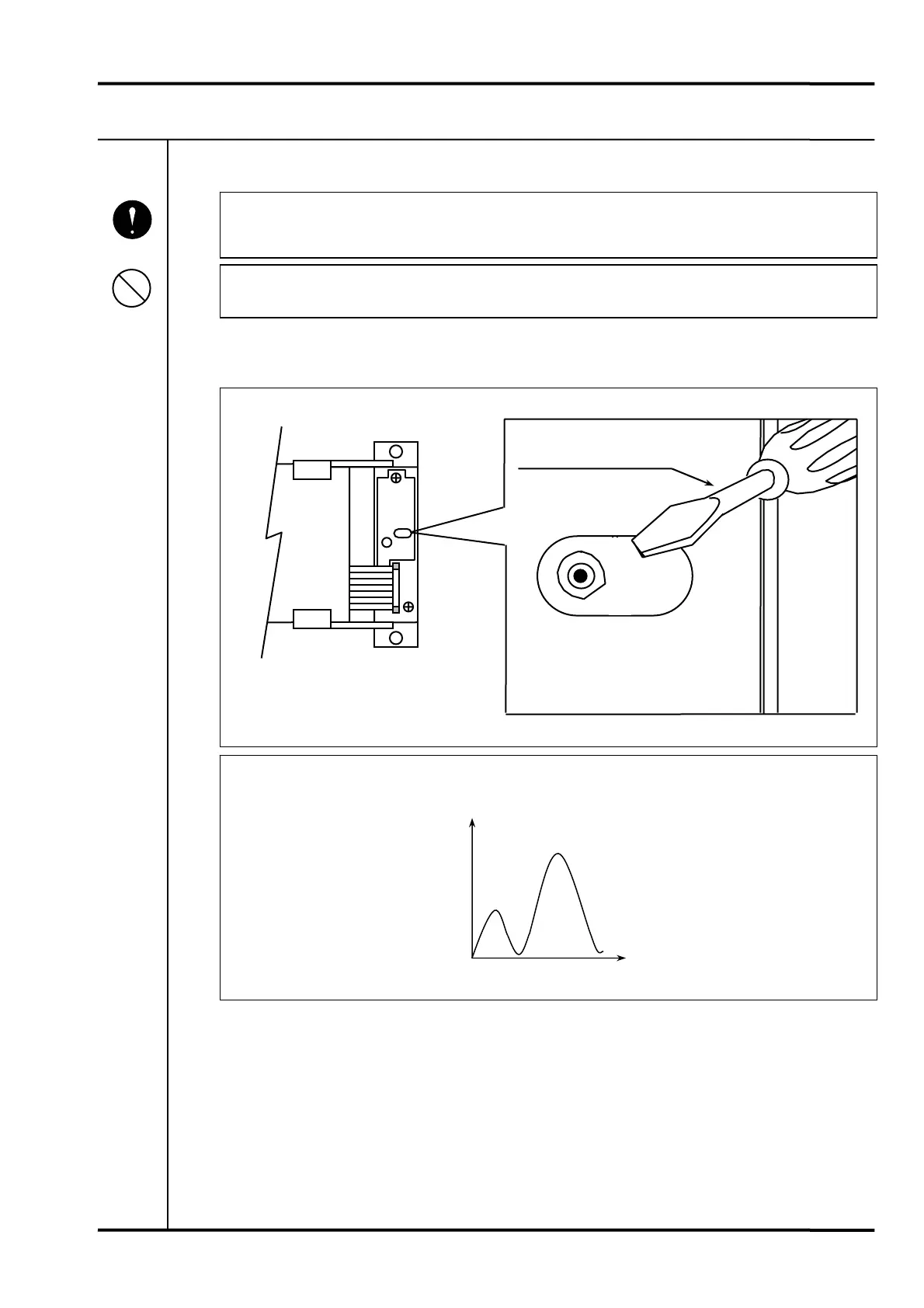
• The LCD contrast volume is located on the back of the face plate (LCD Unit). Pull
out the face plate referring to “7. PARAMETER SETTING” on page 26.
• Do not touch the main board and LCD unit board with bare hands.
Use a small flat blade screwdriver to set the LCD contrast volume (VR1) on the LCD unit to the
desired contrast level.
• Be noted that the characteristic of LCD contrast adjustment is as follows.
Mandatory
Prohibition
Back of face plate
LCD Unit
Flat blade screwdriver
VR 1
1 turn
Contrast



 To Next Page
 Loading...