EasyManua.ls Logo

Shop fox W1701 - User Manual

Shop fox W1701
56 pages
Print Icon
To Next Page IconTo Next Page
Loading...
***Keep for Future Reference***
MODEL W1701
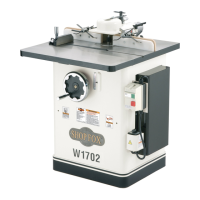
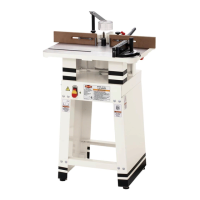
1-1/2 HP SHAPER
OWNER'S MANUAL
(FOR MODELS MANUFACTURED SINCE 12/21)
#6915CR Printed in ChinaV3.02.22
Phone: (360) 734-3482 Online Technical Support: techsupport@woodstockint.com
COPYRIGHT © AUGUST, 2003 BY WOODSTOCK INTERNATIONAL, INC., REVISED FEBRUARY, 2022 (CS)
WARNING: NO PORTION OF THIS MANUAL MAY BE REPRODUCED IN ANY SHAPE OR FORM WITHOUT
THE WRITTEN APPROVAL OF WOODSTOCK INTERNATIONAL, INC.

Other manuals for Shop fox W1701

Questions and Answers

  • S
    Susan FernandezAug 17, 2025
    What to do if the workpiece is burned when cut with my Shop fox W1701?
    • C
      Crystal RussellAug 17, 2025
      If the workpiece is burned when cut with your Shop Fox Power Tool, consider the following: * Replace the cutter or have it professionally sharpened, as a dull cutter could be the cause. * Increase the feed speed if it is too slow. * Clean the cutter with a blade and bit cleaning solution to remove pitch build-up. * Ensure the cutter is rotating in the correct direction. * Make several passes of light cuts instead of taking too deep of a cut.
  • J
    Jimmy HernandezAug 19, 2025
    How to troubleshoot a Shop Fox Power Tool that does not start or trips a breaker?
    • K
      Kyle GrayAug 20, 2025
      If your Shop Fox Power Tool machine doesn't start or a breaker trips, here are a few things to check: 1. Ensure the switch disabling key is inserted. 2. Verify that the power supply is switched ON and has the correct voltage. 3. Test the plug/receptacle for good contacts and correct any wiring issues. 4. Check if the wall circuit breaker tripped and ensure the circuit size is correct; replace the breaker if it's weak. 5. Inspect for broken, disconnected, or corroded wires. 6. Test/replace the start capacitor if it is faulty. 7. Replace the spindle switch if it is faulty. 8. Test, repair, or replace the motor if it is faulty.
  • C
    Cassandra ReedAug 22, 2025
    Why does my Shop fox W1701 Power Tool stall or feel underpowered?
    • M
      Mary LoganAug 22, 2025
      If your Shop Fox Power Tool machine stalls or is underpowered, consider the following: * Ensure you are only cutting wood and that its moisture content is below 20%. * Adjust the fence/jig if it is loose or misaligned. * If the belt is slipping, tension or replace it. * Test the plug/receptacle for good contacts and correct wiring. * Replace the loose pulley/shaft if the pulley is slipping on the shaft. * Clean the motor, let it cool, and reduce the workload if the motor overheated. * Test/replace the switch if the spindle switch is at fault. * Test, repair, or replace the motor if it is at fault. * Use correct, sharp cutter and reduce feed rate/depth of cut, if machine is undersized for task.
  • S
    saundersrachelAug 27, 2025
    How to prevent chipping when using my Shop Fox Power Tool?
    • W
      warrenloriAug 28, 2025
      If you're experiencing chipping when using your Shop Fox Power Tool, here are some possible solutions: * Inspect the workpiece for knots and grain direction; only use clean stock, as knots or conflicting grain direction in wood may be the cause. * Replace the cutter or have it professionally sharpened if it is nicked or chipped. * Slow down the feed rate if you are feeding the workpiece too fast. * Take a smaller depth of cut, especially when working with hardwoods, if you are taking too deep of a cut. * Ensure you cut with the grain of the wood, as cutting against the grain can cause chipping.
  • S
    Susan Coleman DVMAug 30, 2025
    What to do if the workpiece kicks back when using Shop fox W1701 Power Tool?
    • R
      Robert GarciaAug 30, 2025
      If the workpiece kicks back toward the operator when using the Shop Fox Power Tool, here's what to check: * Make several passes of light cuts, if you are taking too deep of a cut. * Inspect the workpiece and only use smooth, dry stock without loose/large knots, if the workpiece is warped, rough, has high moisture content, or loose/large knots. * Ensure proper clearance between cutter/bit, guard, and table, if the workpiece is pinched between cutter/bit and table or cutter/bit and guard.
  • G
    George RobertsonSep 2, 2025
    Why am I getting fuzzy grain when using my Shop fox W1701?
    • C
      Cody HarrisSep 2, 2025
      If you notice fuzzy grain after using your Shop Fox Power Tool, here’s what might be happening: * Check the moisture content of the wood and allow it to dry if it is more than 20%, as wood may have high moisture content or surface wetness. * Replace or have the cutter professionally sharpened, if you are using dull cutter.
  • B
    Brittany OwensSep 5, 2025
    Why are there divots in the edge of the cut when using my Shop fox W1701 Power Tool?
    • J
      Jordan ReedSep 5, 2025
      If you're getting divots in the edge of the cut with your Shop Fox Power Tool, here's what could be causing it: * Move smoothly or use a power feeder to maintain a consistent feed speed. * Apply constant pressure against the fence and rub collar to maintain consistent pressure. * Adjust the fence to ensure it is set correctly.
  • R
    Richard ThorntonSep 8, 2025
    Why does the workpiece hit the outfeed fence on my Shop fox W1701?
    • L
      Loretta SmithSep 8, 2025
      If the workpiece hits the outfeed fence when using your Shop Fox Power Tool, it is because the fence is not adjusted correctly. Adjust the fence.
  • D
    Darlene HallSep 10, 2025
    Why does the workpiece pull forward or eject from my hands when using the Shop fox W1701?
    • J
      Jessica GarciaSep 12, 2025
      If the workpiece pulls forward or ejects from your hands when using the Shop Fox Power Tool, it is because the cutter is rotating in the wrong direction. Reverse the direction of cutter rotation.
  • S
    Samuel DelgadoSep 13, 2025
    What causes excessive snipe on my Shop Fox Power Tool?
    • A
      Alexandra BurnettSep 13, 2025
      If you're experiencing excessive snipe (a gouge in the end of the board that is uneven with the rest of the cut) when using your Shop Fox Power Tool, it could be due to: * The fence not being adjusted correctly, so adjust the fence. * Inconsistent pressure against the fence and rub collar, so apply constant pressure.

Summary

Introduction

Woodstock Technical Support

Contact information and support services for the machine.

Identification

Names and locations of the shaper's controls and features.

Controls & Components

Detailed descriptions of the machine's controls and their functions.

Machine Specifications

Technical specifications detailing the shaper's dimensions, electrical, and motor specs.

Main Specifications

Key operational and dimensional specifications for the shaper.

Safety

General Safety Instructions

Essential safety rules and warnings for operating machinery safely.

Wearing Proper Apparel and Hazards

Guidelines on appropriate clothing, dust exposure, and hearing protection.

Additional Safety for Shapers

Specific safety precautions and hazard warnings for shaper operation.

Electrical

Circuit Requirements

Specifies required power supply, voltage, and circuit size for the machine.

Grounding Requirements

Instructions for proper electrical grounding to ensure safety.

Extension Cords

Guidelines for selecting and using extension cords with the machine.

Setup

Unpacking and Items Needed

Procedures for unpacking the machine and listing required setup tools.

Inventory

A list of all components shipped with the shaper for inventory checks.

Hardware Recognition Chart

A visual guide for identifying hardware during assembly.

Cleaning Machine

Instructions for removing rust preventative coating from the machine.

Machine Placement

Guidelines for selecting a suitable operating environment and location.

Assembly Steps

Detailed step-by-step instructions for assembling the shaper unit.

Fence and Guard Assembly

Steps for attaching fence and guard components to the shaper.

Spindle and Drawbar Tightening

Final steps for securing the spindle and drawbar assembly.

Test Run Procedure

Steps to verify machine operation and safety features after assembly.

Operations

General Operation Overview

Basic understanding of machine use and operator responsibilities.

Cutters vs. Router Bits

Comparison of shaper cutters and router bits for different applications.

Stock Inspection & Requirements

Guidelines for selecting and preparing workpieces for shaping.

Spindle Elevation

How to adjust the spindle height accurately for shaping cuts.

Spindle Direction

How to set spindle rotation for forward and reverse operation.

Fence Positioning

How to adjust fence faces for various shaping tasks.

Fence Alignment

Steps to ensure fence faces are parallel for accurate cuts.

Table Inserts

How to use table inserts for different opening sizes and safety.

Cutter Installation

Procedures for installing shaper cutters and rub collars safely.

Installing Cutters and Rub Collars

Step-by-step guide to mounting cutters and rub collars securely.

Router Bit Installation

Instructions for installing router bits using collets and ensuring security.

Straight Shaping

How to set up the fence for straight edge shaping operations.

Partial Edge Removal

Technique for removing part of a workpiece edge safely.

Perimeter Cutting

Method for shaping the entire perimeter of a workpiece efficiently.

Template Shaping

Using templates for accurate shaping of identical parts.

Freehand Shaping

Shaping without fence or miter slot, using safety aids.

Using Starting Pin

Step-by-step guide for using a starting pin for safe freehand cuts.

Using Starting Block

Alternative method to starting pin for safe freehand shaping.

Shaping Small Stock

Safely shaping small or narrow workpieces with proper support.

Accessories

Shaper Accessories

List and descriptions of available shaper cutters for various profiles.

Spacers and Rub Collars

Use and types of spacers and rub collars for cutter positioning.

Making a Zero-Clearance Fence

Instructions for creating a custom zero-clearance fence for safety.

Making Featherboards

Guide to constructing shop-made featherboards for workpiece support.

Making Push Sticks

Instructions for creating essential push sticks for hand safety.

Making Box Guards

How to build custom box guards for virtually eliminating accidental contact.

Maintenance

General Maintenance Schedule

Routine checks and upkeep schedule for optimal machine performance.

Cleaning and Protecting

How to clean and protect the machine's surfaces from rust and debris.

Lubrication

Guide to lubricating specific moving parts for smooth operation.

Service

General Service Information

Contact information for additional machine service needs.

Belt Tension Adjustment

How to adjust and check belt tension for optimal power transmission.

Router Table Conversion

Steps to convert the shaper for use as a router table.

Converting Router Table to Shaper

Steps to convert the machine back from router table to shaper.

Spindle Cartridge Replacement

Procedure for replacing a worn spindle cartridge assembly.

Resurfacing Fence

How to flatten or resurface the shaper fence if warped.

Troubleshooting Motor & Electrical

Common issues and solutions for power and motor problems.

Troubleshooting Operations

Common problems and solutions encountered during machine operation.

Electrical Safety Instructions

Critical safety guidelines and warnings for electrical work on the machine.

Electrical Components & Wiring

Diagrams and explanations of the machine's electrical systems and wiring.

Parts

Main Components Diagram

An exploded view diagram identifying shaper components.

Main Parts List

A detailed list of shaper parts with reference numbers and descriptions.

Main Parts List (Continued)

Continuation of the detailed shaper parts list with reference numbers.

Warranty

Warranty Terms and Conditions

Details of the product warranty policy, coverage, and limitations.

Shop fox W1701 Specifications

General IconGeneral
BrandShop fox
ModelW1701
CategoryPower Tool
LanguageEnglish

Related product manuals