EasyManua.ls Logo

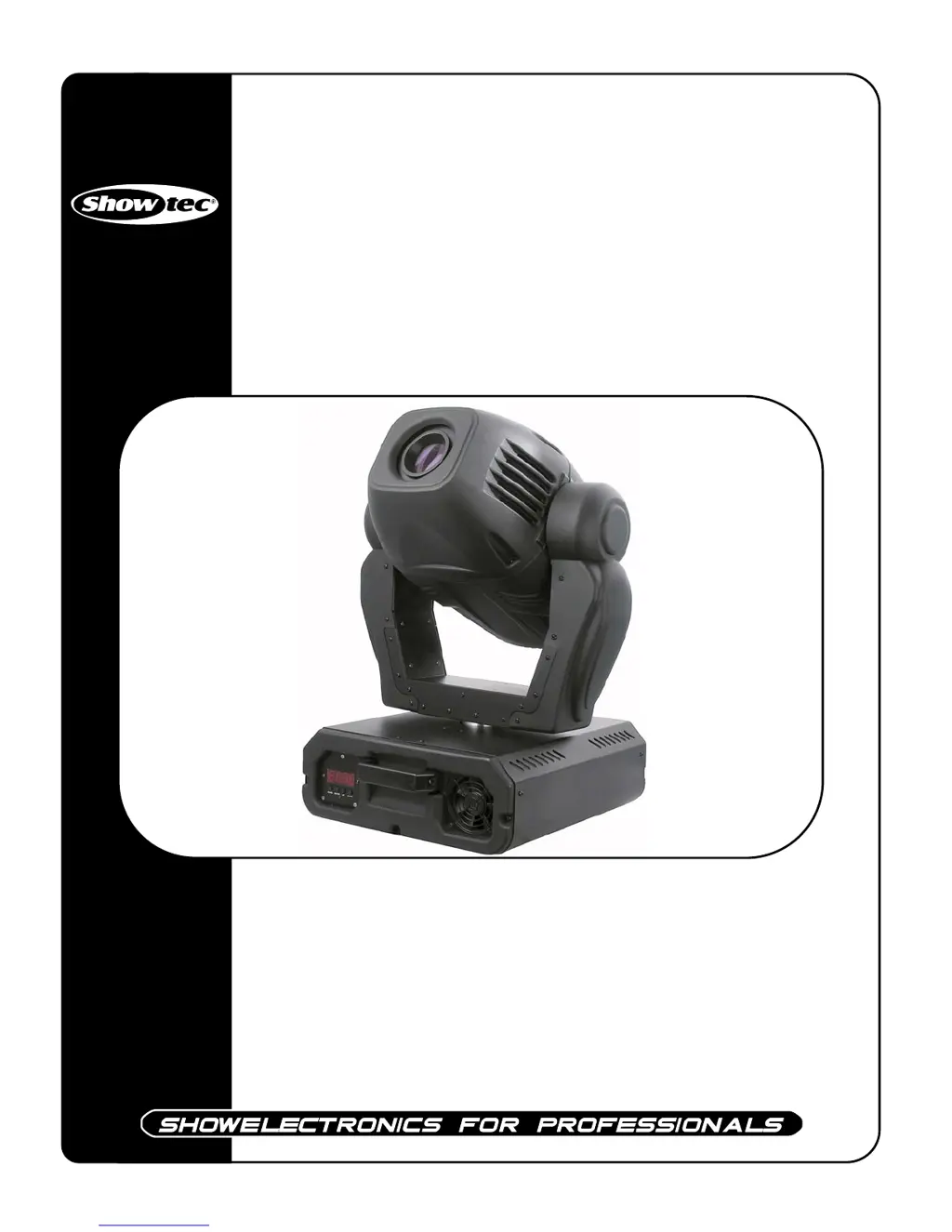
SHOWTEC Explorer 575 Spot - User Manual

SHOWTEC Explorer 575 Spot
24 pages
Print Icon
To Next Page IconTo Next Page
Loading...
Explorer 575 Spot
ORDERCODE 40191

Questions and Answers

  • J
    Julie ChoiAug 12, 2025
    How to troubleshoot no light and no movement in SHOWTEC Explorer 575 Spot?
    • L
      Laura WeaverAug 12, 2025
      If your SHOWTEC Lighting Equipment has no light and no movement, verify that the unit is correctly plugged into a suitable power supply. Also, replace the old lamp with a new one that has the same specifications and replace the fuse.
  • J
    Jonathan PerezAug 15, 2025
    What to do if SHOWTEC Explorer 575 Spot Lighting Equipment has no response to DMX?
    • C
      Courtney WatkinsAug 15, 2025
      If your SHOWTEC Lighting Equipment doesn't respond to DMX, check the DMX cable by unplugging the unit, changing the DMX cable, and then reconnecting to electrical power. If the issue persists, determine if the controller operates properly with other DMX products; if not, the controller may need repair.
  • A
    Amanda TerryAug 19, 2025
    What to do if one or more SHOWTEC Lighting Equipment fixtures are completely dead?
    • D
      Dana KennedySep 12, 2025
      If one or more fixtures of your SHOWTEC Lighting Equipment are completely dead, ensure that the power is switched on and the cables are securely plugged in. If the issue continues, replace the primary fuse.
  • E
    Edward RobersonAug 23, 2025
    Why do some SHOWTEC Explorer 575 Spot Lighting Equipment fixtures respond erratically to the controller?
    • E
      ecoleAug 23, 2025
      If some of your SHOWTEC Lighting Equipment fixtures respond erratically or not at all to the controller after resetting, check the data quality and inspect connections and cables, correcting poor connections and repairing or replacing damaged cables. Ensure the data link is terminated with a 120 Ohm termination plug in the output jack of the last fixture on the link. Verify the address settings and bypass one fixture at a time until normal operation is regained by unplugging both connectors and connecting them directly together. If the 3-pin XLR Out on the fixtures does not match, install a phase-reversing cable between the fixtures or swap pin 2 and 3 in the fixture that behaves erratically.
  • J
    James JacobsAug 27, 2025
    Why do all SHOWTEC Explorer 575 Spot fixtures respond erratically to the controller?
    • J
      Jonathan KellerAug 27, 2025
      If all SHOWTEC Lighting Equipment fixtures respond erratically or not at all to the controller after resetting, connect the controller. If the 3-pin XLR Out of the controller does not match the XLR Out of the first fixture on the link, install a phase reversing cable between the controller and the first fixture on the link.
  • J
    James BakerAug 31, 2025
    Why does the lamp in my SHOWTEC Explorer 575 Spot Lighting Equipment cut out intermittently?
    • S
      sanchezjamesAug 31, 2025
      If the lamp in your SHOWTEC Lighting Equipment cuts out intermittently, first allow the fixture to cool down and clean the fan. Ensure that the air vents at the control panel and front lens are not blocked and increase air conditioning. Also, verify that the power supply settings match the local AC voltage and frequency.
  • S
    Shane HaneySep 3, 2025
    Why is there no light coming from my SHOWTEC Lighting Equipment?
    • S
      Scott HammondSep 3, 2025
      If your SHOWTEC Lighting Equipment has no light, check the power supply settings to ensure they match the local AC voltage and frequency. Also, inspect the lamp and replace it if it is missing or blown.
  • T
    Todd HerreraSep 7, 2025
    What to do if the shutter closes suddenly on SHOWTEC Lighting Equipment?
    • T
      Travis EvansSep 7, 2025
      If the shutter of your SHOWTEC Lighting Equipment closes suddenly, it may be due to the color wheel, gobo wheel, or a gobo losing its index position, causing the fixture to reset the effect. If the problem persists, contact a technician for servicing.

Summary

Safety and Operation

General Safety Instructions

Instructions for all personnel involved in installation, operation, and maintenance.

Important Warnings

Manufacturer's disclaimer regarding damages from non-observance or modifications.

Electrical Safety

Cautionary advice regarding dangerous voltage and electric shock risks.

Operational Guidelines

Rules for indoor use, avoiding liquids, and proper fixture closure.

Eye Hazard Warning

Warning to avoid looking directly into the light source.

Operating Determinations

Operation Limits

Guidance on non-permanent operation and consistent breaks for longevity.

Distance Requirements

Specifies minimum distances for light-output to surfaces and objects.

Rigging and Connections

Rigging Guidelines

Adherence to European and national standards for rigging and trussing.

Professional Installation

Emphasis on installation by authorized dealers only.

Mounting Procedure

Steps for securing the projector to trussing systems using clamps and safety attachments.

Electrical Connections

Instructions for connecting the unit to the mains power supply, noting wire colors.

Product Description

Key Features

Details the lighting effects, color/gobo wheels, DMX control, and technical specifications like Pan/Tilt range.

Component Identification

Identifies front panel components like lens, display, and control buttons.

Backside Component Identification

Identifies rear panel components like DMX connectors, power switch, and fuse.

Lamp Installation and Adjustment

Lamp Replacement Procedure

Step-by-step guide for safely replacing the lamp, including necessary precautions.

Lamp Position Tuning

Instructions for adjusting lamp position to optimize light distribution and intensity.

Setup and Operation Modes

Single Unit Operation

Guide for setting up and running a single Explorer unit.

Multiple Unit Operation

Instructions for connecting and operating multiple Explorer units together.

DMX Protocol Functions

Movement and Fine Control

DMX channels for Pan, Tilt, Pan Fine, Tilt Fine, and Scan Speed.

Focus, Color, and Prism Control

DMX channels for Focus, Rainbow Color-wheel, Static Color-wheel, and Prism.

Gobo, Iris, Zoom, and Shutter Control

DMX channels for Static Gobo-wheel, Rotating Gobo, Iris, Zoom, and Shutter/Strobe.

Lamp and System Management

DMX channels for Lamp ON/OFF/Dimmer and other system functions.

Control Panel and Addressing

Control Panel Interface

Identifies LEDs, Display, and control buttons (MODE, ENTER, UP, DOWN).

DMX Addressing

Guide to assigning DMX addresses for individual or multiple fixtures.

Fixture Control Notes

Notes on operating fixtures via controller and DMX signal detection.

Stand-alone Mode

Built-in Program Operation

Details how to operate the fixture using its built-in programs without a DMX controller.

Maintenance

Periodic Inspection

Requirements for safety and technical inspections every four years and annually.

Cleaning and Care

Instructions for cleaning the unit, lens, fans, filters, and internal components.

Lamp Replacement

Procedure for replacing the lamp, referencing page 8.

Fuse Replacement

Procedure for replacing a blown fuse, including precautions.

Gobo Replacement

Procedure for replacing gobos in the rotating gobo wheel.

Troubleshooting

No Light or Movement Issues

Troubleshooting steps for when the fixture does not light up or move.

DMX Communication Problems

Troubleshooting steps for issues with DMX signal reception or controller communication.

Product Specifications

General Specifications

Details model, voltage, power, fuse, dimensions, and weight.

Operation and Effects

Lists control methods, DMX channels, lamp models, and electro-mechanical effects.

Gobos and Environmental Limits

Specifies gobo sizes, glass gobo properties, ambient/housing temperatures, and minimum distances.

SHOWTEC Explorer 575 Spot Specifications

General IconGeneral
TypeMoving Head
Lamp TypeDischarge
Wattage575W
Voltage230V
Color WheelYes
Gobo WheelYes
FocusMotorized
Dimmer/ShutterYes
DMX Channels16
Pan530 degrees
Tilt280 degrees
Control ProtocolDMX512
Gobos6 rotating, interchangeable + open
Prism3-facet prism

Related product manuals