EasyManua.ls Logo

SHOWTEC TR-512 - User Manual

SHOWTEC TR-512
36 pages
Print Icon
To Next Page IconTo Next Page
Loading...
TR-512 Install
Highlite International B.V. Vestastraat 2 6468 EX Kerkrade the Netherlands
Product code: 50826
USER MANUAL
ENGLISH
V1

Other manuals for SHOWTEC TR-512

Questions and Answers

  • C
    Christopher WestAug 12, 2025
    What to do if SHOWTEC Controller fixtures respond erratically to the DMX trigger?
    • S
      sarah71Aug 12, 2025
      If your SHOWTEC Controller fixtures reset correctly, but some respond erratically or not at all to the DMX trigger, it might be due to poor data quality. Inspect connections and cables to correct poor connections and replace damaged cables. Ensure the data link is terminated with a 120 Ohm termination plug in the output jack of the last fixture. Verify the fixture addresses are correctly set. If the 3-pin XLR Out on the fixtures does not match (pins 2 and 3 reversed), install a phase-reversing cable or swap pins 2 and 3 in the fixture.
  • W
    William MillerAug 16, 2025
    What to do if SHOWTEC Controller LEDs/lamp cut out intermittently?
    • D
      Dr. Shaun OnealAug 16, 2025
      If your SHOWTEC Controller has no light or the LEDs/lamp cuts out intermittently, it could be that the fixture is too hot; allow it to cool down or improve air conditioning. The LEDs/lamp might be damaged, in which case you should disconnect the fixture and return it to your dealer. Also, the power supply settings may not match the local AC voltage and frequency; disconnect the fixture, check the settings, and correct if necessary.
  • K
    Kathryn DaughertyAug 19, 2025
    How to troubleshoot a SHOWTEC Controller that does not function?
    • S
      Stanley BennettAug 20, 2025
      If your SHOWTEC Controller does not function at all, check if the power is switched on and the cables are properly plugged in.
  • U
    ufullerAug 23, 2025
    Why SHOWTEC Voice Recorder does not function at all?
    • N
      Nicole DunlapAug 23, 2025
      If your SHOWTEC Voice Recorder is not functioning, ensure that the power is switched on and all cables are correctly plugged in. Also, verify that the external power supply is properly connected and operating within its specified limits.
  • M
    Mrs. Christina WatsonAug 27, 2025
    What to do if there is no DMX data transfer on SHOWTEC Voice Recorder?
    • C
      Courtney SalazarAug 27, 2025
      If there is no DMX data transfer with your SHOWTEC Voice Recorder, it might be due to several reasons. First, the device settings may have been altered; in this case, reset the device to its default factory settings. Secondly, check the connections and cables for any damages or poor connections and fix them. Finally, the signal might be reversed; if so, install a phase-reversing cable between the controller and the device.
  • G
    Gary ShawAug 31, 2025
    What to do if SHOWTEC Lighting Equipment fixtures respond erratically to the DMX trigger?
    • H
      Heidi OwensAug 31, 2025
      If your SHOWTEC Lighting Equipment fixtures reset correctly, but some respond erratically or not at all to the DMX trigger, the issue might be due to several reasons. First, check the data quality; if it's much lower than 100 percent, it could be a bad data link connection, poor quality or broken cables, a missing termination plug, or a defective fixture. Inspect connections and cables, correcting poor connections and replacing damaged cables. Ensure the data link is terminated with a 120 Ohm termination plug in the output jack of the last fixture on the link. Verify the address settings and install a phase-reversing cable between the fixtures or swap pins 2 and 3 in the fixture if the 3-pin XLR Out on the fixtures does not match.
  • G
    gerald03Sep 3, 2025
    Why does my SHOWTEC Lighting Equipment have no light or LEDs/lamp cuts out?
    • E
      Elizabeth ElliottSep 3, 2025
      If your SHOWTEC Lighting Equipment is not emitting light or the LEDs/lamp cuts out intermittently, it could be due to several reasons. The fixture may be overheating, so allow it to cool down, ensure the air vents and front lens are not blocked, and increase air conditioning. Alternatively, the LEDs/lamp might be damaged, in which case you should disconnect the fixture and return it to your dealer. Also, the power supply settings might not match the local AC voltage and frequency, so disconnect the fixture and check the settings, correcting them if necessary.
  • L
    Lynn CostaSep 7, 2025
    What to do if SHOWTEC Lighting Equipment fixtures respond erratically to the controller?
    • B
      brian27Sep 7, 2025
      If the SHOWTEC Lighting Equipment fixtures reset correctly but all respond erratically or not at all to the controller, it could be due to the controller not being connected, so connect the controller. Another potential cause is a mismatch in the 3-pin XLR Out of the DMX trigger and the XLR Out of the fixture on the link. To resolve this, install a phase reversing cable between the controller and the first fixture on the link.

Summary

1. Introduction

1.1. Before Using the Product

Read and follow the instructions in this user manual before installing, operating or servicing this product.

1.2. Intended Use

This device is designed to be used as a professional DMX trigger/recorder.

1.3. Text Conventions

Explains formatting conventions used in the manual, such as button labels and references.

1.4. Symbols and Signal Words

1.5. Symbols on the Information Label

2. Safety

2.1. Warnings and Safety Instructions

Provides essential safety warnings regarding power supply, general safety, and professional use.

2.2. Requirements for the User

3. Description of the Device

3.1. Front View

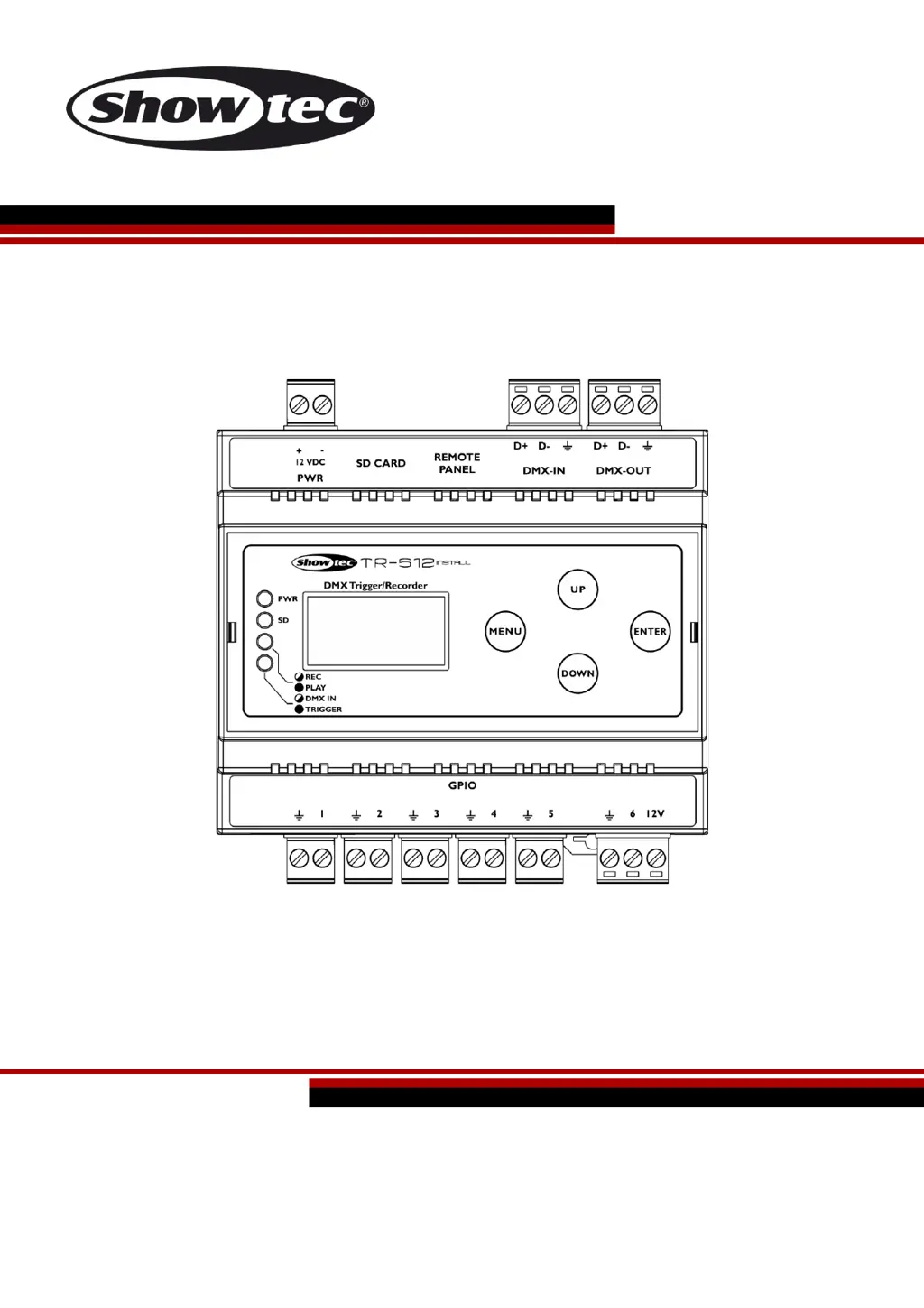
Illustrates and labels the front panel components of the TR-512 Install device.

3.2. Product Specifications

3.3. Dimensions

4. Installation

4.1. Safety Instructions for Installation

Crucial safety warnings and precautions to be followed before and during the installation process.

4.2. Installation Site Requirements

Specifies environmental conditions and requirements for the installation location of the device.

4.3. DIN Rail Mounting

Detailed steps and instructions for securely mounting the device onto a 35-mm DIN rail.

4.4. Connecting to Power Supply

5. Setup

5.1. Warnings and Precautions

Important warnings and precautions to observe before proceeding with the device setup and connections.

5.2. DMX Connection

Details on establishing DMX connection, including protocol and cable specifications.

5.3. Setup Examples

Provides practical examples for setting up program recording and playing, including trigger connections.

6. Operation

6.1. Safety Instructions for Operation

Provides crucial safety instructions and warnings to follow during the operation of the device.

6.2. Start-up

Step-by-step guide on how to power on and start the TR-512 Install device.

6.3. Control Panel

Overview and explanation of the buttons and display on the device's control panel.

6.4. Recording a Program

Detailed steps on how to record DMX programs using the device.

6.5. Playing a Program

Instructions on how to play recorded programs using the device's triggers.

6.6. Trigger Monitoring

How to monitor the status of the 6 triggers and access the trigger status menu.

6.7. LED Statuses

Explanation of the functions of the 4 LED indicators on the control panel.

6.8. Menu Overview

Visual representation of the device's menu structure and navigation paths.

6.9. Main Menu Options

Detailed explanation of the various options available within the device's main menu, covering playback, recording, and settings.

7. Troubleshooting

The device does not function at all

Solutions for when the device is completely unresponsive, covering power and connection checks.

No DMX data transfer

Troubleshooting steps for DMX data transfer issues, including signal reversal and cable checks.

8. Maintenance

8.1. Preventive Maintenance

Guidelines for regular visual checks and preventative measures to keep the device in good condition.

8.2. Corrective Maintenance

Information regarding repairs and servicing, noting that the device has no user-serviceable parts.

9. Deinstallation, Transportation and Storage

10. Disposal

11. Approval

SHOWTEC TR-512 Specifications

General IconGeneral
Input Voltage100-240V AC, 50/60 Hz
DMX Connector3-pin XLR
LED TypeSMD 5050
ControlDMX512
Storage Temperature-20 ~ 65°C
Channels512

Related product manuals