EasyManua.ls Logo

SHOWTEC TR-512 - Connecting the TR-512 Install-Wall Panel

SHOWTEC TR-512
36 pages
Print Icon
To Next Page IconTo Next Page
To Previous Page IconTo Previous Page
Loading...
17
Product code: 50826
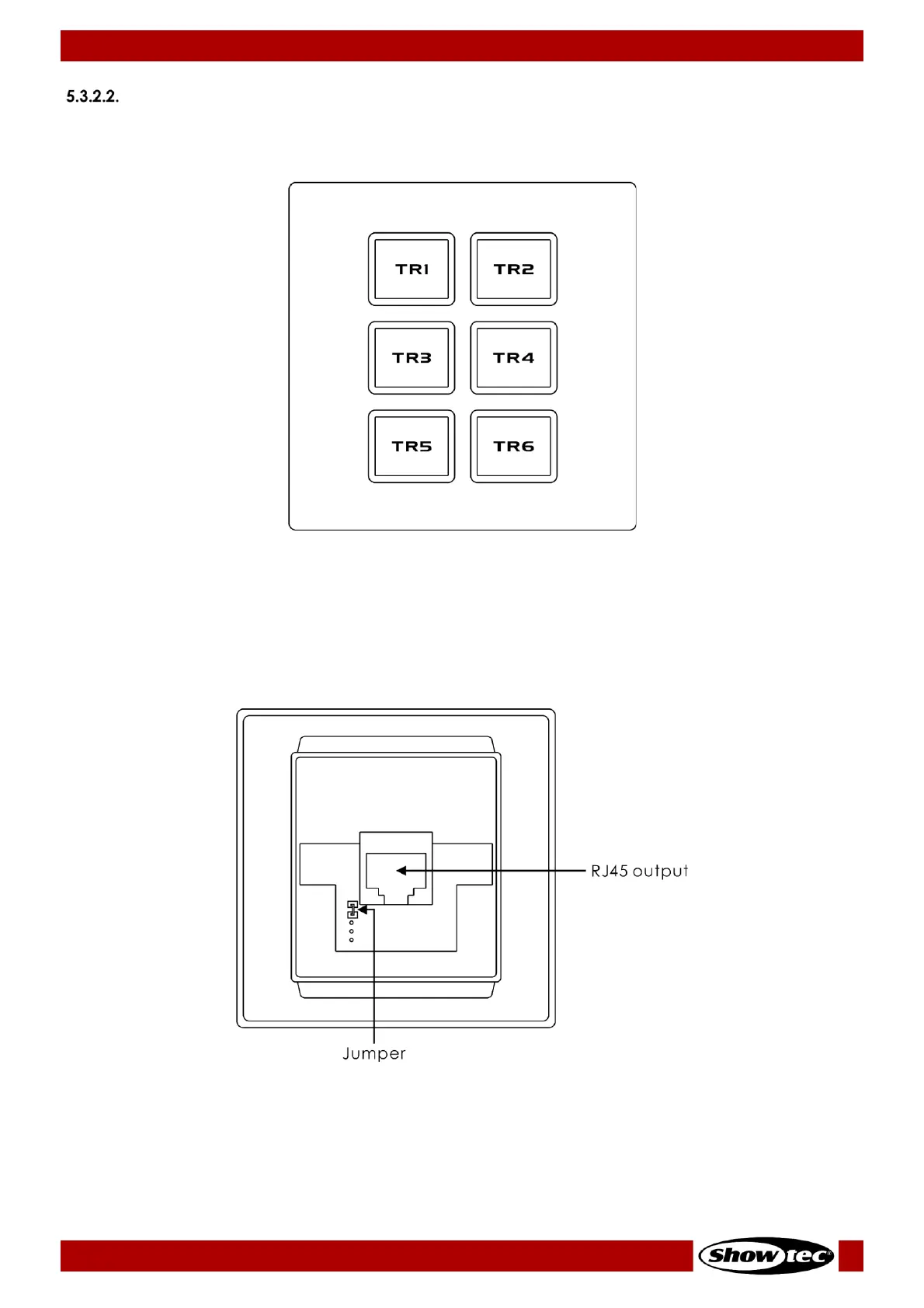
Connecting the TR-512 Install-Wall Panel
You can connect the optional TR-512 Install-Wall Panel (product code: 50827/50828) in order to trigger
programs.
Fig. 15
01) Connect the wall panel to the device with an RJ-45 cable. Recommended maximum cable length:
25 m.
02) Install the wall panel in two ways, with or without the jumper. See Fig. 16.
With the jumper: Set the TR-512 Install to TOGGLE_TR. See 6.9.4.4. Mode on page 27 for more
information.
Without the jumper: Set the TR-512 Install to NO_TR. See 6.9.4.4. Mode on page 27 for more
information.
Fig. 16

Other manuals for SHOWTEC TR-512

Related product manuals