This device falls under IEC protection class III. This device shall be connected to an external power
supply.
● Before connecting the device to the external power supply, make sure that the current, voltage and
frequency match the input voltage, current and frequency specified on the information label on the
device.
● Make sure that the cross-sectional area of the power cable is sufficient for the required power
consumption of the device.
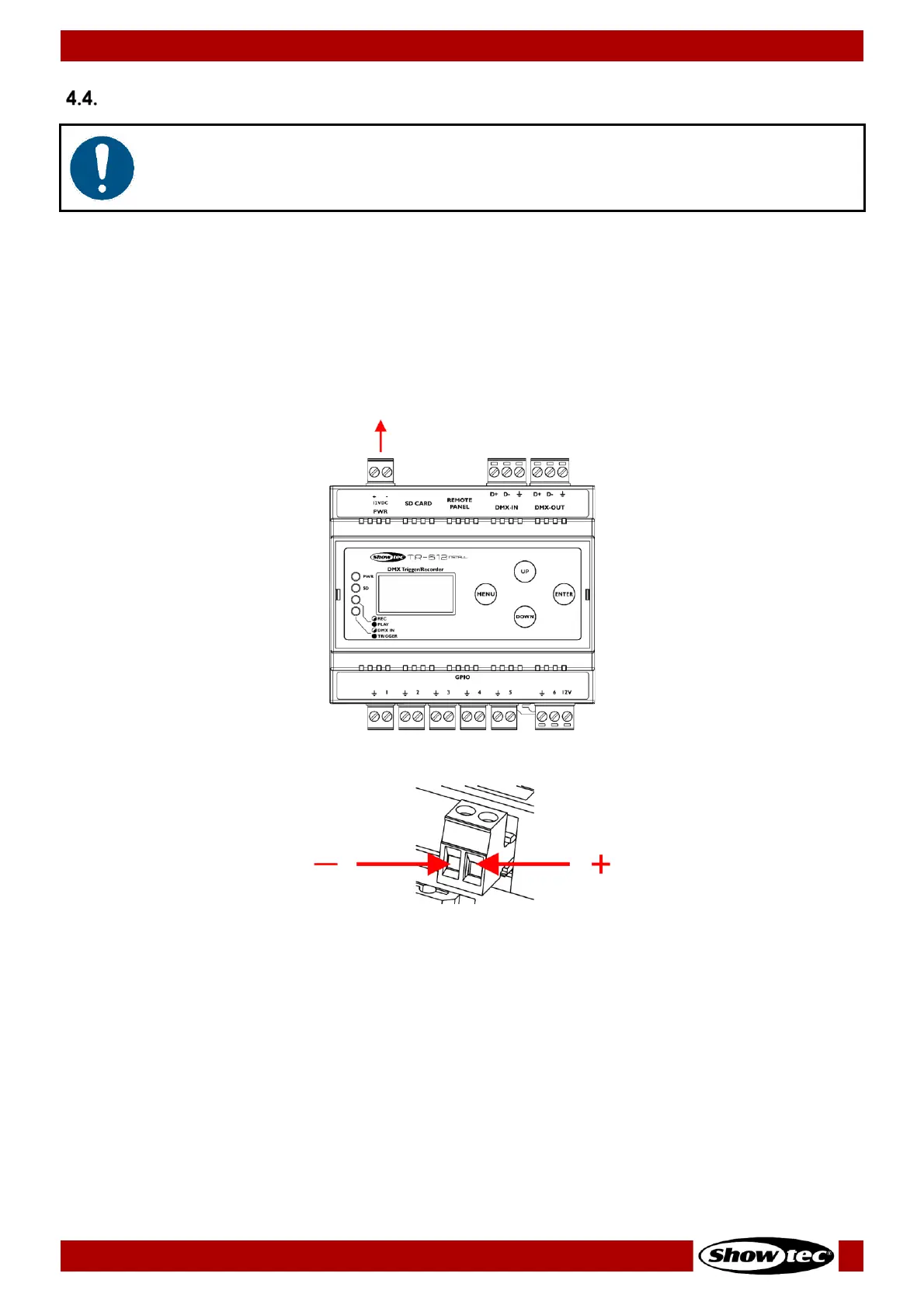
01) Remove the 2-pin Phoenix terminal power connector IN (01).
03) Put the Phoenix connector back in the TR-512 Install.
04) Install the TR-512 Install on a DIN rail. See 4.3. DIN Rail Mounting on page 11 for more information.
05) Connect the external power supply to the socket-outlet with its power plug.













 To Next Page