5
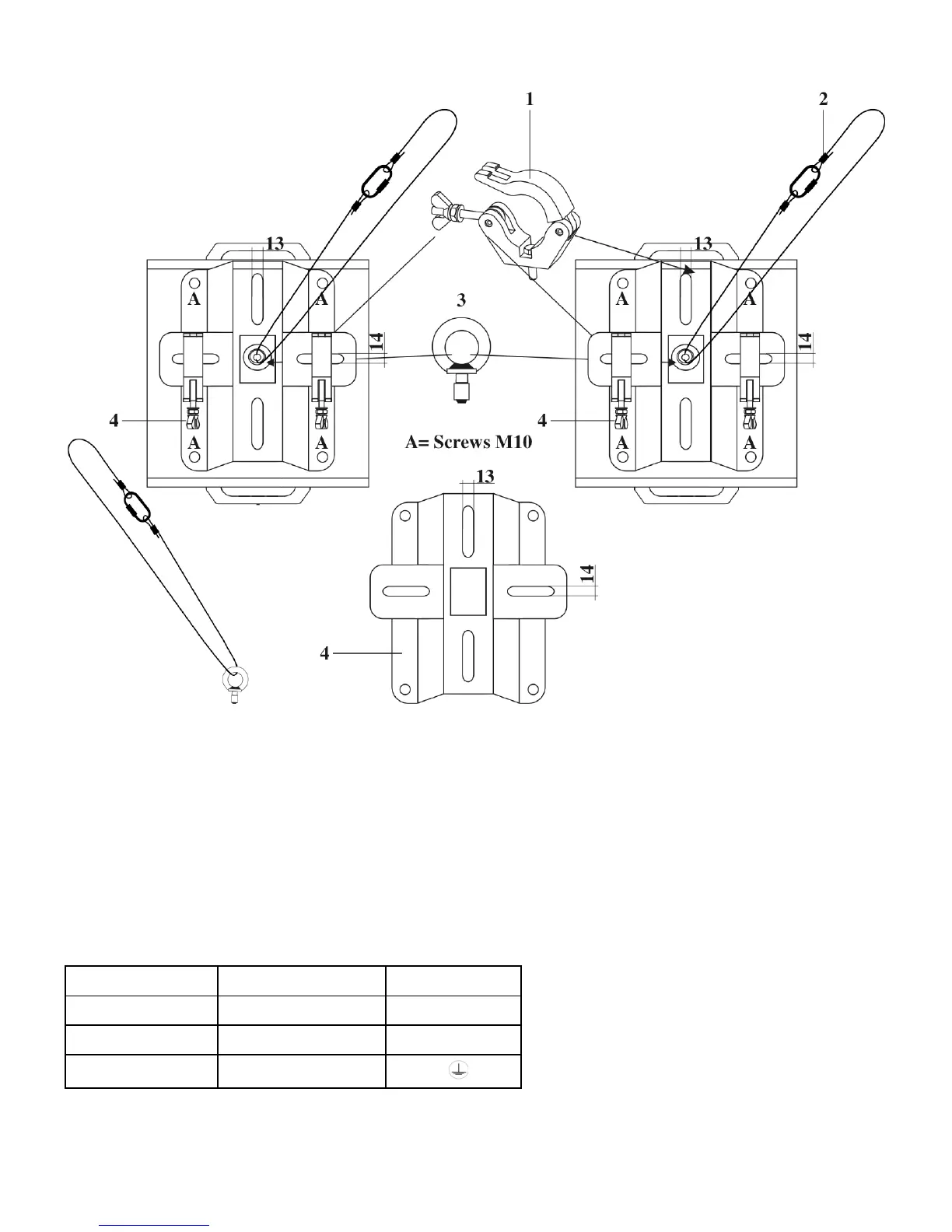
Mounting a clamp to the underside of the Explorer moving head
1) Clamp
2) Safety-cable
3) Eye bolt
4) Mounting plate
Improper installation can cause serious damage to people and property !
Connection with the mains
Connect the device to the mains with the power-plug.
Always pay attention, that the right color cable is connected to the right place.
Wire Color Pin International
Brown Fase / Live L
Blue Nul / Neutral N
Yellow / Green Earth / Ground
Make sure that the device is always connected properly to the earth!













 To Next Page