EasyManua.ls Logo

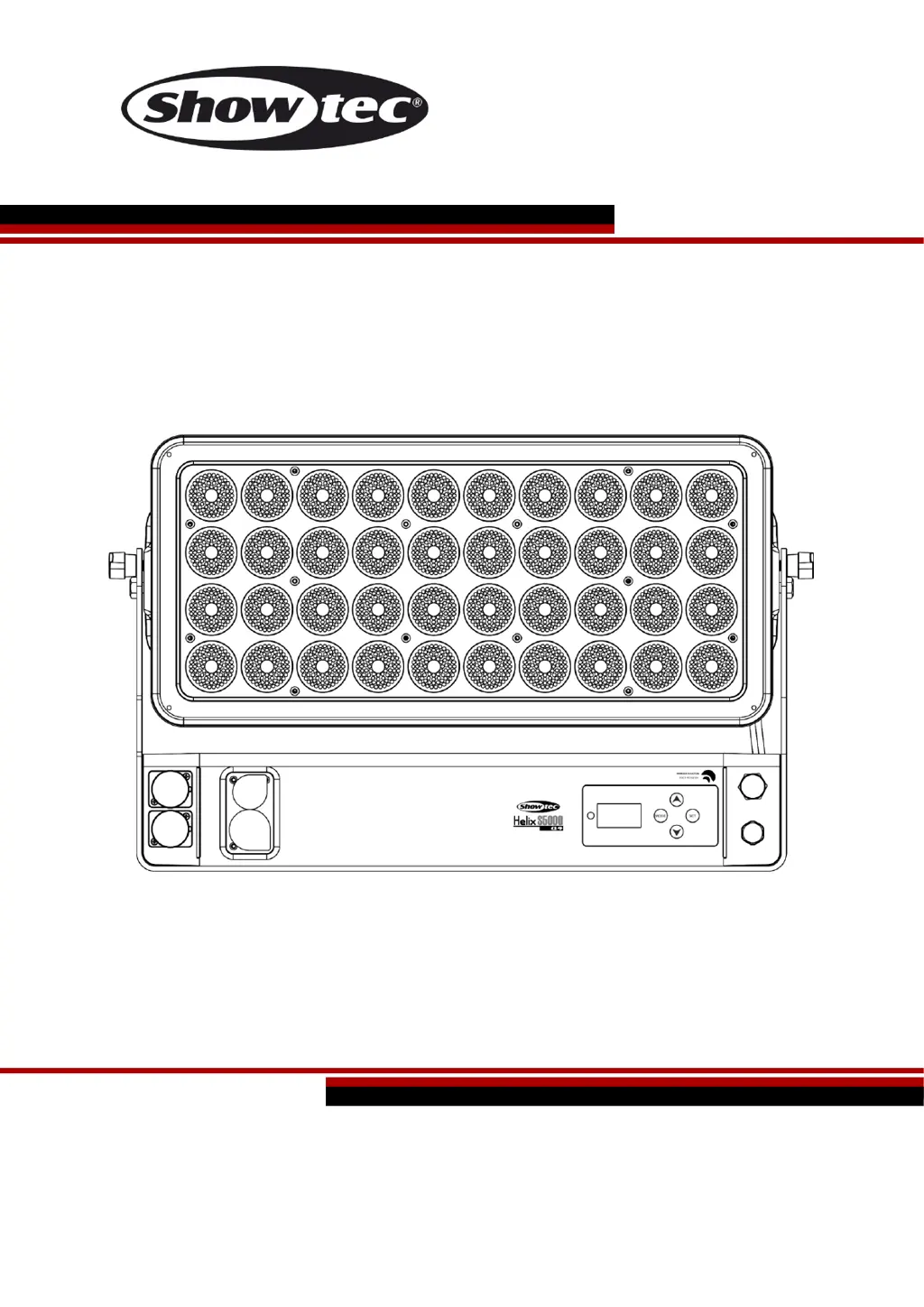
SHOWTEC Helix S5000 Q4 - User Manual

SHOWTEC Helix S5000 Q4
44 pages
Print Icon
To Next Page IconTo Next Page
Loading...
Helix S5000 Q4 V1
Highlite International B.V. Vestastraat 2 6468 EX Kerkrade the Netherlands
Ordercode: 43725
MANUAL
ENGLISH

Questions and Answers

  • D
    Dominique MooreAug 3, 2025
    How to troubleshoot SHOWTEC DJ Equipment when there is no light?
    • B
      Bonnie MartinezAug 3, 2025
      If your SHOWTEC DJ Equipment has no light, first ensure the unit is properly plugged into a suitable power supply. If the issue persists, the LEDs or the internal fuse may be faulty, requiring you to return the Helix to your Showtec dealer for further assistance.
  • J
    james44Aug 9, 2025
    What to do if SHOWTEC DJ equipment fixtures reset correctly, but some respond erratically?
    • A
      adam42Aug 9, 2025
      If some of your SHOWTEC DJ equipment fixtures respond erratically after a reset, there might be a data quality issue. Check the data link connection, cables, and termination plug. Inspect connections and cables, repair or replace damaged cables, and insert a termination plug into the output jack of the last fixture on the link. Also, verify the address settings of the fixtures and bypass one fixture at a time to identify defective units that may be disturbing the link. In addition, install a phase-reversing cable between the fixtures or swap pin 2 and 3 in the fixture that behaves erratically, because 5-pin XLR Out on the fixtures does not match.
  • N
    nbryantAug 14, 2025
    What to do if SHOWTEC DJ equipment has no response to DMX?
    • L
      Laura KruegerAug 15, 2025
      If your SHOWTEC DJ equipment isn't responding to DMX, verify the DMX settings and ensure the DMX addresses are correct. Check the DMX cable by unplugging the unit, changing the cable, and reconnecting to power. To determine if the controller or light effect is at fault, test the controller with other DMX products. If the controller doesn't work, have it repaired; otherwise, take the DMX cable and light effect to a qualified technician.
  • K
    Kelli MarquezAug 21, 2025
    Why one or more SHOWTEC Helix S5000 Q4 DJ Equipment fixtures do not function at all?
    • A
      andreaparkerAug 21, 2025
      If one or more of your SHOWTEC DJ Equipment fixtures aren't functioning, first check if the power is switched on and the cables are properly plugged in. If the issue persists, the internal fuse may have blown, requiring you to return the device to your Showtec dealer.
  • P
    Pamela Carrillo MDAug 27, 2025
    Why SHOWTEC Helix S5000 Q4 DJ Equipment fixtures reset correctly, but all respond erratically?
    • D
      diazcourtneyAug 27, 2025
      If your SHOWTEC DJ equipment fixtures reset correctly but all respond erratically, ensure the controller is properly connected. If the 5-pin XLR Out of the controller doesn't match the XLR Out of the first fixture, install a phase-reversing cable between the controller and the first fixture.

Summary

Warning

Unpacking Instructions

Check contents, handle damaged items, and retain packing material.

Safety Instructions

Guidelines for qualified personnel involved in installation, operation, and maintenance.

Operating Determinations

Rigging

Guidelines for safe rigging and installation according to European and national standards.

Connection with the mains

Return Procedure

Steps to follow for returning merchandise, including obtaining an RMA number.

Claims

Procedures for submitting claims related to delivery discrepancies or shipping damage.

Description of the device

Features

Key features of the Showtec Helix S5000 Q4, including IP rating and light source.

Overview

Diagram and labels identifying the main components of the Helix S5000 Q4.

Installation

Installing the Barndoor (43726)

Step-by-step guide for attaching the barndoor accessory.

Installing the Beamshapers (43727;43728;43729)

Instructions for magnetically attaching beamshaper accessories.

Installing the Tophat (43730)

Method for securing the tophat accessory to the fixture.

Set Up and Operation

Control Modes

Overviews the various operational modes available for the Helix S5000 Q4.

One Helix (Auto, Built-in Programs)

Detailed instructions for operating a single Helix in Auto or Built-in Programs mode.

One Helix (Manual Mode)

Step-by-step guide for operating a single Helix in Manual mode.

Multiple Helixes (Master; Slave Control)

Instructions for setting up multiple Helixes in a Master/Slave configuration.

Multiple Helixes (DMX Control)

Guide for connecting and controlling multiple Helixes via DMX.

Multiple Helixes (Wireless DMX Control)

Procedures for establishing and using wireless DMX connections with the Helix.

Example 1

Illustrates a wireless DMX master/slave setup with wired slave connections.

Example 2

Demonstrates connecting the Helix to a wireless DMX transmitter.

Fixture Linking

Data Cabling

Information on obtaining and using appropriate DMX data cables.

Control Panel

DMX Control Mode

Setting the fixture to respond to DMX signals from a controller.

DMX Addressing

Assigning a unique starting channel address for DMX control.

Main Menu Options

DMX Settings

Configure DMX address, channels, and signal type.

Manual Mode

Manually set colors and brightness for individual LEDs.

Auto Mode

Instructions for activating and configuring automatic show modes.

Built-in Programs

Select and adjust built-in lighting programs.

Master;Slave Mode

Configure the device to operate as a slave unit.

Settings

Adjust various device settings like curves, speed, and backlight.

Information

View device details such as software version and operating status.

DMX Channels

4 Channels

Details the DMX channel assignments for 4-channel mode.

6 Channels

Details the DMX channel assignments for 6-channel mode.

8 Channels

Details the DMX channel assignments for 8-channel mode.

20 Channels

Details the DMX channel assignments for 20-channel mode.

24 Channels

Details the DMX channel assignments for 24-channel mode.

Maintenance

Troubleshooting

No Light

Identifies potential causes and solutions for the fixture not producing light.

No Response to DMX

Steps to diagnose and resolve issues with DMX signal reception.

Product Specifications

Dimensions

SHOWTEC Helix S5000 Q4 Specifications

General IconGeneral
TypeMoving Head
Control ProtocolDMX512
Pan Range540°
Tilt Range270°
Light SourceRGBW LEDs
Control ModesDMX, Master/Slave, Standalone
Power Supply100-240V AC, 50/60Hz

Related product manuals