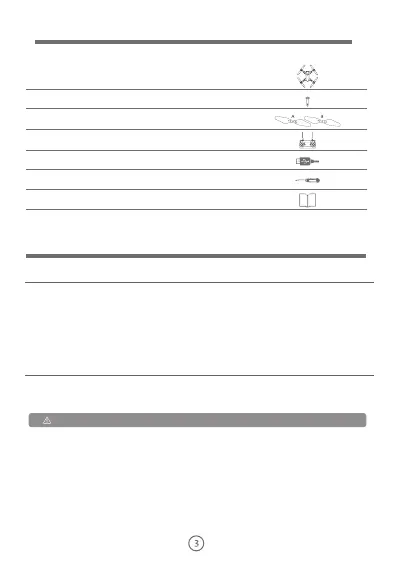
Items list
Drone
Please check the items in package before you start.
Mini drone: 1
Screws on protective ring: 12
Propeller blade:
Remote control: 1
USB cable: 1
Screwdriver: 1
Instruction of product 1
2 type A propeller blades
2 type B propeller blades
Battery charging steps
Lithium battery is used in this product, which has charging and discharging functions
with a battery voltage of 7.4V. The battery must be charged with a factory-provided
charging cable.
Description of drone
This drone has good controllability and stability. Besides supporting ordinary flight, it
also has many other functions, such as GPS outdoor fixed point, real-time image
transmission, information transmission, mobile phone control, photographing and
video recording, gesture recognition, surround flight, track flight, follow flight,
One-click return, head-free flight mode,etc., it is also with many safety measures
such as propeller blade stuck protection, low battery alarm, automatic low battery
return, height and flight fence restrictions.
Connect the battery of this product to the USB charging cable and connect the USB
charging cable to the computer or adapter of smart phone (5v,1A/2A). When the
USB charging cable is powered on, its indicator light is red, if the battery is being
charged, the red light on it will be always on and the green light on it will be flashing,
if the battery is fully charged, the red light on it will be off and the green light on it will
be always on. Please disconnect the power supply and unplug the battery when the
battery is fully charged to prevent risks. Please ensure that the battery is fully
charged before each using.
Please charge fully the battery when the battery is used for the first time


 To Next Page