Shure Incorporated
6/11
•
•
•
•
1.
Locking and Unlocking the Controls
The controls of the receiver and transmitter can be locked to prevent accidental or unauthorized changes to settings.
The following parameters are not affected by locking the controls:
Lock status is not changed by power cycles
The receiver power switch does not lock
Locking the Receiver Controls
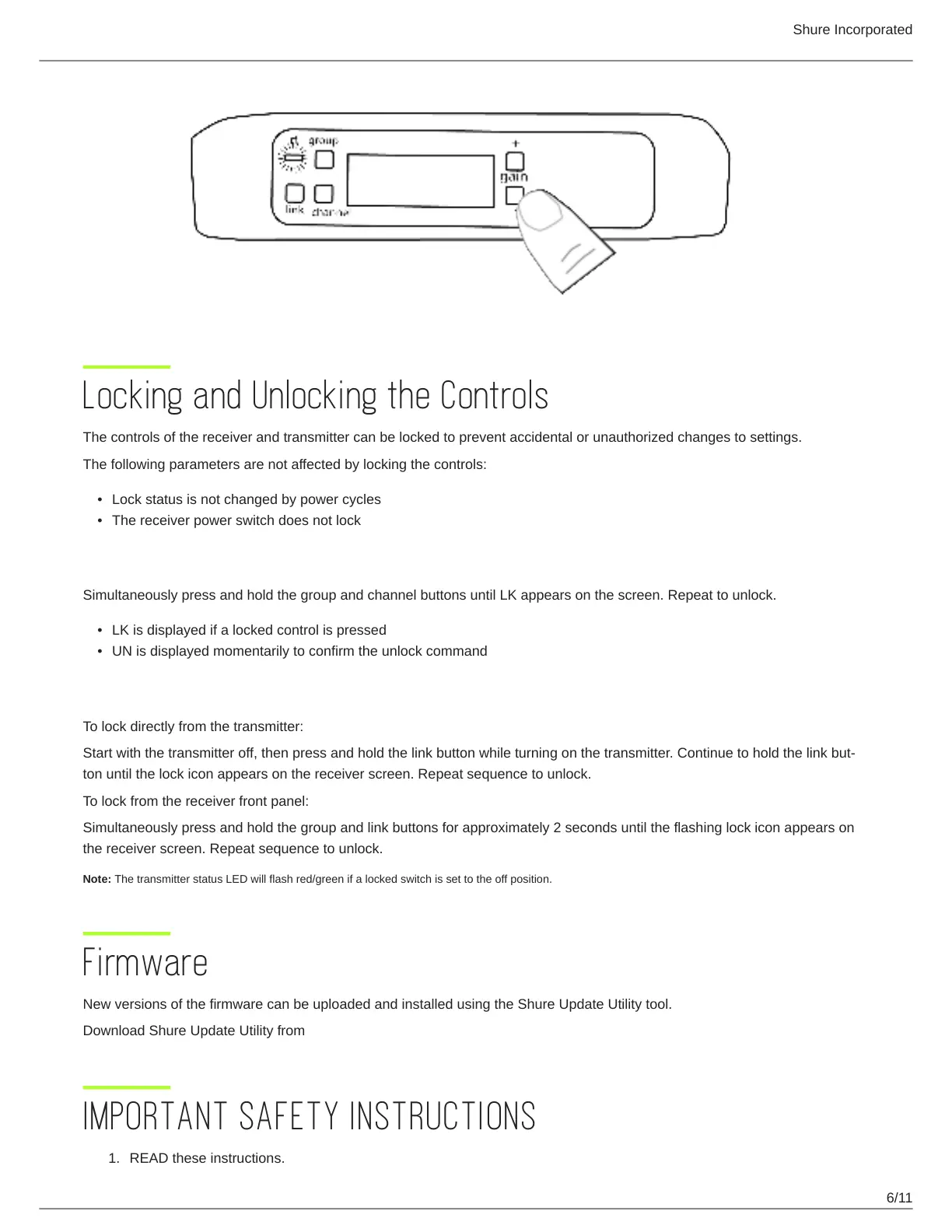
Simultaneously press and hold the group and channel buttons until LK appears on the screen. Repeat to unlock.
LK is displayed if a locked control is pressed
UN is displayed momentarily to confirm the unlock command
Locking the Transmitter Power Switch
To lock directly from the transmitter:
Start with the transmitter off, then press and hold the link button while turning on the transmitter. Continue to hold the link but
ton until the lock icon appears on the receiver screen. Repeat sequence to unlock.
To lock from the receiver front panel:
Simultaneously press and hold the group and link buttons for approximately 2 seconds until the flashing lock icon appears on
the receiver screen. Repeat sequence to unlock.
Note: The transmitter status LED will flash red/green if a locked switch is set to the off position.
Firmware
New versions of the firmware can be uploaded and installed using the Shure Update Utility tool.
Download Shure Update Utility from shure.com
IMPORTANT SAFETY INSTRUCTIONS
READ these instructions.



 To Next Page