Shure Incorporated
23/32
•
•
•
•
•
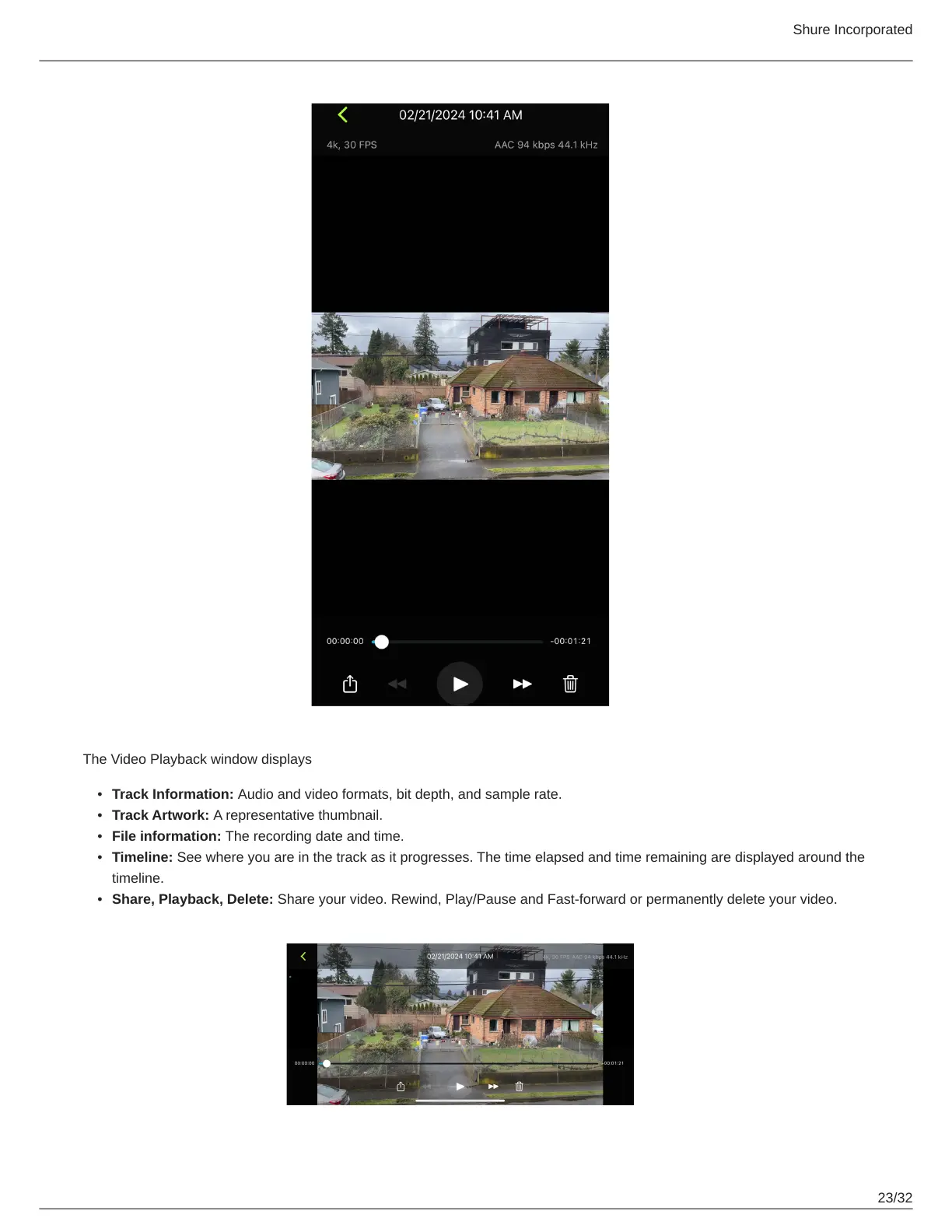
The Video Playback window displays
Track Information: Audio and video formats, bit depth, and sample rate.
Track Artwork: A representative thumbnail.
File information: The recording date and time.
Timeline: See where you are in the track as it progresses. The time elapsed and time remaining are displayed around the
timeline.
Share, Playback, Delete: Share your video. Rewind, Play/Pause and Fast-forward or permanently delete your video.


 To Next Page