Shure Incorporated
22/32
•
•
Gallery
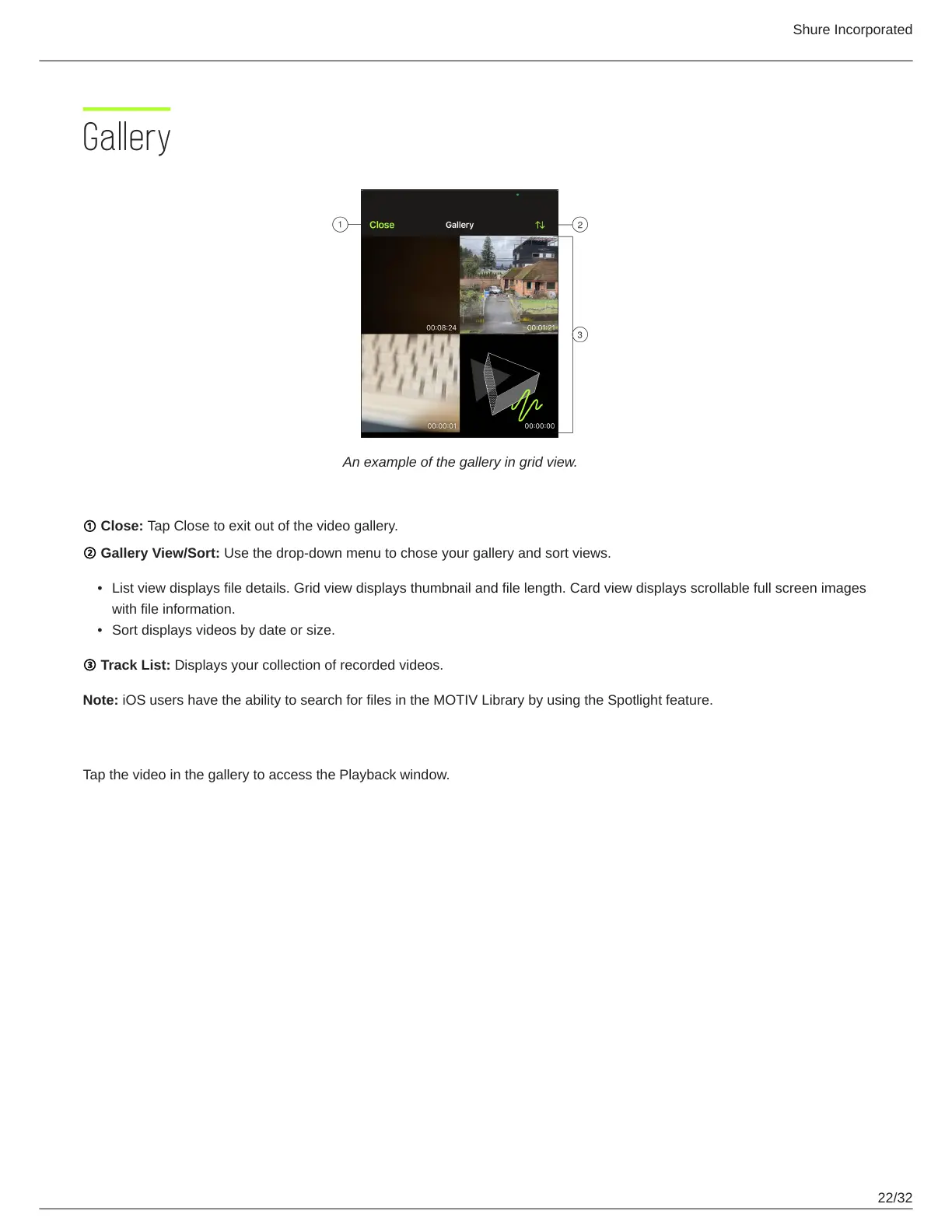
An example of the gallery in grid view.
① Close: Tap Close to exit out of the video gallery.
② Gallery View/Sort: Use the drop-down menu to chose your gallery and sort views.
List view displays file details. Grid view displays thumbnail and file length. Card view displays scrollable full screen images
with file information.
Sort displays videos by date or size.
③ Track List: Displays your collection of recorded videos.
Note: iOS users have the ability to search for files in the MOTIV Library by using the Spotlight feature.
Video Playback
Tap the video in the gallery to access the Playback window.


 To Next Page