Shure Incorporated
4/32
•
•
•
•
•
General Description
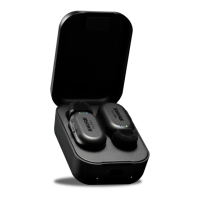
The Shure MoveMic Wireless Lavalier Microphone System provides instant video livestreaming or audio and video recording
with high fidelity audio to your mobile device. The kit includes 2 discrete MoveMic lavalier microphones that use the MOTIV Au
dio or Video Recording application to adjust mic settings and record or stream to the web. The system is ideal for recording sit
uations that require vocal clarity with a balanced tone and discrete form that works on the go.
Features
Compatible with iOS and Android devices.
Note: See the compatibility tab on product pages for information on recommended Android devices. MoveMic One, MoveMic Two, MoveMic Two Receiv
er Kit and MoveMic Receiver.
Plug-and-Play Operation supporting landscape and portrait recording
Innovative, Discrete MoveMic Design, hybrid mic and clip, can be affixed to a variety of materials with excellent sound
quality and reliability
Flexible Recording Control with the MOTIV Audio and Video Recording applications which include remote gain adjust
ment settings
Support for 1 or 2 microphone recordings
Tip: Turn on Airplane Mode and Do Not Disturb to prevent interruptions to the recording caused by phone calls, text messages, or alerts.
The Shure MoveMic
Powering the MoveMic On and Off
Power On: Press and hold the MoveMic power button for 3 seconds until both LEDs double flash. Continue to hold power but
ton to put MoveMic into pairing mode.
Power Off: Press and hold the MoveMic power button for 3 seconds until the LED power indicator flashes red twice. Release
the button. You can now put the MoveMic away.
MoveMic Button Commands
MUTE/UNMUTE MIC Press once
POWER ON Hold for 3 seconds
®
™


 To Next Page