Shure Incorporated
5/32
POWER OFF
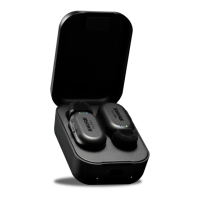
Hold for 3 seconds or place mic into Charge
Case and shut the lid
PAIRING MODE Hold 6 seconds from a powered-off state
MoveMic LED Indicators
Power LED
MoveMic On Green double flash
Muted Red solid
MoveMic Off Red double flash, then off
Note: No LEDs may also be an indication that LEDs have been toggled off in the MOTIV application.
Connection LED
Pairing mode Alternating red and blue
Successful Pair Solid blue for 30 seconds
Low battery level Red persistent flashing
Medium battery level Solid amber for 30 seconds
High battery level Solid green for 30 seconds
Unlocked Green flashing
Locked Amber flashing
Factory reset Green and red triple flash


 To Next Page