Shure Incorporated
22/36
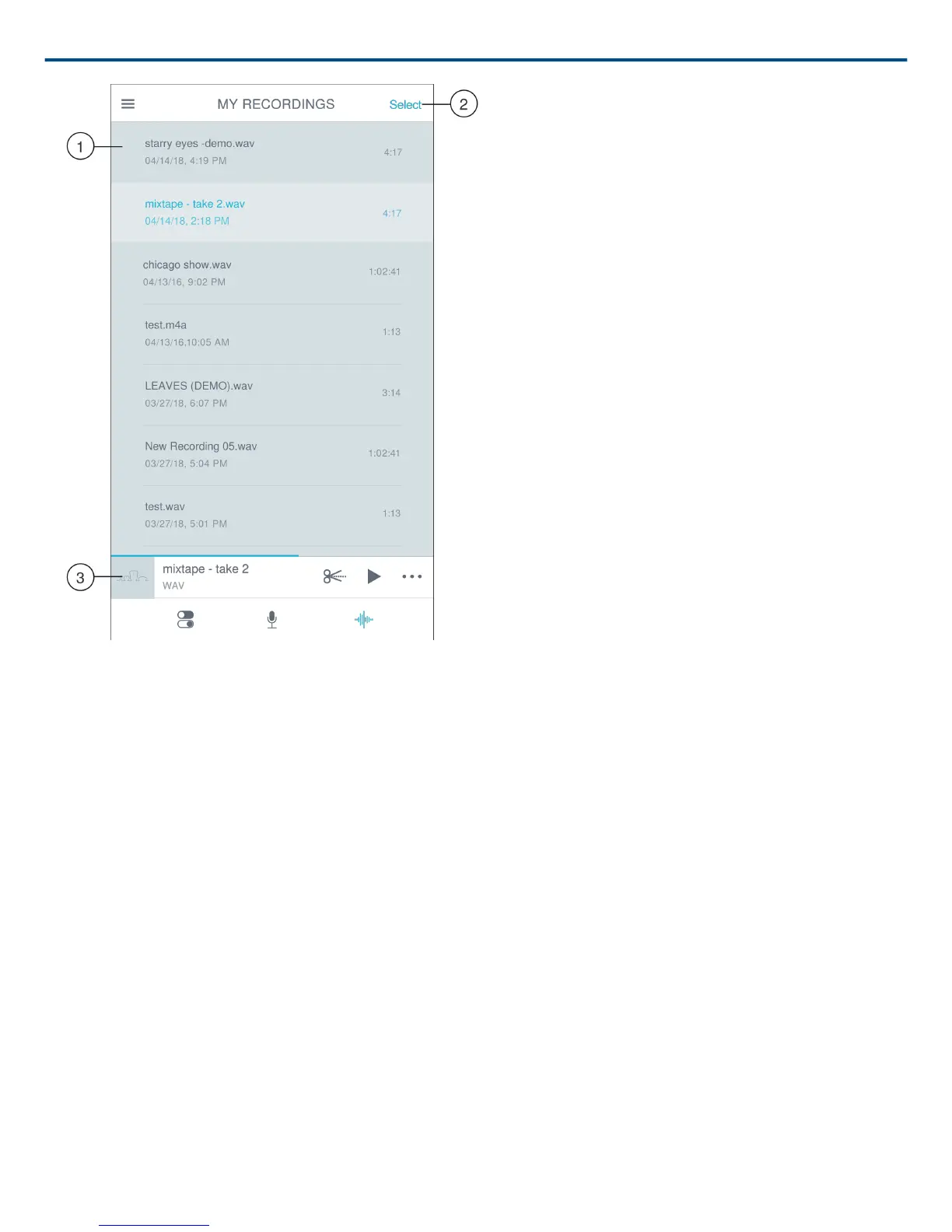
My Recordings Playlist
① Track List
Displays your list of recorded tracks.
② Select Button
Use the Select button to choose one or multiple recordings to convert, share, or delete.
③ Audio Player Bar
Tap the Edit icon to access the Editor. Play and pause recordings. Tap the three dots to access renaming, sharing,
audio conversion or delete options.
Converting Multiple Files
Shure MOTIV allows you to convert, share, or delete multiple files at a time. Only WAV files can be converted.
1. Tap Select in the top-right corner of My Recordings.
2. Select all the files that you want to convert. A blue check mark will appear next to selected files.
3. Tap Save As to display conversion options. Converting the files adds the new files to the My Recordings list.



 To Next Page